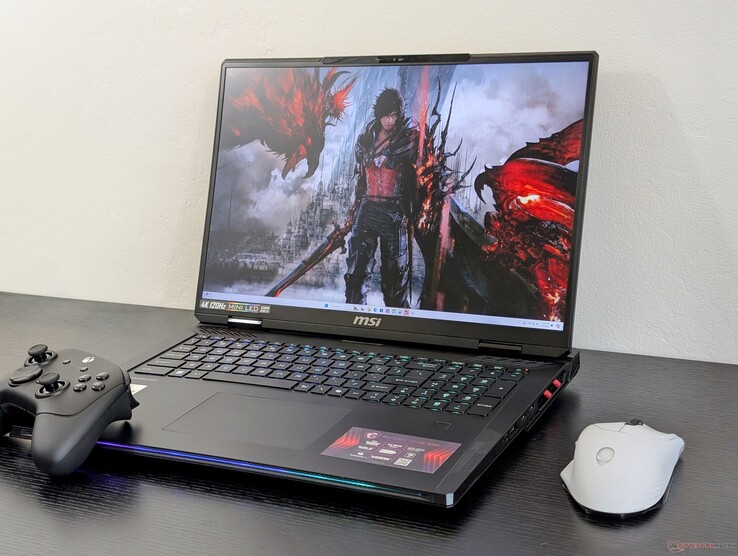
The MSI Raider 18 HX AI is not just a gaming laptop — it’s a desktop replacement. With a powerful Intel Core Ultra 9 285HX CPU, an Nvidia RTX GPU, and an 18‑inch Mini‑LED 4K display, this machine is built for high-performance gaming, content creation, and AI workloads. But with its steep price and heavyweight build, is it the right choice for you? Let’s dive in.
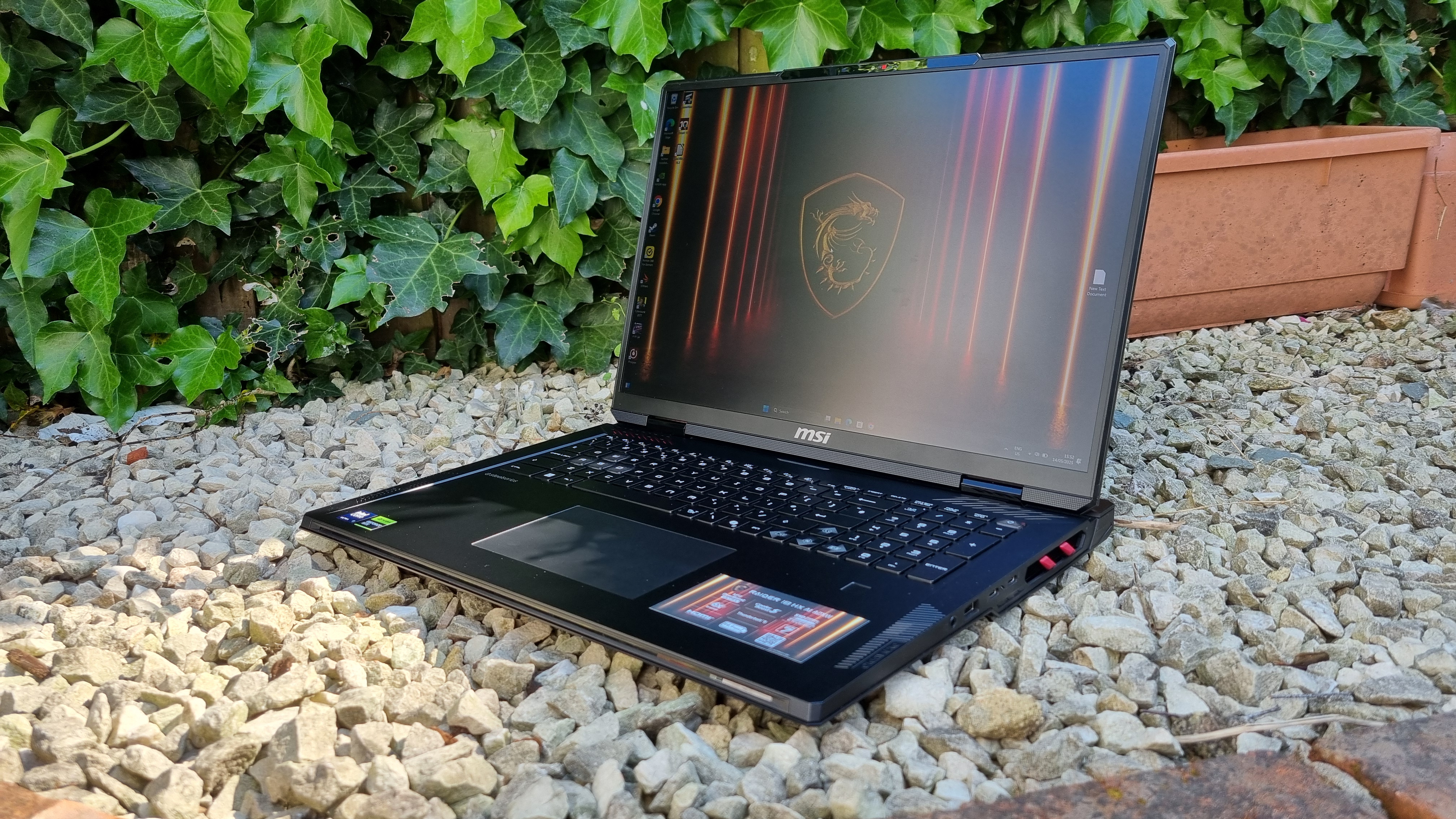
Key Specifications & Design
Processor: Intel Core Ultra 9 285HX (24 cores) MSI Storage Asset+2B&H Photo Video+2
Graphics: NVIDIA GeForce RTX 5080 (in some configurations) B&H Photo Video+2PCWorld+2
Memory: 64 GB DDR5‑6400 (dual‑slot) B&H Photo Video
Storage: Up to 4 TB (2 × NVMe SSD) on some models PCWorld
Display: 18″ UHD+ (3840×2400) Mini‑LED, 120 Hz, VESA HDR 1000, 100% DCI‑P3 MSI Storage Asset+1
Connectivity:
2 × Thunderbolt 5 B&H Photo Video+1
HDMI 2.1, USB-A, SD card reader B&H Photo Video
Battery: 99 Wh B&H Photo Video
Cooling: Cooler Boost with 7 heat pipes plus dual fans B&H Photo Video
Weight: ~3.6 kg / 7.9 lb — heavy and not very portable B&H Photo Video
Performance
CPU & AI Power
Thanks to the Ultra 9 285HX, the Raider 18 is a multi-threaded performance monster. PCWorld measured blazing benchmark results, and it handles video transcoding tasks (like in Handbrake) extremely fast. PCWorld
On top of that, its AI-boosted NPU (Neural Processing Unit) enables up to 13 TOPS (trillion operations per second), making it useful for AI workloads and intelligent apps. B&H Photo Video+1
GPU Performance
The RTX 5080 (or even RTX 5090 in some SKUs) gives this laptop serious graphics muscle. According to PCWorld, the 3DMark Time Spy score is extremely high, and ray-traced workloads perform very well. PCWorld
Thermal design is aggressive: MSI’s OverBoost Ultra mode can push combined CPU + GPU power up to 260W for peak performance. B&H Photo Video
Display & Audio
The 18-inch Mini‑LED panel is stunning: very high brightness, 100% DCI‑P3 color gamut, and good HDR capabilities for both gaming and creative work. B&H Photo Video
On the audio side, MSI packs in a 6‑speaker setup (4x 2W + subwoofers) with support from Dynaudio and Nahimic — great for immersive sound. MSI Store | Malaysia
Real-World Use & Gaming
Gaming: Users and reviews say it’s capable of running modern AAA games smoothly, even at high settings. LaptopMag saw over 100 fps in many titles. Laptop Mag
Productivity & Content Creation: Thanks to its high CPU performance and fast SSDs, it’s ideal for video editing, 3D work, and other heavy tasks.
AI workloads: The NPU helps with AI-assisted tasks, though not all users will need this.
Thermals, Noise & Battery Life
Thermals: Gets hot under load, naturally, given its power profile. Some users mention high fan noise. >
“the fans make a lot of noise … cooling problems” — Reddit user Reddit
Battery: Not great — LaptopMag reports about 2.5 hours under light use, and less under gaming. Laptop Mag+1
Portability: Because of its size and weight, it’s best treated like a desktop — plug it in for maximum use.
Pros & Cons
Pros:
Excellent CPU + multi-core performance
Very powerful GPU options
High-quality Mini‑LED 4K display
Strong connectivity (Thunderbolt 5, HDMI 2.1, etc.)
Great for gamers and creators
Cons:
Very heavy, not very portable
Loud under load
Short battery life
Premium price
User Feedback
“I recently picked up this beast … the performance is top‑notch … but the fans spool up like a Boeing 747 in performance mode.” — Reddit user Reddit
“Really want to buy this spec … the Raider blew it out of the water … doing a superb job as a desktop replacement.” — Another user Reddit
Who Is the Raider 18 HX AI For?
Gamers who want top-tier performance and don’t mind a large, heavy machine.
Content creators and video editors who need fast CPUs, large RAM, and quick storage.
AI developers or enthusiasts who can leverage the NPU for inference or AI‑accelerated tasks.
Desktop replacement users who don’t care about battery life so much.
If you need a portable ultrabook, this probably isn’t for you. But if you want maximum performance in a reasonably mobile form, it’s one of the strongest options on the market today.
Final Verdict
The MSI Raider 18 HX AI is a showcase of extreme laptop engineering. It packs desktop-level power into a single machine, offering top-notch performance, a gorgeous mini-LED display, and serious AI potential. However, that power comes at a cost: in weight, noise, and battery life.
If you’re focused on performance and you’re okay using the laptop mostly plugged in, the Raider 18 HX AI is absolutely worth considering. But if you need portability or long battery life, you might want to look elsewhere.
Inbound Links (from Infolandia)
To learn more about related tech and how to make money with it, check out:
Make Money Online — ways to turn gaming or content creation into income
App & Product Reviews — for other high-performance device reviews
How-To Guides — tips for optimizing PC performance or building a gaming setup
And from your existing posts:
Infinix GT 10 Pro Plus Review → Infolandia Infinix GT 10 Pro Plus Review
Samsung Galaxy A55 5G Review → Samsung Galaxy A55 5G Review
Outbound Links (Credibility & Further Reading)
For more on performance comparisons: check out the PCWorld review. PCWorld
To understand battery life trade‑offs in performance laptops, LaptopMag’s review is very insightful. Laptop Mag
For an authoritative breakdown of Mini‑LED technology, see what VESA says about HDR standards: VESA DisplayHDR 1000 spec. (https://vesa.org)