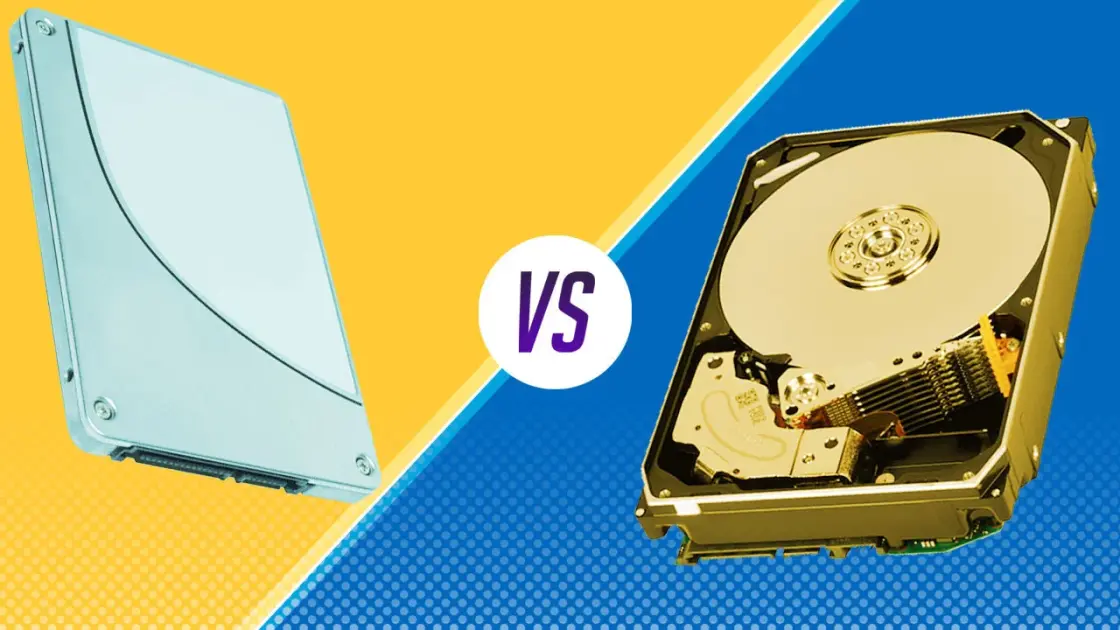
Choosing between HDD (Hard Disk Drive) and SSD (Solid State Drive) is one of the most important decisions when buying a laptop or desktop in 2025. Storage type directly affects speed, performance, durability, battery life, and overall user experience.
In this guide, we’ll break down HDD vs SSD, explain their differences, advantages, disadvantages, and help you decide which one is best for your needs.
What Is an HDD (Hard Disk Drive)?
An HDD is a traditional storage device that uses spinning magnetic disks to read and write data. It has been around for decades and is still used mainly for large storage at a low cost.
HDD Advantages
-
Cheaper per GB
-
Ideal for storing large files (movies, backups, archives)
-
Widely available
HDD Disadvantages
-
Very slow boot and app loading times
-
Makes noise due to moving parts
-
Consumes more power
-
More prone to damage if dropped
For detailed hard drive specs and benchmarks, platforms like Tom’s Hardware provide in-depth testing:
👉 https://www.tomshardware.com
What Is an SSD (Solid State Drive)?
An SSD stores data on flash memory, similar to smartphones. It has no moving parts, making it much faster and more reliable than HDDs.
SSD Advantages
-
Extremely fast boot and load times
-
Silent operation
-
Better battery life
-
More durable
-
Best for modern operating systems
SSD Disadvantages
-
More expensive than HDD
-
Smaller storage capacity at lower prices
According to TechRadar, SSDs are now the default choice for most modern laptops:
👉 https://www.techradar.com
HDD vs SSD: Key Differences (2025)
| Feature | HDD | SSD |
|---|---|---|
| Speed | Slow | Very fast |
| Boot Time | 30–90 seconds | 5–15 seconds |
| Durability | Low | High |
| Noise | Yes | No |
| Battery Usage | High | Low |
| Price | Cheaper | More expensive |
Performance benchmarks can also be compared on NotebookCheck:
👉 https://www.notebookcheck.net
Which Is Better for Everyday Use?
If you use your system for:
-
Browsing
-
Office work
-
Coding
-
Graphic design
-
Gaming
-
Video editing
👉 SSD is the clear winner
This is why most laptops reviewed on Infolandia.com.ng now recommend SSDs, especially for Nigerian users who value speed and efficiency.
You can also compare device performance specs on GSMArena:
👉 https://www.gsmarena.com
Best Choice for Nigerian Users in 2025
Due to:
-
Power fluctuations
-
Heat
-
Frequent movement of laptops
SSDs are safer and last longer in Nigerian conditions.
For affordable SSD laptops and accessories, many users now check online tech marketplaces like:
👉 https://www.digitaltrends.com
👉 https://www.engadget.com
Can You Combine HDD and SSD? (Best Setup)
Yes — and it’s the best option if you can afford it.
Recommended Setup
-
SSD → Operating system + apps
-
HDD → Files, videos, backups
This setup gives you speed + large storage.
Final Verdict: HDD or SSD?
✅ Choose SSD if:
-
You want speed
-
You multitask a lot
-
You use Windows 11 or macOS
-
You care about battery life
✅ Choose HDD if:
-
You need cheap large storage
-
Speed is not important
👉 Best overall choice in 2025: SSD
🔗 Related Reading on Infolandia
-
App & Product Reviews:
https://www.infolandia.com.ng/category/app-product-reviews/ -
How-To Guides:
https://www.infolandia.com.ng/category/how-to-guides/ -
Make Money Online (Tech & Tools):
https://www.infolandia.com.ng/category/make-money-online/