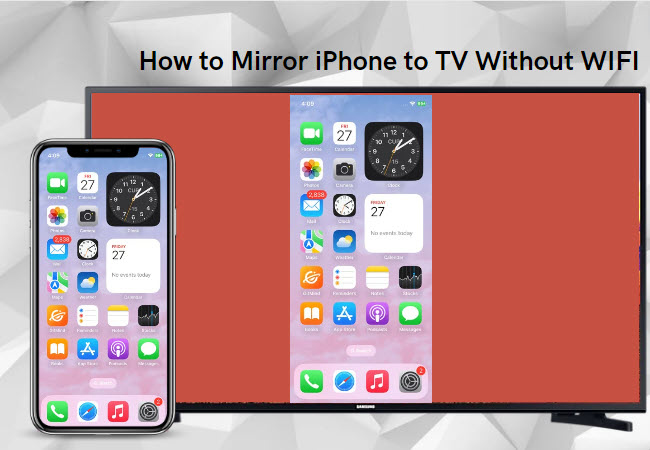
Want to watch movies, stream YouTube videos, or share photos from your phone on a big screen — but don’t have Wi-Fi? No problem! You can still connect your smartphone to your TV easily. Below are three simple ways to connect your phone to your TV without an internet connection.

1. Use an HDMI Adapter (Wired Method)
The easiest and most reliable method is to use an HDMI adapter.
Here’s how it works:
-
Buy an MHL or USB-C to HDMI adapter (costs around ₦5,000 – ₦10,000).
-
Plug one end into your phone and the other into your TV’s HDMI port.
-
On your TV remote, select the HDMI source — your phone screen will instantly appear on your TV.
This method gives you a stable and high-quality connection, ideal for watching movies or playing games from your phone.
If you’re looking for affordable gadgets like this, check out our latest guide on How to Make Money Online in Nigeria — where we also list trusted stores to buy accessories safely.
2. Use a Wireless Display Dongle (No Wi-Fi Router Needed)
If you prefer a wireless option, try a wireless display dongle such as Anycast or MiraScreen (about ₦6,000 – ₦12,000).
Here’s how to set it up:
-
Plug the dongle into your TV’s HDMI port and power it using a USB cable.
-
Turn on Screen Cast, Cast, or Wireless Display on your phone.
-
Select the device name (e.g., “Anycast-XXXX”) to connect directly — no router or home Wi-Fi needed.
This method lets you mirror your phone screen wirelessly, which is perfect for watching movies, showing slides, or playing videos.
For tech lovers, you might also enjoy our Infinix GT 10 Pro Plus Review and Samsung Galaxy A55 5G Review, where we cover performance and casting features for different devices.
3. Use a SlimPort Cable (For Specific Phones)
Some smartphones support SlimPort, a technology similar to MHL but compatible with more TVs and resolutions.
Here’s what to do:
-
Buy a SlimPort-to-HDMI adapter.
-
Connect your phone to the adapter, then to your TV’s HDMI port.
-
Switch your TV input to HDMI — and your screen will display immediately.
SlimPort provides better picture quality than basic MHL cables, making it ideal for high-definition displays.
If you own a Dell laptop or hybrid device, you might also want to read our Dell Latitude E3350 Review — a great choice for streaming and productivity.
Bonus Tip: Use Built-in Cast Features
Many phones from Infinix, Tecno, and Samsung come with built-in screen casting options like Smart View, Cast Screen, or Wireless Projection.
You can find these under Settings → Connected Devices → Cast (depending on your phone model).
These features allow you to connect directly to TVs or dongles without using the internet.
For more practical tech tutorials, visit our How-To Guides or read Content Creation in Nigeria: 2025 Guide to Making Money Online.
Final Thoughts
Connecting your phone to your TV without Wi-Fi is simple, affordable, and requires only basic tools. Whether you prefer a wired HDMI adapter, a wireless dongle, or SlimPort, you can enjoy your favorite content on a big screen anytime.