Today, you can use AI to brainstorm a video idea, write a script, generate visuals, create voiceovers, edit footage, add captions and turn one long video into several Shorts. You can even create some types of videos without appearing on camera.
However, having access to many AI tools does not mean every tool is equally useful. Some are excellent for generating cinematic footage, while others are better for editing talking-head videos, creating faceless content, producing voiceovers or turning written articles into YouTube videos.
In this guide, we look at some of the best AI tools for creating YouTube videos in 2026, what each tool does best, who should use it and how you can combine several of them into a practical YouTube workflow.
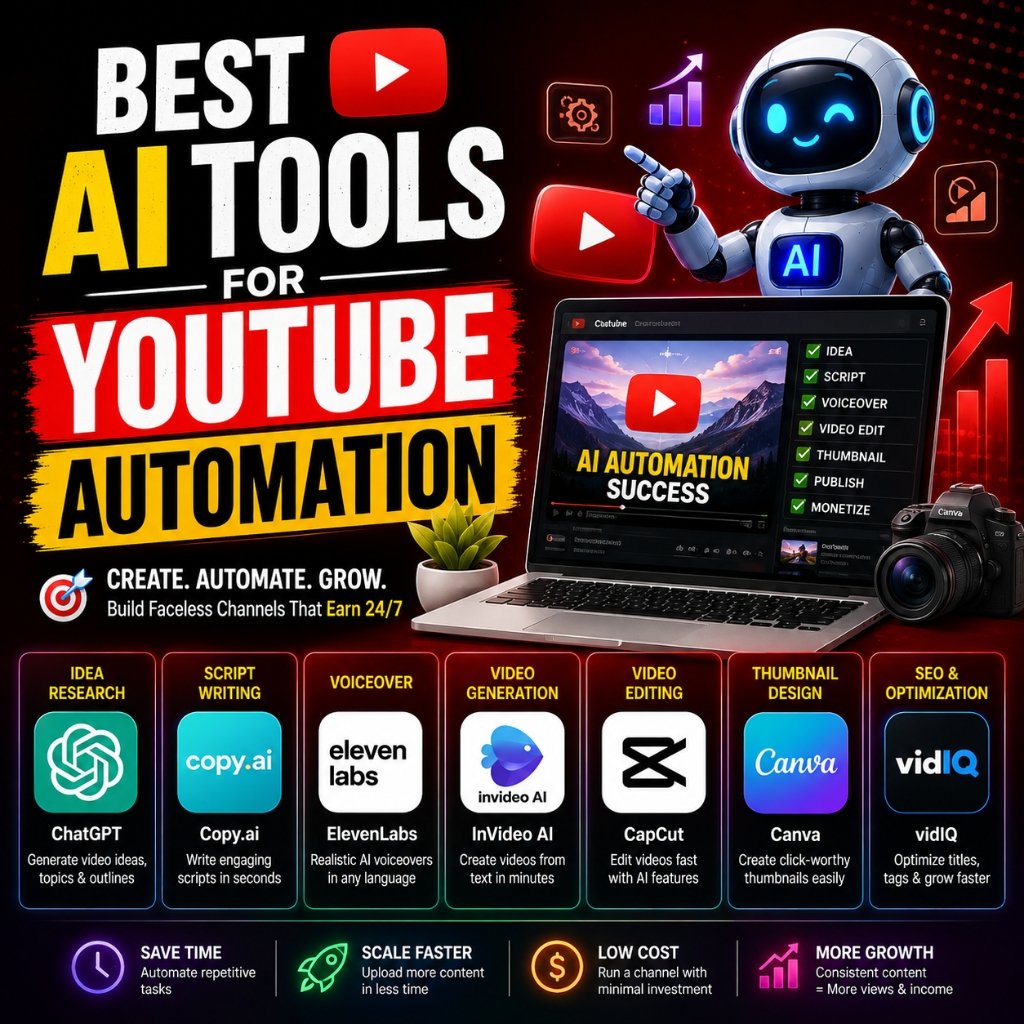
Why AI Video Tools Are Becoming So Popular
Video production can involve many separate tasks. A creator may need to research a topic, write a script, record narration, find visuals, edit clips, add music, create captions and design a thumbnail.
AI can reduce the amount of manual work involved in several of these stages.
For example, an AI video platform can take a written idea and help turn it into scenes. Another tool can remove filler words from a recorded video, while another can generate narration or create short clips from a longer recording.
This does not mean AI automatically creates a successful YouTube channel. Your topic, storytelling, accuracy, originality and consistency still matter. AI works best as a production assistant rather than a complete replacement for creative judgment.
1. Runway
Best for: AI-generated cinematic video and creative visual effects
Runway is one of the strongest choices for creators who want to generate original video footage with AI.
Runway’s current platform includes text-to-video and image-to-video generation. Its Gen-4.5 model supports detailed prompts and different aspect ratios, while the platform also provides tools for transforming and editing existing footage.
This makes Runway particularly useful when you need footage that would otherwise be difficult or expensive to shoot.
What you can use Runway for
- Generating cinematic B-roll
- Creating fictional environments
- Animating still images
- Generating short visual sequences
- Changing elements in existing footage
- Creating visual effects
- Developing storyboards and creative concepts
Runway also has an AI Agent that can help plan, generate and edit parts of a larger creative project. Its workflow can include images, video, audio, voiceovers and timeline editing.
Best for: filmmakers, technology channels, storytelling channels, advertising videos and creators who want visually impressive AI-generated footage.
2. CapCut
Best for: Beginners who want an all-in-one AI video editor
CapCut has become particularly useful for creators who want to combine AI generation with conventional video editing.
Its AI tools include text-to-video generation, image-to-video, AI voice generation, background removal, video enhancement and other editing features. CapCut also supports workflows for YouTube and short-form social media content.
One useful feature is the ability to start with a script or idea and turn it into a video. Depending on the feature and region, CapCut can generate scenes and voiceovers from written material.
Why YouTubers may like CapCut
- Beginner-friendly interface
- AI video generation
- AI voiceovers
- Automatic captions
- Background removal
- Templates and effects
- Video editing and export tools
For someone starting a YouTube channel without much editing experience, CapCut can be a practical place to begin.
You can also combine it with other tools. For example, you could generate a script separately, create visual clips with an AI video generator and then assemble everything in CapCut.
Best for: beginners, Shorts creators, faceless channels and creators who want editing and AI features in one application.
3. InVideo AI
Best for: Turning an idea or script into a complete video
InVideo AI focuses heavily on turning a written idea into a finished video.
Its current AI video workflow can write a script, generate or select visuals, add voiceovers, subtitles and music, and help produce a complete video from a prompt. InVideo describes its 2026 platform as an agentic AI video creation system that can handle tasks from scripting and storyboarding through generation and editing.
This can be particularly useful if you want to create educational videos, explainers, list videos or other formats where narration and supporting visuals carry most of the content.
InVideo AI is useful for
- Faceless YouTube videos
- Explainer videos
- Educational content
- List-style videos
- Marketing videos
- Storytelling content
- Repurposing written ideas into videos
The biggest advantage is convenience. Instead of assembling every component manually, you can provide the concept and then refine the generated result.
Still, you should review the script and visuals carefully. AI-generated content can contain factual mistakes, awkward wording or visuals that do not perfectly match the narration.
Best for: creators who want to go from an idea to a relatively complete video quickly.
4. Pictory
Best for: Turning scripts, articles and existing content into YouTube videos
Pictory is particularly interesting for bloggers, educators and content marketers because it focuses strongly on converting written material into video.
Pictory’s current AI YouTube creator can take a script, idea or long-form text and organize it into scenes, layouts, captions and visuals. It also supports YouTube’s 16:9 format and vertical 9:16 content for Shorts.
That makes it a natural choice if you already publish written content.
For example, a blogger could take an existing article such as What Is Cloud Computing? and develop a video version around the same subject.
Similarly, an article about learning graphic design from home could become the foundation for an educational YouTube video.
Pictory can help with
- Script-to-video production
- Article-to-video conversion
- AI-generated visuals
- Captions
- AI voiceovers
- YouTube videos
- YouTube Shorts
Best for: bloggers, educators, affiliate marketers and creators who already have written content they want to turn into videos.
5. Descript
Best for: Editing talking-head videos, podcasts and recorded content
Descript takes a different approach from pure text-to-video generators.
Instead of focusing primarily on generating entire videos from scratch, Descript combines AI transcription with video and audio editing. You can edit a recording through its transcript, remove filler words and generate captions while keeping the changes synchronized with the video.
This can save a lot of time when editing interviews, tutorials, podcasts and talking-head videos.
Useful Descript features include:
- AI transcription
- Text-based video editing
- Automatic captions
- Filler-word removal
- AI voice generation
- Voice cloning features
- AI-assisted clip creation
- Video repurposing
For example, if you record a 30-minute tutorial, you can use the transcript to identify sections worth turning into shorter clips.
Best for: YouTubers who record themselves, podcasters, interview channels and educational creators.
6. Canva
Best for: YouTube graphics, short AI-generated clips and simple video production
Canva is already popular for YouTube thumbnails, presentations and social media graphics, but its AI capabilities now extend into video creation.
Canva’s AI video generator can create short video clips from text prompts and include synchronized audio such as dialogue and sound effects. Canva also lets creators continue editing the generated content using its broader design and video tools.
That makes Canva especially useful as part of a YouTube production workflow rather than necessarily being the only tool you use.
You can use Canva for:
- YouTube thumbnails
- Intro and outro graphics
- Channel banners
- Short AI-generated video clips
- Text animations
- Presentation-style videos
- Social media versions of YouTube content
If your channel depends heavily on strong visual branding, Canva can be particularly valuable.
Best for: creators who want video creation and graphic design in the same ecosystem.
7. AI Voice Tools
Best for: Narration and voiceovers
You do not always need to record your own voice for a YouTube video. AI voice technology can generate narration from a written script.
Voice generation can be useful for explainers, documentaries, tutorials and some faceless content. However, creators should pay close attention to licensing, platform rules and the authenticity of their content.
A good workflow is to write and fact-check your script first, then generate narration and synchronize it with your visuals.
Which AI Tool Is Best for YouTube?
| Tool | Best Use | Ideal Creator |
|---|---|---|
| Runway | Cinematic AI video | Visual storytellers |
| CapCut | Editing and AI video creation | Beginners and Shorts creators |
| InVideo AI | Idea-to-video production | Faceless channels |
| Pictory | Text-to-video | Bloggers and educators |
| Descript | Editing recorded videos | YouTubers and podcasters |
| Canva | Graphics and short video content | Visual content creators |
How to Create a YouTube Video With AI
You do not need to use every AI tool available. A simple workflow can produce better results than constantly switching between platforms.
Step 1: Choose a useful topic
Start with a topic people actually want to learn about.
For example, instead of creating a generic video called “Technology,” you could create something specific such as “Best Phones for University Students in Nigeria in 2026.”
If you run a Nigerian-focused channel, you can also build videos around local technology, online businesses, smartphones, laptops, digital skills and everyday technology problems.
Our guide on making money online in Nigeria could also provide ideas for educational video topics.
Step 2: Write and fact-check the script
AI can help you create a first draft, but do not publish the script without reviewing it.
Check statistics, product specifications, dates, prices and other factual claims. AI tools can occasionally produce information that sounds convincing but is incorrect.
Step 3: Generate or record the narration
You can record your own voice if you want a more personal connection with your audience.
Alternatively, an AI voice tool can provide narration where appropriate.
Step 4: Create the visuals
This is where tools such as Runway, CapCut, InVideo AI and Pictory can become useful.
You can combine your own footage with screen recordings, photographs, graphics, stock footage and AI-generated scenes.
Step 5: Edit the video
Do not simply accept the first AI-generated version.
Remove unnecessary sections, correct mistakes, adjust pacing and make sure the visuals actually support what the narrator is saying.
Tools such as CapCut and Descript can help with this stage.
Step 6: Add captions
Captions can make videos easier to follow, particularly when people watch without sound.
Many modern video editors can generate captions automatically, but you should still check the transcript for errors.
Step 7: Create a strong thumbnail
Your video can be excellent and still struggle to attract clicks if the thumbnail does not communicate the idea clearly.
Canva is particularly useful for creating YouTube thumbnails and channel graphics.
Step 8: Review everything before publishing
Watch the complete video from beginning to end.
Look for pronunciation problems, incorrect facts, strange AI-generated visuals, repeated scenes, awkward transitions and copyright issues.
Only publish when the final video feels like something you would genuinely want to watch.
Can You Create a Faceless YouTube Channel With AI?
Yes, AI tools can make faceless video production much easier.
A typical faceless workflow might look like this:
- Choose a topic.
- Research the subject.
- Write and fact-check a script.
- Create narration.
- Generate or source supporting visuals.
- Edit the video.
- Add captions and music.
- Create a thumbnail.
- Publish and analyze the results.
However, using AI does not automatically make a channel successful. Your videos still need a clear purpose, useful information, original presentation and good storytelling.
Our guide on faceless content creation explores the wider concept and the different ways creators can build content without appearing on camera.
Can AI Help You Turn One YouTube Video Into Multiple Videos?
Absolutely.
One of the smartest uses of AI is content repurposing.
Imagine you record a 20-minute technology tutorial. Instead of publishing only that one video, you could turn the same recording into several Shorts, social media clips, captions, a written article and other pieces of content.
Descript, for example, can use transcripts and AI-assisted clip selection to help identify sections that can become shorter videos.
This approach can help creators get more value from the work involved in producing a single long-form video.
Are AI-Generated YouTube Videos Worth It in 2026?
For many creators, yes—but the best results usually come from combining AI with human creativity.
AI can dramatically reduce the time required for repetitive production tasks. It can help you experiment with ideas, generate visuals and speed up editing.
But viewers still care about whether a video is interesting, useful, trustworthy and enjoyable.
A channel that simply publishes hundreds of generic AI-generated videos may struggle to build a loyal audience. A creator who uses AI to improve research, storytelling, visuals and editing has a much stronger opportunity to stand out.
Final Verdict
The best AI tool for creating YouTube videos in 2026 depends on the type of channel you want to build.
Runway is an excellent choice when cinematic AI-generated visuals are your priority. CapCut is a strong option for beginners who want AI generation and editing in one place. InVideo AI is useful for turning ideas into complete videos, while Pictory works particularly well for converting scripts and written content into videos.
Descript stands out for creators who already record videos or podcasts and want powerful transcript-based editing. Canva is valuable for thumbnails, branding, graphics and short AI-generated video clips.
You do not have to choose only one.
For example, a YouTube creator could use an AI writing assistant for research and scripting, Runway for selected cinematic scenes, CapCut for editing, Descript for transcript-based cleanup and Canva for the thumbnail.
The important thing is not how much AI you use. The important thing is whether the final video gives viewers a reason to watch, learn and come back.
If you are also interested in learning the skills behind digital content creation, check out our guides on video editing for beginners, learning graphic design from home and content creation in Nigeria.
The article connects “In this guide, we look at some of the best AI tools for creating YouTube videos in 2026 , what each tool does best, who should use it and how you can combine several of them into a practical YouTube workflow.” with “Today, you can use AI to brainstorm a video idea, write a script, generate visuals, create voiceovers, edit footage, add captions and turn one long video into several Shorts.”. Which of those two details had the larger effect on the final result, and what made the difference? Disclosure: I am associated with
Invosmith invoice generator , a separate invoicing tool.
The workflow advice is practical, especially the emphasis on reviewing AI output and repurposing long-form videos. For another browser-based daily content idea, try NYT Spelling Bee.
NYT Spelling Bee
AI video creation tools can simplify the production process by helping creators with scripting, editing, voiceovers, and visual content. However, choosing the right tool should also consider output quality, customization options, and how well it supports a creator’s unique style and audience.