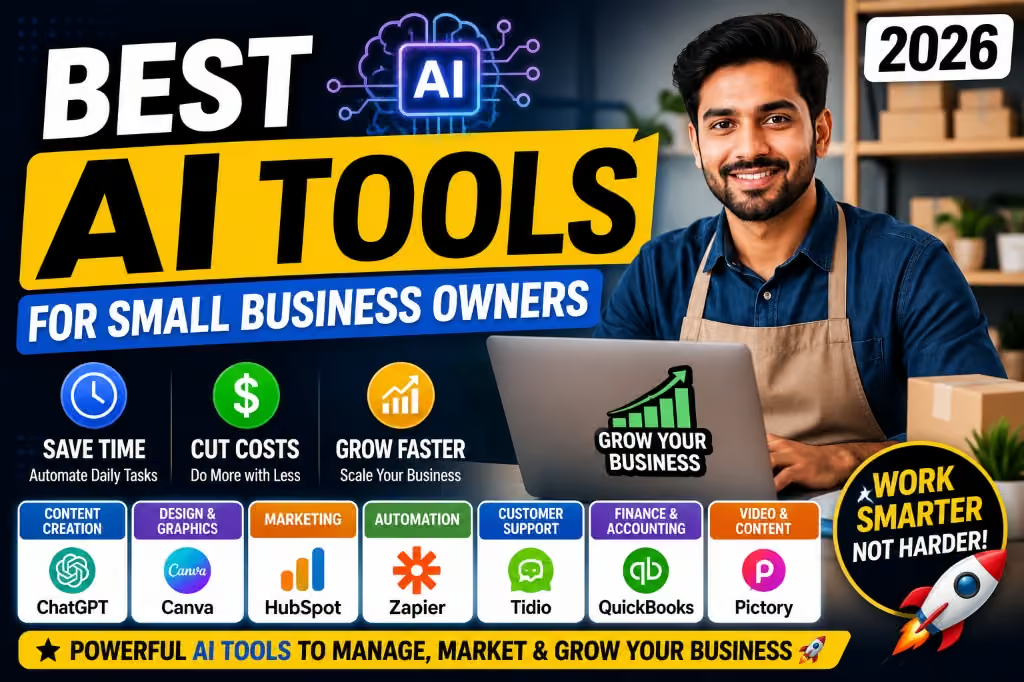
Running a small business in 2026 can feel like doing five jobs at the same time. You may be the business owner, marketer, customer-service representative, content creator, salesperson and even the person responsible for keeping the books.
The good news is that artificial intelligence (AI) can now handle many repetitive tasks that previously consumed hours of your day. You do not necessarily need an expensive AI subscription to start benefiting from it. Several powerful AI tools offer free plans or free features that can help small businesses create content, research ideas, design marketing materials, communicate with customers and organize their work.
For Nigerian entrepreneurs, freelancers and small businesses working with limited budgets, these free AI tools can be particularly useful. They can reduce the amount of time spent on routine tasks while allowing you to focus on customers and growing the business.
In this guide, we look at some of the best free AI tools for small business owners in 2026, what you can use them for, their limitations and the types of businesses that can benefit most from each one.

Why Small Businesses Should Use AI in 2026
AI is no longer limited to large technology companies. A small fashion business, food vendor, real estate agent, online store, freelancer or service provider can use AI for everyday business activities.
For example, an entrepreneur can use AI to turn a few product details into a social media caption, generate ideas for promotional campaigns, rewrite a poorly written email or summarize customer feedback.
This does not mean AI should replace human judgment. Instead, think of AI as a productivity assistant that helps you complete routine work faster.
If you are interested in building an online income stream, you can also read our guide on making money with digital marketing in Nigeria.
1. ChatGPT – Best Overall Free AI Tool for Small Businesses
Best for: Writing, brainstorming, customer communication, research, business ideas and productivity.
ChatGPT is one of the most useful general-purpose AI tools available to small business owners. The free version can help with a wide variety of everyday business tasks.
You can ask it to create product descriptions, brainstorm business names, write social media captions, draft customer messages, explain complicated topics, generate marketing ideas or help structure a business plan.
OpenAI also specifically highlights small-business use cases such as marketing, customer work, operations and analyzing business information. The free version of ChatGPT remains available, while more advanced business features are offered through paid plans. Try ChatGPT.
Practical examples
- Write five Instagram captions for a new product.
- Create a WhatsApp promotional message.
- Turn product specifications into a simple product description.
- Brainstorm content ideas for the next 30 days.
- Create questions for interviewing potential employees.
- Rewrite a customer-service response in a more professional tone.
- Analyze a list of customer complaints and identify common problems.
Small businesses can also use ChatGPT to turn rough ideas into more organized documents. However, always review AI-generated information before publishing or sending it to customers.
2. Canva AI – Best for Business Designs
Best for: Flyers, social media graphics, presentations, marketing materials and simple visual content.
Canva has become one of the easiest design platforms for people who do not have professional graphic-design skills. Its AI-powered features make the platform even more useful for small businesses.
Canva’s Magic Write can help users brainstorm ideas, draft content, rewrite text and create things such as social media captions and scripts. Canva states that its core Magic Write features are available to free users with fair-use limits. Try Canva.
A small business owner can combine Canva’s templates with AI-generated text to create promotional materials without starting every design from scratch.
What you can create
- Instagram posts
- WhatsApp Status graphics
- Facebook advertisements
- Business flyers
- Product promotional banners
- Presentation slides
- Simple business documents
- Video scripts
For entrepreneurs who depend heavily on social media marketing, Canva can save considerable time.
You may also find our Canva review useful if you want to understand the platform in more detail.
3. Google Gemini – Useful for Research and Brainstorming
Best for: Brainstorming, writing, research assistance and working with information.
Google Gemini is another general-purpose AI assistant that can help small-business owners with everyday tasks.
You can use an AI assistant such as Gemini to brainstorm product ideas, develop marketing concepts, draft emails, summarize information and organize ideas before turning them into finished business materials.
One advantage of using more than one AI assistant is that you can compare their responses. If you are researching a business idea, for example, you can ask one tool for suggestions and another to challenge the assumptions behind those suggestions.
4. Microsoft Copilot – Useful for Microsoft Users
Best for: Writing assistance, brainstorming, productivity and Microsoft-focused workflows.
If your business already relies on Microsoft products, Copilot is worth exploring.
It can assist with writing, brainstorming, summarizing information and other productivity tasks. Microsoft has also integrated AI capabilities into several of its products, although the exact features available depend on the product and subscription.
For a small business that already uses Windows and Microsoft services, having an AI assistant available within the same ecosystem can make everyday work more convenient.
5. Grammarly – Best for Business Writing
Best for: Emails, proofreading, professional communication and improving written content.
Communication matters when you run a business. A poorly written email or confusing product description can make a business appear less professional.
Grammarly can help identify grammar, spelling and clarity problems while you write. Its AI-powered features can also help users generate or improve certain types of text.
The free version can be useful for entrepreneurs who mainly need writing assistance without paying for a full premium subscription.
This is particularly useful if you communicate with customers, suppliers or international clients through email and online platforms.
We also have a detailed Grammarly review covering its usefulness for writing.
6. CapCut – Useful for AI-Assisted Video Content
Best for: Short videos, social media content and basic video editing.
Video has become one of the most important forms of online marketing. A small business can use short videos to demonstrate products, answer customer questions or promote special offers.
CapCut provides a collection of video-editing and AI-assisted features that can make short-form content easier to produce.
For example, a business owner can record a simple product video with a smartphone and then edit it into content suitable for platforms such as TikTok, Instagram and Facebook.
You can also read our CapCut review for a closer look at the platform.
7. Perplexity – Useful for Research
Best for: Research, finding information and exploring business topics.
Small-business owners regularly need to research competitors, industries, products and market trends. AI search tools can make the initial research process faster.
Perplexity combines conversational AI with web-based search and provides sources alongside its answers. That makes it useful when you want to investigate a topic rather than simply generate text.
However, you should still open and check important sources yourself. AI search tools can make mistakes, and business decisions should not rely on an unverified AI response.
8. Notion AI – Useful for Organizing Business Information
Best for: Notes, planning, documentation and organizing business information.
Many small businesses struggle not because they lack ideas but because their information is scattered across WhatsApp messages, notebooks, documents and different apps.
Notion can provide a centralized workspace for notes, tasks, projects and documentation, while its AI features can assist with writing and organizing information.
A small team could use it to keep track of content ideas, customer-service procedures, meeting notes, project tasks and business plans.
9. Adobe Express – Useful for Quick Marketing Content
Best for: Social graphics, simple marketing materials and visual content.
Adobe Express provides templates and tools for creating social media posts, flyers and other marketing materials. Its AI capabilities can also assist with creative workflows.
This can be useful for a small business owner who wants professional-looking promotional material without learning complex design software.
10. Google Docs and AI-Powered Productivity Tools
Best for: Documents, collaboration and business administration.
Google’s productivity ecosystem can be useful for small businesses even without investing heavily in dedicated business software.
Google Docs can handle proposals, reports, policies and other documents, while Google Sheets can help with simple business records, budgets and inventory tracking.
Where AI features are available through Google’s products and plans, they can further assist with drafting and organizing work.
How Small Business Owners Can Use AI Every Day
You do not need to use ten different AI applications every day. In fact, using too many tools can create another problem: wasted time switching between platforms.
A better approach is to choose a few tools that solve your most important problems.
Morning: Plan the Day
Use an AI assistant to turn your list of tasks into a practical schedule. You can also ask it to identify which tasks deserve priority.
Marketing: Create Content
Use ChatGPT or another AI writing assistant to brainstorm content ideas and create first drafts. Then use Canva to turn the strongest ideas into graphics.
Customer Service: Improve Responses
AI can help rewrite customer responses so that they sound clear and professional. You should still personalize important messages rather than sending obviously automated replies.
Research: Understand the Market
Use AI search and research tools to identify questions customers are asking, compare ideas and explore new opportunities. Always verify important information with reliable sources.
Evening: Review the Business
AI can help organize notes from the day and turn them into a simple list of unfinished tasks, customer issues and ideas for tomorrow.
Best Free AI Tools by Business Need
| Business Need | Recommended Tool | What It Can Help With |
|---|---|---|
| Writing | ChatGPT | Emails, captions, ideas and documents |
| Graphic Design | Canva | Flyers, social posts and marketing graphics |
| Research | Perplexity | Web research and source discovery |
| Proofreading | Grammarly | Grammar, clarity and writing improvement |
| Video | CapCut | Short videos and social content |
| Organization | Notion | Notes, projects and business documentation |
| Productivity | Gemini | Brainstorming, writing and information tasks |
| Microsoft Workflows | Copilot | Writing and productivity assistance |
How Much Can You Really Save With Free AI?
The biggest benefit is not necessarily the money saved on software subscriptions. The bigger advantage is the time saved.
Imagine a small business owner who normally spends an hour writing social media content, another hour preparing promotional ideas and additional time creating simple marketing materials.
AI cannot completely eliminate that work, but it can reduce the amount of time required to produce a first draft. The business owner can then spend more time checking quality, talking to customers and making decisions.
That is why I would treat AI as a productivity multiplier rather than a replacement for the business owner.
Free AI Does Not Mean Unlimited AI
One important point is that most free AI tools come with limitations.
A free plan may restrict the number of requests you can make, limit access to certain models, place limits on AI-generated designs or reserve advanced features for paid users.
For example, Canva states that its free users can access core Magic Write features subject to fair-use limits. ChatGPT also offers a free version while reserving additional capabilities and higher usage for paid plans.
Therefore, check the current pricing page before choosing a tool for an important business workflow. Free-plan features can change over time.
Important: Do Not Give AI Sensitive Business Information
AI can be extremely useful, but business owners should think carefully about the information they enter into AI systems.
Avoid casually pasting passwords, payment-card information, private customer information, authentication codes or confidential business documents into an AI tool.
If you are using AI for business with employees or multiple users, review the provider’s privacy and business-data policies before introducing confidential information into the workflow.
For example, OpenAI states that ChatGPT Business provides a business workspace and that workspace data is not used to train its models by default. That is different from simply assuming every AI service handles information in the same way.
Do Not Let AI Run Your Business Without Human Review
AI can produce impressive answers, but it can also make mistakes.
That matters when you are dealing with prices, contracts, taxes, legal requirements, financial decisions, technical specifications or information that could affect a customer’s purchase.
Use AI to speed up your thinking, not to stop thinking.
A good workflow looks like this:
- Give the AI a clear task.
- Review the response.
- Check important facts.
- Add your own business knowledge.
- Edit the final result.
- Only then publish or send it.
My Recommended Free AI Stack for a Small Nigerian Business
If I were starting a small online business with a very limited software budget, I would not subscribe to every AI platform available.
I would start with a small combination:
- ChatGPT: writing, brainstorming and business assistance.
- Canva: graphics and promotional designs.
- CapCut: short-form video.
- Grammarly: proofreading and communication.
- Perplexity: research and source discovery.
- Google Docs/Sheets: basic documentation and records.
This combination can cover a surprisingly large portion of the content and productivity needs of a small business.
If you are building an online store, our guide on starting an online store with Shopify in Nigeria may also be useful.
Final Verdict
The best free AI tool for small business owners in 2026 depends on what you actually need.
ChatGPT is my strongest all-round recommendation for writing, brainstorming and general business assistance. Canva stands out for visual marketing. CapCut is useful when video is central to your marketing strategy, while Grammarly can improve professional communication.
For research, Perplexity is worth trying, while Notion can help businesses organize information and projects.
The important thing is not to collect as many AI tools as possible. Choose the tools that solve real problems in your business.
For a small business owner working with a limited budget, even a few well-chosen free AI tools can make everyday work faster and more organized.
AI will not automatically make a business successful. Your product, customer service, marketing strategy, consistency and decision-making still matter. But when you use AI properly, you can spend less time on repetitive tasks and more time actually growing the business.