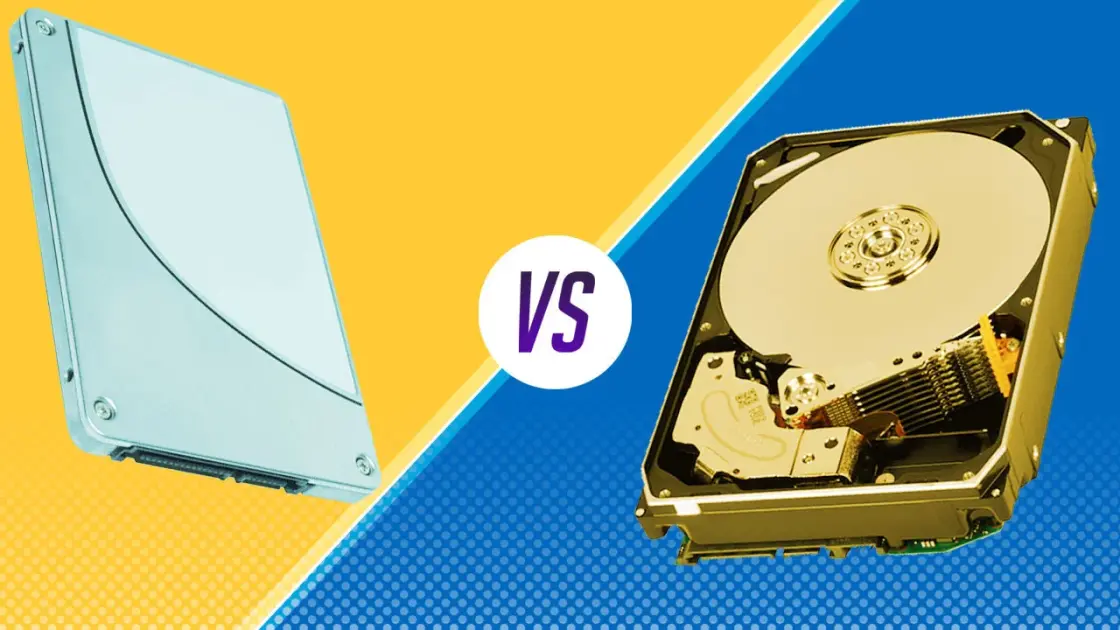
Choosing between HDD (Hard Disk Drive) and SSD (Solid State Drive) is one of the most important decisions when buying a laptop or desktop in 2025. Storage type directly affects speed, performance, durability, battery life, and overall user experience.
In this guide, we’ll break down HDD vs SSD, explain their differences, advantages, disadvantages, and help you decide which one is best for your needs.
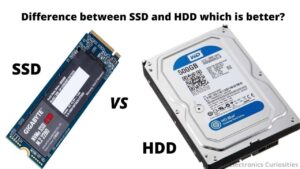
What Is an HDD (Hard Disk Drive)?
An HDD is a traditional storage device that uses spinning magnetic disks to read and write data. It has been around for decades and is still used mainly for large storage at a low cost.
HDD Advantages
Cheaper per GB
Ideal for storing large files (movies, backups, archives)
Widely available
HDD Disadvantages
Very slow boot and app loading times
Makes noise due to moving parts
Consumes more power
More prone to damage if dropped
For detailed hard drive specs and benchmarks, platforms like Tom’s Hardware provide in-depth testing:
👉 https://www.tomshardware.com
What Is an SSD (Solid State Drive)?
An SSD stores data on flash memory, similar to smartphones. It has no moving parts, making it much faster and more reliable than HDDs.
SSD Advantages
Extremely fast boot and load times
Silent operation
Better battery life
More durable
Best for modern operating systems
SSD Disadvantages
More expensive than HDD
Smaller storage capacity at lower prices
According to TechRadar, SSDs are now the default choice for most modern laptops:
👉 https://www.techradar.com
HDD vs SSD: Key Differences (2025)
| Feature | HDD | SSD |
|---|---|---|
| Speed | Slow | Very fast |
| Boot Time | 30–90 seconds | 5–15 seconds |
| Durability | Low | High |
| Noise | Yes | No |
| Battery Usage | High | Low |
| Price | Cheaper | More expensive |
Performance benchmarks can also be compared on NotebookCheck:
👉 https://www.notebookcheck.net
Which Is Better for Everyday Use?
If you use your system for:
Browsing
Office work
Coding
Graphic design
Gaming
Video editing
👉 SSD is the clear winner
This is why most laptops reviewed on Infolandia.com.ng now recommend SSDs, especially for Nigerian users who value speed and efficiency.
You can also compare device performance specs on GSMArena:
👉 https://www.gsmarena.com
Best Choice for Nigerian Users in 2025
Due to:
Power fluctuations
Heat
Frequent movement of laptops
SSDs are safer and last longer in Nigerian conditions.
For affordable SSD laptops and accessories, many users now check online tech marketplaces like:
👉 https://www.digitaltrends.com
👉 https://www.engadget.com
Can You Combine HDD and SSD? (Best Setup)
Yes — and it’s the best option if you can afford it.
Recommended Setup
SSD → Operating system + apps
HDD → Files, videos, backups
This setup gives you speed + large storage.
Final Verdict: HDD or SSD?
✅ Choose SSD if:
You want speed
You multitask a lot
You use Windows 11 or macOS
You care about battery life
✅ Choose HDD if:
You need cheap large storage
Speed is not important
👉 Best overall choice in 2025: SSD
🔗 Related Reading on Infolandia
App & Product Reviews:
https://www.infolandia.com.ng/category/app-product-reviews/How-To Guides:
https://www.infolandia.com.ng/category/how-to-guides/Make Money Online (Tech & Tools):
https://www.infolandia.com.ng/category/make-money-online/