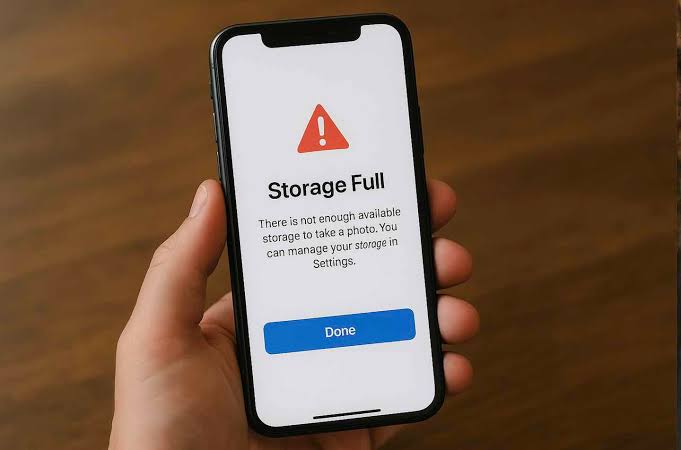
You buy a phone with what looks like plenty of storage. Maybe it has 128GB or even 256GB. At first, everything works perfectly. You install the apps you need, take pictures, download a few videos and save some documents.
Then, months later, you suddenly get the dreaded “Storage almost full” notification.
The confusing part is that you may not even remember downloading enough files to fill the phone.
I have experienced this kind of situation, and it taught me something important: phone storage does not only disappear because of the files we intentionally save. Apps, videos, WhatsApp media, cached files, duplicate pictures, downloads and old files we forgot about can quietly consume a large amount of space.
If your phone keeps running out of storage, here are the things that actually help.
Why Does Phone Storage Keep Filling Up?
Before deleting anything, it helps to understand where the storage is going.
On most Android phones, you can check this by opening Settings > Storage. The exact menu can vary depending on whether you use Samsung, Tecno, Infinix, Xiaomi, Redmi, itel or another Android brand.
You will usually see categories such as:
- Apps
- Images
- Videos
- Audio
- Documents
- System
- Other files
The “Other” or “System” category can sometimes look surprisingly large.
That does not automatically mean something is wrong with the phone. Android needs space for system files, temporary data and application data.
The real problem usually comes from a combination of several things.
1. WhatsApp Can Quietly Eat Your Storage
For many Nigerians, WhatsApp is one of the biggest reasons phone storage disappears.
Think about how many WhatsApp groups you belong to.
Someone sends a video. Someone sends pictures. Another person forwards a funny clip. A business group sends product videos. Family members share birthday pictures.
Before you know it, your phone has accumulated hundreds or thousands of files.
The situation becomes worse when WhatsApp automatically downloads media. You might not even open some of those files, yet they can still occupy storage.
I also learned that managing phone storage is connected to the way I use my phone every day. If I download everything that comes through a group, the storage problem eventually comes back even after cleaning it.
What I Do About It
I recommend checking WhatsApp’s storage manager regularly.
Open WhatsApp and look for:
Settings > Storage and data > Manage storage
Depending on your WhatsApp version, the exact wording or layout may differ.
You can then identify conversations that are consuming a lot of space and review large files.
Don’t blindly delete everything, though. Some pictures and documents may actually be important.
I prefer checking large videos and unnecessary forwarded media first.
You can also reduce automatic media downloads through WhatsApp’s storage and data settings. That simple change can prevent the problem from returning quickly.
2. Videos Are Usually Bigger Than You Think
A few videos can consume more storage than hundreds of photographs.
Modern phones can record high-resolution videos, and some models offer 4K recording. That quality can be useful when you actually need it, but recording every little thing at the highest setting can quickly consume your storage.
If you regularly record videos for WhatsApp Status, TikTok, Instagram or your personal projects, review your gallery from time to time.
I have found that old videos are often easier to remove than important documents or applications.
Before deleting anything, however, make sure you have backed up anything you want to keep.
If you are also interested in understanding what makes a phone suitable for different tasks, my guide on phone requirements for video editing explains why storage, performance and other specifications matter when choosing a device.
3. Your Downloads Folder May Be Full of Forgotten Files
This is another thing I learned to check.
When you download something from Chrome, Telegram, WhatsApp or another application, it may remain on your phone even after you have finished using it.
Over time, your Downloads folder can become a storage graveyard.
You might find:
- Old PDFs
- APK files
- Images
- Videos
- ZIP files
- Documents
- Screenshots
- Duplicate downloads
Open your phone’s file manager and check the Downloads folder.
Sort files by size if your file manager supports that option. This makes it much easier to find the biggest files first.
You may discover that a few forgotten files are responsible for several gigabytes of storage usage.
4. Apps Can Become Much Larger Over Time
This is something many people don’t consider.
You might install an app that originally takes a relatively small amount of space, but after months of updates and accumulated data, it could occupy significantly more storage.
Social media applications are particularly interesting because they can store temporary files, downloaded content and other data.
Go to:
Settings > Apps > See all apps
Then check applications that consume the most storage.
You may notice that an app has a relatively small installation size but a much larger amount of stored data.
Don’t immediately press Clear storage/data, because that can remove locally stored information or sign you out of the app.
Instead, check whether the app itself offers a way to clear downloads or temporary files.
If you regularly install new applications, you should also think about whether your phone has enough storage for your usage. My article about signs that your phone needs replacement covers some of the other warning signs I look for when deciding whether it is time to move to another device.
5. Clearing Cache Can Help, But Don’t Expect Miracles
You have probably seen people recommending:
“Just clear your cache.”
Sometimes that helps.
However, I wouldn’t treat clearing cache as a permanent solution.
Cached data exists because applications use it to work more efficiently. Android and individual apps can create cache again after you clear it.
Therefore, if your phone has a serious storage problem, clearing cache might recover some space temporarily, but it won’t solve the underlying issue if WhatsApp videos, downloads and large applications are filling the device.
Think of cache cleaning as maintenance, not magic.
6. Screenshots Are Another Hidden Storage Problem
I take screenshots too, especially when I need to remember something or save information temporarily.
The problem is that screenshots have a way of becoming permanent.
You screenshot something today. You forget about it tomorrow. Six months later, the screenshot is still sitting in your gallery.
Some people have hundreds of screenshots.
Take a few minutes to open your screenshot folder and delete the ones you no longer need.
You may be surprised by how much unnecessary content you have accumulated.
7. Don’t Ignore Duplicate Photos
Duplicate photos can quietly waste storage.
You might download the same picture several times, receive it through WhatsApp and then save another copy manually.
Some phones have built-in tools that can identify duplicate or similar files.
If your phone provides such a feature, review the results carefully before deleting anything.
I prefer reviewing duplicates rather than allowing an automated tool to remove files without checking them.
Important pictures are worth keeping.
8. Move Important Files to Cloud Storage
Cloud storage can be useful when you have important files but don’t necessarily need them stored locally on your phone.
For example, Google Drive can store documents, photographs and other files online, while Microsoft OneDrive provides another option for keeping files available across devices.
I have also written about why cloud storage can be safer than USB sticks for students, especially when important files are involved.
The important thing is to remember that cloud storage is not an excuse to delete files before confirming that your backup actually completed.
Always verify important backups first.
9. Use an SD Card If Your Phone Supports One
Some Android phones still provide microSD card support.
If yours does, a memory card can provide additional space for compatible files such as photos, videos and documents.
However, I wouldn’t recommend buying an SD card simply because your phone is full without first finding out what is consuming your storage.
If your 128GB phone is full because WhatsApp has accumulated 40GB of videos, adding another storage device doesn’t solve the habit that caused the problem.
Clean up first.
Then consider additional storage if you genuinely need it.
10. Don’t Install “Cleaner” Apps Just Because Your Storage Is Full
This is one area where I would be careful.
When storage gets low, you may see applications promising to:
- Make your phone faster
- Clean junk files
- Remove viruses
- Free huge amounts of storage
- Boost RAM
Some may perform useful functions, but you don’t necessarily need another application to manage your storage.
Your phone already provides storage management tools.
Installing another app also means giving another application access to your device and potentially creating another source of notifications, advertisements or unnecessary background activity.
I prefer starting with the tools already provided by Android and the phone manufacturer.
For additional information about keeping your device secure, Google’s official Android Help provides guidance on Android settings, apps and device management.
What Actually Works for Me
After dealing with storage problems, I stopped looking for one magical solution.
Instead, I use a simple routine.
First, I Check Storage
I want to know exactly what is consuming space.
If videos are responsible, I deal with videos. If apps are responsible, I review apps. If downloads are responsible, I clean Downloads.
That is much better than randomly deleting files.
Second, I Check WhatsApp
This is particularly important if you belong to several active groups.
I review large files and unnecessary media instead of allowing them to remain on the phone indefinitely.
Third, I Review My Gallery
I look for:
- Old videos
- Duplicate pictures
- Screenshots
- Blurry photographs
- Memes I no longer need
- Screen recordings
Fourth, I Check Downloads
This usually takes only a few minutes, especially when I sort the files by size.
Finally, I Uninstall Apps I No Longer Use
There is no point keeping an application installed simply because you used it three months ago.
If you don’t need it, remove it. You can always reinstall it later when necessary, provided the app remains available and you have access to your account.
What About Buying a Phone With More Storage?
Sometimes the problem isn’t your cleaning habits.
If you constantly work with large videos, photographs, documents or applications, you may simply need more storage.
For example, someone who uses a phone mainly for calls, WhatsApp and light browsing may be perfectly comfortable with one storage capacity, while someone who creates videos every day could fill the same capacity very quickly.
This is one reason I don’t believe everyone should simply buy the phone with the largest storage option.
Think about how you actually use your phone.
When I compare phones, I look beyond the camera and processor. Storage capacity is also part of the decision.
If you are planning to replace your current device, you can also check my guides on the best smartphones to buy in Nigeria and phones under ₦200,000 in Nigeria to see how different devices fit different budgets.
I have also compared phones such as the Redmi 15C and Tecno Spark 40, because specifications can make a real difference when deciding what offers better value.
Don’t Fill Your Storage to 100%
One mistake I try to avoid is allowing the phone to reach completely full storage.
When a device has almost no free space, you may start experiencing problems with downloading files, installing updates, taking photographs and even using some applications normally.
I therefore try to leave some breathing room.
You don’t have to obsess over a particular percentage, but if your phone repeatedly shows a storage warning, that’s a sign that you should clean it up rather than waiting until there is almost nothing left.
Keeping your operating system updated also matters. Android’s official Android website provides general information about the platform and its features.
My Simple Rule for Managing Phone Storage
The biggest lesson I have learned is that storage management is easier when you do it regularly.
Don’t wait until your phone displays:
“Storage almost full.”
Instead, spend a few minutes every few weeks checking what has accumulated.
Delete unnecessary videos.
Review WhatsApp media.
Clean old downloads.
Remove applications you don’t use.
Back up important files.
Move older files elsewhere when necessary.
That small routine can save you from the frustration of discovering that your phone cannot install an important update or save a picture because there is no space left.
Final Thoughts
A phone running out of storage doesn’t necessarily mean you bought a bad phone.
In many cases, the problem comes from how quickly digital files accumulate.
WhatsApp media, videos, screenshots, downloads, cached data and unused applications can gradually consume storage without you noticing.
From my experience, the best solution isn’t downloading another “phone cleaner” and hoping it fixes everything.
Find out what is consuming the storage first. Then deal with the actual problem.
If videos are taking up most of the space, clean your videos. If WhatsApp is responsible, manage WhatsApp media. If unused applications are eating your storage, uninstall them.
And when you are buying your next phone, think about your actual usage before choosing the storage capacity.
More storage is useful, but good storage habits can make the storage you already have last much longer.