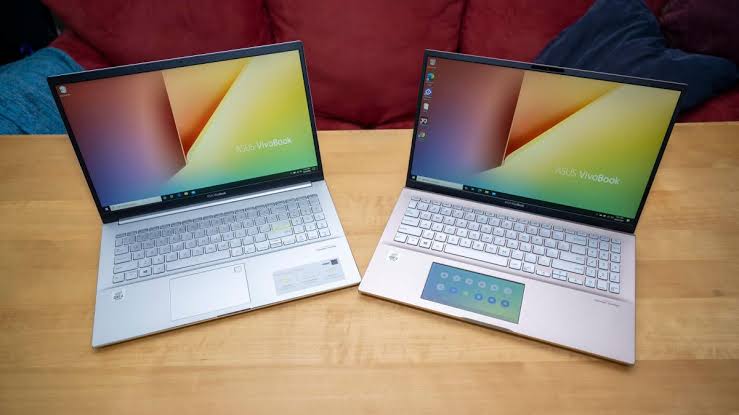
That is one reason the ASUS Vivobook S 15 caught my attention. It is a laptop built around Qualcomm’s Snapdragon X platform, a high-resolution OLED display, plenty of memory and a relatively lightweight design. ASUS positions the S5507 as a Copilot+ PC, and the specifications make it clear that this is aimed at people who want a modern laptop for productivity, entertainment and everyday work.
For someone comparing it with laptops such as the best laptops to buy in Nigeria, the Vivobook S 15 deserves a closer look. It is not simply another 15-inch Windows laptop. The ARM-based Snapdragon platform makes it different from the traditional Intel and AMD laptops many Nigerian buyers are familiar with.

ASUS Vivobook S 15 specifications at a glance
Before getting into the experience and value of this laptop, here are some of the major specifications. ASUS lists different configurations, so the exact processor, RAM and storage can vary depending on the market and model number.
| Specification | ASUS Vivobook S 15 S5507 |
|---|---|
| Display | 15.6-inch 3K OLED, 2880 × 1620 |
| Refresh rate | 120Hz |
| Processor options | Snapdragon X Plus / Snapdragon X Elite |
| Graphics | Qualcomm Adreno GPU |
| NPU | Qualcomm Hexagon NPU, up to 45 TOPS |
| RAM | 16GB or 32GB LPDDR5X, depending on configuration |
| Storage | 512GB or 1TB PCIe 4.0 NVMe SSD, depending on configuration |
| Battery | 70Wh |
| Camera | FHD IR camera |
| Wireless | Wi-Fi 7 and Bluetooth 5.4 |
| Weight | About 1.42kg |
| Operating system | Windows 11 |
These specifications come directly from ASUS. The company lists Snapdragon X Plus and Snapdragon X Elite configurations, along with 16GB or 32GB of LPDDR5X memory and 512GB or 1TB PCIe 4.0 storage. :contentReference[oaicite:0]{index=0}
The design is one of its strongest points
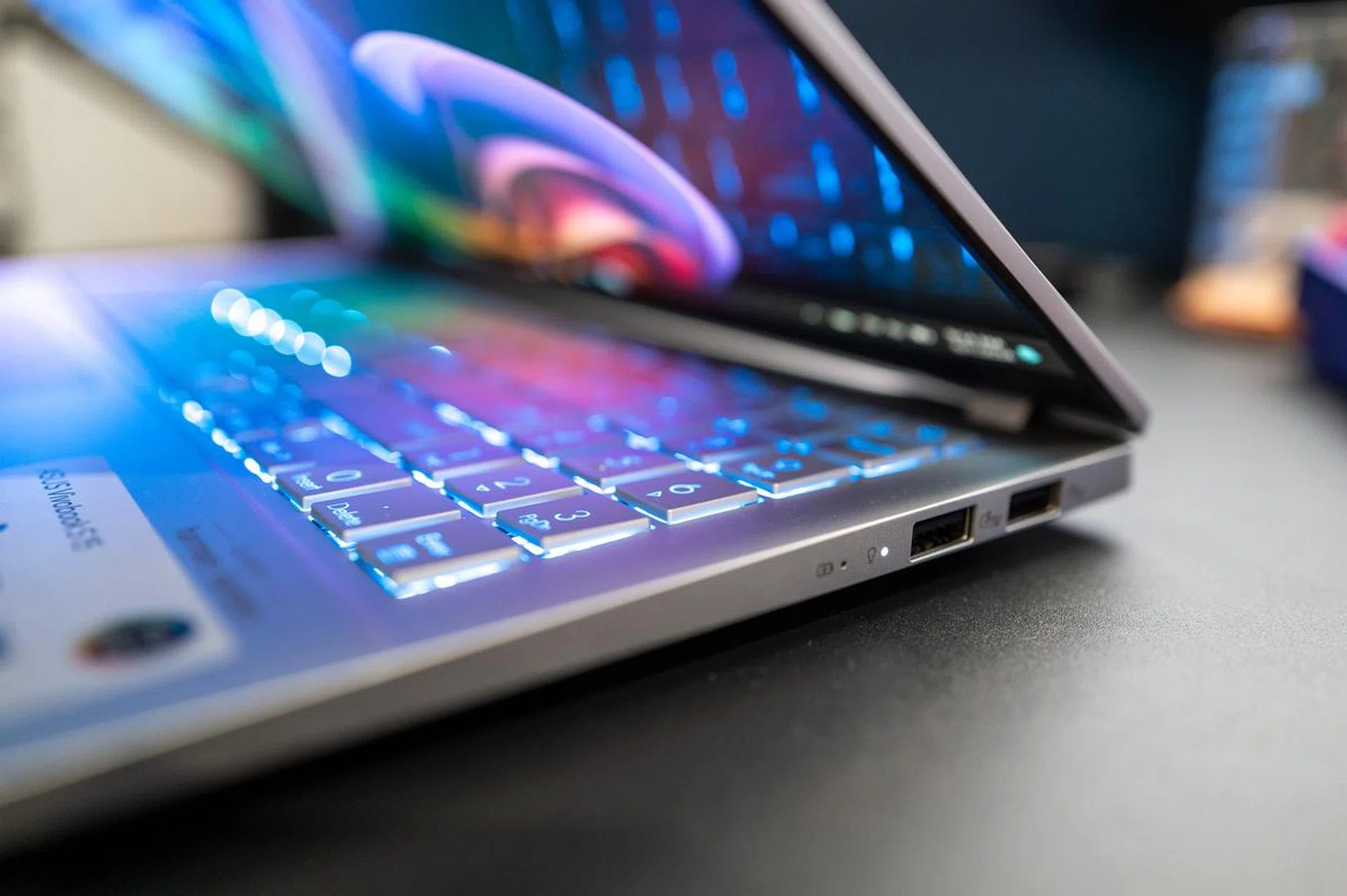
The first thing I like about the Vivobook S 15 is that it does not try to look like a huge desktop replacement simply because it has a 15.6-inch screen.
ASUS has kept the machine relatively light at around 1.42kg. That makes a big difference if you regularly move between home, an office, school, a coworking space or another location.
This is particularly useful for remote workers. A laptop can have excellent specifications, but if carrying it around becomes uncomfortable, some of that advantage disappears.
The laptop also has a backlit keyboard with 1.7mm key travel and a precision touchpad. ASUS includes a one-zone RGB backlight and a Copilot key on the keyboard. :contentReference[oaicite:1]{index=1}
I also like the fact that the laptop does not sacrifice useful connectivity just to achieve a thin design.
The 3K OLED display is a major attraction
If there is one specification that immediately stands out, it is the screen.
The ASUS Vivobook S 15 has a 15.6-inch 3K OLED display with a 2880 × 1620 resolution and a 120Hz refresh rate. ASUS also lists 100% DCI-P3 colour coverage, HDR True Black 600 certification and up to 600 nits peak HDR brightness. :contentReference[oaicite:2]{index=2}
For someone who spends several hours writing articles, browsing the web, editing images or watching videos, a good display can make the entire laptop feel more premium.
The 120Hz refresh rate should also make scrolling through websites and documents feel smoother than a traditional 60Hz panel.
The OLED technology is another advantage. You get deep blacks and strong contrast, which makes movies, photos and other visual content more enjoyable.
However, I would not buy the laptop purely because it has an OLED screen. A beautiful display cannot compensate for a laptop that does not support the software you need.
The Snapdragon processor changes the conversation
This is probably the most important thing a buyer should understand before purchasing the Vivobook S 15.
Unlike many Windows laptops that use Intel Core or AMD Ryzen processors, the S5507 uses Qualcomm Snapdragon X processors. Depending on the configuration, you can get Snapdragon X Plus or Snapdragon X Elite.
The Snapdragon X Elite configuration has 12 cores and can reach up to 3.4GHz, while some Snapdragon X Plus configurations offer eight or ten cores depending on the specific chip. ASUS also lists a Qualcomm Hexagon NPU capable of up to 45 TOPS. :contentReference[oaicite:3]{index=3}
That NPU is particularly relevant to the Copilot+ PC concept because modern Windows AI features can use dedicated hardware for certain AI workloads.
But there is an important point I would tell any Nigerian buyer: do not compare this laptop with an Intel or AMD laptop by looking only at the number of cores.
The Snapdragon platform uses an ARM architecture, and Windows has to handle software compatibility differently from traditional x86 Windows laptops.
For normal activities such as web browsing, Microsoft Office, writing, video calls and many modern applications, the experience can be very good. However, people who depend on older specialist Windows software should check compatibility before spending their money.
How much RAM do you need?
One thing I have become more careful about when reviewing laptops is RAM.
The Vivobook S 15 comes with either 16GB or 32GB of LPDDR5X memory depending on the configuration. ASUS specifies that the memory is onboard, with maximum configurations reaching 32GB. :contentReference[oaicite:4]{index=4}
For everyday work, 16GB is already a comfortable starting point.
If you are a blogger, digital marketer, student, programmer, content creator or remote worker who normally keeps many browser tabs and applications open, 16GB should give you plenty of breathing room.
The 32GB version becomes more interesting if you regularly work with heavier applications or simply want more headroom for several years of use.
This is also why I would encourage anyone shopping for a laptop to read beyond the processor name. In my own laptop-buying research, I learned that memory specifications can make a noticeable difference in how long a laptop remains comfortable to use.
If you are still learning about laptop specifications, my article on whether laptop generation influences quality is also worth reading because generation, processor architecture, RAM and storage all need to be considered together.
Storage should not be a problem
ASUS offers the Vivobook S 15 with a 512GB or 1TB PCIe 4.0 NVMe SSD depending on configuration. The laptop also has an M.2 2280 PCIe 4.0 slot. :contentReference[oaicite:5]{index=5}
I would personally recommend the 1TB version if the price difference is reasonable.
Modern Windows installations, applications, videos, photos and work files can consume storage surprisingly quickly. I recently wrote about why storage keeps filling up and what actually works, and the same basic lesson applies to laptops: storage that looks huge when you buy the machine can become much less impressive after a few years.
An NVMe SSD also gives the laptop the kind of fast storage response I expect from a modern premium machine.
Battery life: one of the reasons to consider it
The Vivobook S 15 has a 70Wh battery. ASUS pairs it with a USB-C power adapter, with the exact adapter wattage varying by configuration and market. :contentReference[oaicite:6]{index=6}
Battery life is one area where Snapdragon-based Windows laptops have attracted a lot of attention. The platform is designed with efficiency in mind, and that makes the Vivobook S 15 particularly interesting for people who spend a lot of time away from a power socket.
Still, I would avoid promising one exact number of hours for every user.
Screen brightness, browser tabs, video calls, Wi-Fi usage, background applications and the workload all affect battery consumption. The 3K 120Hz OLED panel can also demand more power than a basic 60Hz Full HD screen under certain conditions.
For someone working remotely, however, the combination of a large battery, efficient processor platform and lightweight body makes sense.
And if you are working from an area where electricity can be unpredictable, battery efficiency becomes more than just a convenience. It can determine how long you can continue working before you need to find a charging point.
That is something I always consider when looking at laptops for Nigerian users. My guide to laptops for professional writers and bloggers in Nigeria covers some of the other features I think matter for this type of work.
Ports and connectivity
The Vivobook S 15 is surprisingly well equipped in this area.
ASUS lists two USB4 Type-C ports capable of data speeds up to 40Gbps, two USB 3.2 Gen 1 Type-A ports, HDMI 2.1 TMDS, a 3.5mm audio jack and a microSD card reader on supported configurations. It also supports Wi-Fi 7 and Bluetooth 5.4. :contentReference[oaicite:7]{index=7}
That makes the laptop suitable for people who still use traditional USB accessories such as flash drives, mice and external keyboards while also wanting modern USB-C connectivity.
For content creators, the microSD card reader can also be useful when transferring files from compatible cameras and other devices.
Is it good for students?
Yes, provided the student’s software requirements are compatible with the Snapdragon platform.
The large 15.6-inch screen is useful for research and productivity, while 16GB RAM is enough for typical student workloads. The relatively low weight also makes it easier to carry around compared with many older 15-inch laptops.
If you are shopping specifically for students, you can also compare it with the options in my guide to the best tablets for students in Nigeria. A tablet may be more convenient for some students, while a proper Windows laptop remains more versatile for serious typing and desktop applications.
Is it good for blogging and digital marketing?
This is where I think the Vivobook S 15 makes a lot of sense.
A blogger or digital marketer can spend most of the day inside a browser. You may have WordPress open in one tab, Google Search Console in another, analytics in another, image editing software somewhere else and several documents running at the same time.
With 16GB or 32GB RAM, a fast NVMe SSD and a high-resolution display, the hardware is well suited to that kind of workflow.
The FHD camera and IR support also make it suitable for video meetings and Windows Hello authentication. ASUS lists a privacy shutter as well. :contentReference[oaicite:8]{index=8}
If your work involves creating websites, you can also look at my guide on how to create your own website after choosing your laptop.
What about gaming?
I would not buy the Vivobook S 15 specifically as a gaming laptop.
The integrated Qualcomm Adreno GPU can handle many everyday graphics workloads, but this machine is designed primarily around portability, productivity, battery efficiency and general computing rather than dedicated gaming performance.
Someone looking for serious gaming should consider a laptop with a dedicated graphics processor instead. For example, my ASUS ROG Strix G16 review looks at a much more gaming-focused machine.
Things I would consider before buying
The biggest question is software compatibility.
Because the Vivobook S 15 uses Snapdragon ARM processors, buyers should not assume that every Windows application will behave exactly like it does on an Intel or AMD laptop.
That does not make the laptop bad. It simply means you should check the applications you depend on before buying.
I would also recommend choosing the RAM configuration carefully because the memory is onboard. If you think you will need 32GB later, buying 16GB with the intention of upgrading the RAM may not be the right strategy.
Finally, remember that OLED panels look fantastic, but buyers should still use sensible display settings and take advantage of ASUS’s OLED-related protection features where available.
ASUS Vivobook S 15: pros and cons
Pros
- Excellent 15.6-inch 3K OLED display.
- 120Hz refresh rate.
- Snapdragon X Plus and X Elite processor options.
- Up to 32GB LPDDR5X RAM.
- Up to 1TB PCIe 4.0 NVMe SSD.
- Large 70Wh battery.
- Lightweight 1.42kg design.
- Modern Wi-Fi 7 connectivity.
- Useful combination of USB-C and USB-A ports.
- FHD IR camera with Windows Hello support.
Cons
- ARM software compatibility needs to be considered before purchase.
- RAM is onboard rather than a simple user-upgradable module.
- Integrated graphics are not aimed at serious gaming.
- Exact specifications vary between regional configurations.
- OLED and 3K specifications may not matter to buyers who only need basic office work.
My verdict
The ASUS Vivobook S 15 is one of those laptops that makes more sense when you look at the entire package rather than one specification.
You get a beautiful 3K 120Hz OLED display, a large 70Wh battery, a lightweight body, fast SSD storage, up to 32GB RAM and Qualcomm’s Snapdragon X platform. ASUS also gives the machine modern connectivity, including USB4 and Wi-Fi 7. :contentReference[oaicite:9]{index=9}
For blogging, office work, studying, browsing, digital marketing, remote work and general productivity, it is a very interesting laptop.
However, I would not tell everyone to buy it automatically. The Snapdragon platform is the biggest reason to pause and check compatibility. If all the software you need works properly on Windows on ARM, the Vivobook S 15 becomes much easier to recommend.
If you are coming from an older laptop and want something considerably more modern, the display alone will probably feel like a major upgrade. Add the lightweight design and large battery, and the laptop becomes particularly attractive for people who work away from a desk.
My overall take: the ASUS Vivobook S 15 is a strong productivity laptop for buyers who want premium display quality, portability, battery efficiency and modern hardware. Just make sure the exact S5507 configuration and your essential software are compatible before you buy.
For the official specifications and configuration details, I recommend checking ASUS’s official Vivobook S 15 specifications, because RAM, processor, storage, charger and other details can vary by country and model. :contentReference[oaicite:10]{index=10}
If you are still comparing laptops, you can also read my complete 2026 laptop buying guide and my article about HDD vs SSD storage before making your final decision.