That is one reason the Lenovo Yoga 7i stands out to me. It is designed as a 2-in-1 laptop, so you are not limited to using it like a conventional notebook. You can use it as a normal laptop, fold it into tent mode for presentations, use display mode for watching content or turn it into a tablet for supported tasks.
The Yoga 7i 2-in-1 Gen 9 is available in different configurations, so specifications can vary by country and model. Lenovo lists Intel Core Ultra 5 and Core Ultra 7 options, up to 32GB LPDDR5X memory on some configurations, up to 1TB PCIe Gen 4 SSD storage and a 71Wh battery. :contentReference[oaicite:0]{index=0}
For someone in Nigeria looking for a laptop for work, school, blogging, digital marketing or general productivity, the Yoga 7i is worth considering. It also fits into some of the areas I covered in my guide to the best laptops to buy in Nigeria in 2026.
Lenovo Yoga 7i specifications at a glance
| Specification | Lenovo Yoga 7i 2-in-1 Gen 9 |
|---|---|
| Processor | Intel Core Ultra 5 or Core Ultra 7, depending on configuration |
| Graphics | Integrated Intel graphics / Intel Arc graphics on selected configurations |
| RAM | Up to 32GB LPDDR5X on selected 14-inch configurations |
| Storage | Up to 1TB PCIe Gen 4 SSD |
| Battery | 71Wh |
| Display | 14-inch, with WUXGA LCD, WUXGA OLED or 2.8K 120Hz OLED options |
| Touchscreen | Yes |
| Camera | 1080p FHD IR camera with privacy shutter |
| Wireless | Wi-Fi 6E and Bluetooth, depending on configuration |
| Form factor | 2-in-1 convertible |
| Operating system | Windows 11 |
Lenovo’s specifications show that the exact display and memory configuration can differ. Some 14-inch models have a 2.8K OLED panel with a 120Hz refresh rate, while more basic versions use a 14-inch WUXGA LCD. :contentReference[oaicite:1]{index=1}
The design is what makes the Yoga 7i different
The Yoga 7i is not just another thin laptop.
The main attraction is the 360-degree hinge. You can open it normally and use it as a laptop, fold it into tent mode when you want to show something to another person, use display mode for watching videos or fold the keyboard underneath the screen to use it as a tablet.
That flexibility can be useful for students and professionals who do more than type documents all day.
Imagine preparing a presentation at your desk and then flipping the machine into tent mode when showing it to someone. You do not need to carry a separate tablet simply for occasional touchscreen use.
Lenovo specifically describes four usage modes for the Yoga 7i 2-in-1: laptop, tent, display and tablet.
The 14-inch model also remains reasonably portable. Lenovo lists the OLED version from around 1.49kg, while the LCD version starts around 1.61kg.
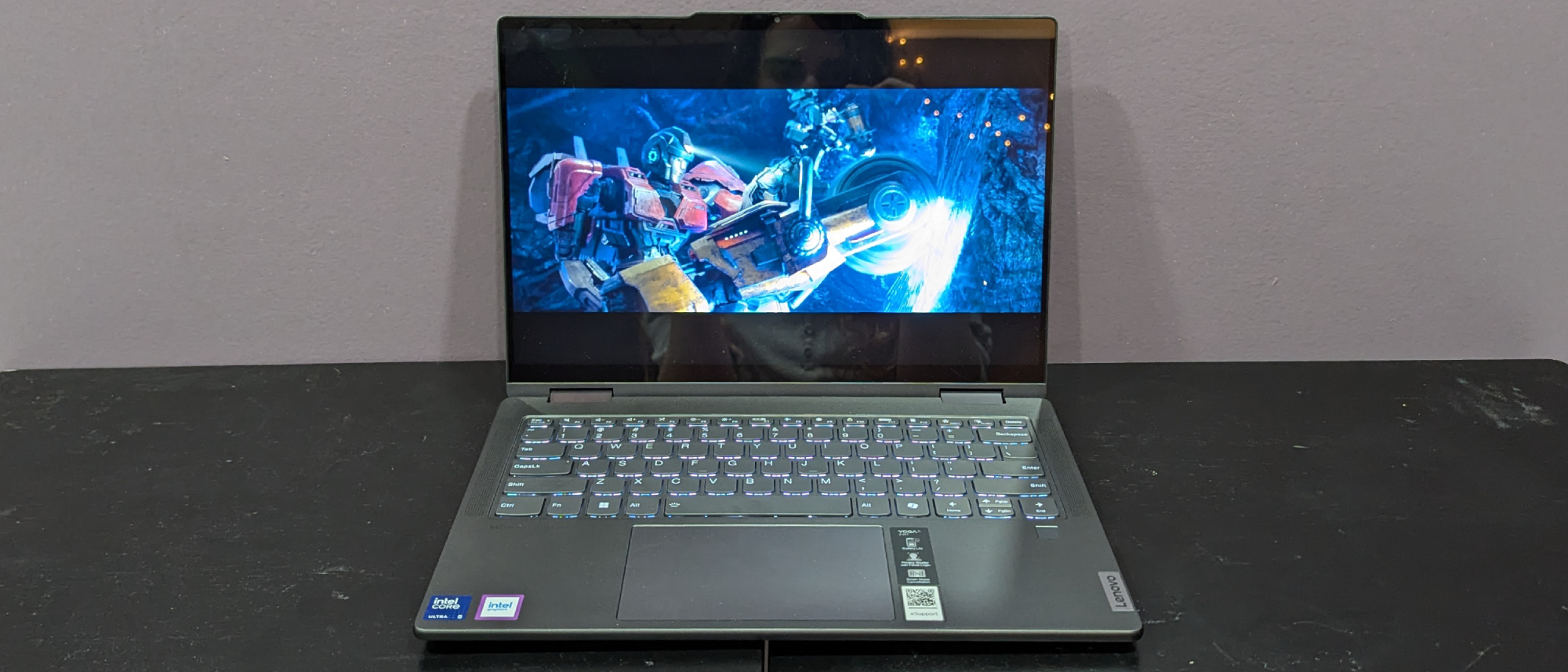
This is one area where buyers need to pay attention to the exact model number.
Not every Yoga 7i has the same screen.
Lenovo offers the 14-inch Yoga 7i with options that include a 2.8K 2880 × 1800 OLED panel with a 120Hz refresh rate, a WUXGA OLED panel and a WUXGA IPS LCD panel. The 2.8K OLED option is listed with 400 nits brightness, 100% DCI-P3 coverage and Dolby Vision. :contentReference[oaicite:4]{index=4}
If you care about movies, photo editing, design or simply want a more premium-looking display, I would pay particular attention to the OLED configuration.
The 120Hz OLED version should also feel smoother when scrolling through websites and documents.
On the other hand, someone buying the laptop mainly for Microsoft Office, browsing and writing may not need the most expensive display configuration.
This is something I have learned from comparing laptop specifications: a higher specification is not automatically better value if you will never use the extra capability.
Performance from Intel Core Ultra

The Yoga 7i Gen 9 moves away from the older naming system that many buyers know and uses Intel Core Ultra processors.
Lenovo lists Core Ultra 5 and Core Ultra 7 options. One example is the Core Ultra 5 125U, which has 12 cores and 14 threads, while the Core Ultra 7 155U also has 12 cores and 14 threads with higher maximum clock speeds. :contentReference[oaicite:5]{index=5}
For everyday productivity, these processors provide enough performance for tasks such as web browsing, Microsoft Office, research, video calls, document creation and general multitasking.
That makes the Yoga 7i particularly interesting for someone who wants one machine for both work and entertainment.
It is important, however, to distinguish this laptop from a dedicated workstation or gaming machine. Integrated graphics are convenient and efficient, but they do not replace a powerful dedicated GPU for demanding 3D work or serious gaming.
How much RAM should you get?
RAM is one of the specifications I now pay close attention to whenever I compare laptops.
Some Yoga 7i configurations come with 16GB LPDDR5X, while Lenovo lists up to 32GB on selected 14-inch models. The memory is soldered, so you should choose your preferred capacity carefully when buying. :contentReference[oaicite:6]{index=6}
For normal school and office work, 16GB should be enough for many users.
If you regularly keep many browser tabs open while running Word, Photoshop, communication applications and other programs, 32GB provides more breathing room where that configuration is available.
This is another reason I do not recommend buying a laptop based solely on its processor name. RAM can have a major effect on how comfortable a machine feels during multitasking.
If you are interested in understanding laptop memory better, you can also read my article on whether laptop generation influences quality.
SSD storage is fast and practical
Lenovo offers up to 1TB PCIe Gen 4 SSD storage on the Yoga 7i 2-in-1 Gen 9. Some configurations come with 512GB instead. :contentReference[oaicite:7]{index=7}
I would consider 512GB the practical starting point for most people, while 1TB makes more sense if you store lots of photos, videos, projects or large applications locally.
An SSD also makes a huge difference compared with older mechanical hard drives.
If you are still deciding between storage technologies, I have explained the differences in HDD vs SSD and which storage is better.
Storage can disappear faster than many people expect. Windows updates, applications, downloaded videos, photographs and work files gradually consume space, so I would rather have 1TB available than discover a few years later that I constantly need to delete files.
Battery life: one of the Yoga 7i’s strong points
The Yoga 7i uses a 71Wh battery. Lenovo also includes Rapid Charge Express on listed configurations, with the company stating that a 15-minute charge can provide up to three hours of runtime under its specified conditions. :contentReference[oaicite:8]{index=8}
Battery life naturally depends on what you are doing.
Watching a locally stored video at moderate brightness is very different from running a video meeting, keeping dozens of Chrome tabs open and editing photos while connected to Wi-Fi.
Lenovo’s published figures for the 14-inch Gen 9 vary by screen type. Its documentation lists up to 25.5 hours of local 1080p video playback for an LCD configuration, up to 22.5 hours for an FHD OLED configuration and up to 19 hours for the 2.8K OLED configuration. Lenovo also lists MobileMark 2025 figures of up to 14.5, 12.5 and 11 hours respectively. :contentReference[oaicite:9]{index=9}
Those are laboratory-style results rather than a guarantee of what every user will experience.
Still, the 71Wh battery gives the Yoga 7i a solid foundation for people who want to work away from a charger.
Connectivity is better than I expected
Modern thin laptops sometimes sacrifice ports to achieve a slim design, but Lenovo gives the Yoga 7i a useful selection.
Depending on the configuration, you can get two USB-C ports with Thunderbolt 4 support, USB-A, HDMI 2.1, a microSD card reader and a headphone/microphone combo jack. Wi-Fi 6E is also available on the listed Intel configurations. :contentReference[oaicite:10]{index=10}
This is useful because many people still rely on USB-A accessories.
You can connect a traditional mouse, transfer files from a flash drive, connect an external display through HDMI and still have USB-C available for other devices.
For someone working from home, that flexibility is important. You can easily turn the Yoga 7i into the centre of a small workstation without immediately needing a USB hub.
The camera is suitable for remote work
The Yoga 7i includes a 1080p FHD IR camera on the listed configurations, along with a privacy shutter. Lenovo also supports Windows Hello on the machine. :contentReference[oaicite:11]{index=11}
For remote workers, this is useful because video calls have become a normal part of many jobs.
The privacy shutter is also something I appreciate. It gives you a simple physical way to cover the camera when you are not using it.
The built-in microphones and Dolby Atmos speakers also make the laptop more suitable for meetings, entertainment and casual video consumption.
Is the Yoga 7i good for students?
I think it makes a lot of sense for students who can afford it.
The 2-in-1 design gives students more flexibility than a conventional laptop. You can type notes in laptop mode, use the touchscreen for certain activities and switch to tablet mode when reading or browsing.
Selected models also support a Lenovo Digital Pen, although the pen availability depends on the exact configuration. :contentReference[oaicite:12]{index=12}
That could be particularly useful for students who like handwritten notes, sketches or annotations.
However, I would still check the exact software requirements of your course before buying any laptop.
Is it good for blogging and digital marketing?
This is probably one of the areas where I would be most comfortable recommending the Yoga 7i.
A blogger may spend hours working in a browser, switching between WordPress, Google Search Console, analytics dashboards, image tools and documents.
A digital marketer can have social media dashboards, advertising platforms, spreadsheets, email tools and browser tabs open simultaneously.
The Yoga 7i’s combination of modern Intel processors, fast SSD storage and 16GB or higher memory configurations makes it well suited to this type of productivity.
The touchscreen also provides something that a traditional business laptop does not.
If your work involves building websites, you can pair the laptop with my guide on how to create your own website in 2026.
For writers and bloggers specifically, I also have a guide covering the best laptops for professional writers and bloggers in Nigeria.
What about gaming?
The Yoga 7i is not primarily a gaming laptop.
Integrated Intel graphics can handle casual gaming and many less-demanding titles, but anyone buying a laptop specifically for demanding modern games should look for a machine with a dedicated GPU.
A gaming laptop will usually be heavier, consume more power and produce more heat, but it will also provide considerably more graphics performance.
If gaming is your main priority, you can compare the Yoga 7i with something much more performance-focused, such as the ASUS ROG Strix G16.
What I like about the Lenovo Yoga 7i
- Flexible 2-in-1 design.
- Touchscreen across the Yoga 7i configurations.
- Excellent 2.8K 120Hz OLED option.
- Modern Intel Core Ultra processor options.
- Up to 32GB RAM on selected models.
- Fast PCIe Gen 4 SSD storage.
- Large 71Wh battery.
- Rapid Charge Express support on listed configurations.
- Good selection of ports.
- 1080p IR camera with privacy shutter.
- Useful option for students, professionals and remote workers.
What I would consider before buying
- The exact specifications vary significantly between configurations.
- RAM is soldered, so you should choose the capacity carefully.
- The cheaper LCD screen is not in the same class as the 2.8K OLED option.
- Integrated graphics are not designed for demanding gaming.
- The 2-in-1 design may not be worth paying extra for if you only want a traditional laptop.
- Prices in Nigeria can vary significantly depending on whether the laptop is brand new, imported or UK-used.
Lenovo Yoga 7i vs a traditional laptop
This is where I think the Yoga 7i becomes interesting.
If you compare it with a conventional 14-inch business laptop, the Yoga 7i gives you something extra: flexibility.
You can use the keyboard normally when writing a long article, flip the machine into tent mode when presenting something and use the touchscreen when you want a more tablet-like experience.
That versatility does come with a price, though.
If you never use the touchscreen or 360-degree hinge, you may get better value from a conventional laptop with similar processor, RAM and storage specifications.
That is why I always recommend deciding what you actually need before paying for premium features.
My verdict
The Lenovo Yoga 7i is a very interesting laptop because it does not try to be just one thing.
It is a productivity laptop, touchscreen notebook, tablet-style device and presentation machine in one package.
The 2.8K OLED version is particularly attractive because it combines a sharp resolution with a 120Hz refresh rate and wide colour coverage. The 71Wh battery, modern Intel Core Ultra processors, fast SSD storage and useful port selection also make it a strong everyday computer. :contentReference[oaicite:13]{index=13}
For blogging, digital marketing, office work, studying, remote work and general productivity, I think the Yoga 7i makes a lot of sense.
The main thing I would warn buyers about is configuration. Do not simply search for “Lenovo Yoga 7i” and assume every machine has the same specifications. One model might have a basic WUXGA LCD, while another can have a much better 2.8K OLED display. RAM and processor options can also differ.
If I were choosing one for serious everyday work, I would look for a configuration with at least 16GB RAM, a 512GB or 1TB SSD and the OLED display if the price fits the budget.
Overall: the Lenovo Yoga 7i is a strong choice for anyone who wants the flexibility of a 2-in-1 without giving up the productivity experience of a proper Windows laptop. It is especially appealing to students, writers, digital marketers, remote workers and professionals who can take advantage of its touchscreen and convertible design.
Before buying, I would always verify the exact model number and specifications with Lenovo’s official Yoga laptop information, because Lenovo states that specifications can vary by region and model.
If you are comparing it with other laptops, you can also check my 2026 laptop buying guide before making your final decision.