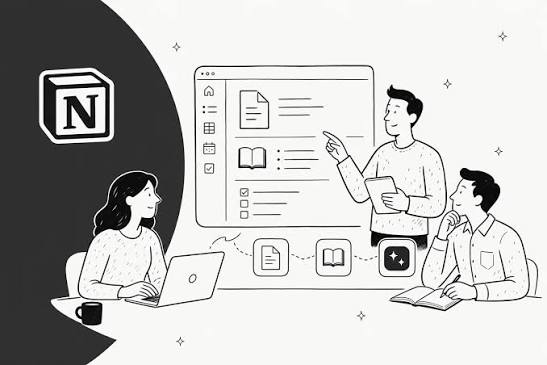
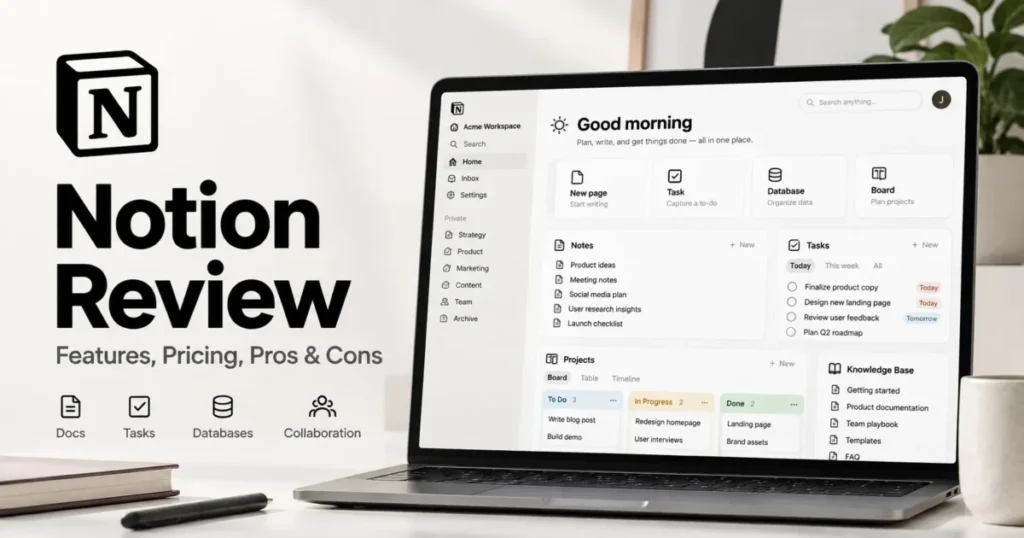
Notion started with a fairly simple promise: put your notes, documents, tasks and databases in one flexible workspace. In 2026, however, it has become much bigger than a note-taking app.
Today, Notion combines documents, databases, project management, forms, calendars, websites, collaboration tools and AI features in one ecosystem. It can even connect with other services and help automate parts of a workflow.
That sounds impressive, but there is an important question behind all of this:
Does adding more features actually make Notion better, or has it become unnecessarily complicated?
That is what I want to answer in this review.
I will look at Notion from the perspective of an individual user, student, freelancer, content creator, business owner and digital entrepreneur — especially someone working in Nigeria where internet reliability, subscription costs and practical value matter.
I will also look at whether Notion is worth paying for, whether its AI features justify upgrading, whether it can replace other productivity tools, and how you can use Notion to create digital products that you can sell through platforms such as Selar.
What Is Notion?
Notion is an all-in-one workspace for creating and organizing information.
You can use it to write documents, manage tasks, build databases, plan projects, create personal dashboards, organize research, maintain a company knowledge base and publish selected pages online.
The interesting part is that Notion does not force you to use one specific structure.
You can start with a blank page and build your own system.
For example, a student could create a workspace containing:
- Class notes
- Assignment trackers
- Exam schedules
- Reading lists
- Project research
- Personal goals
A freelancer could create something completely different:
- Client database
- Project tracker
- Invoice tracker
- Content calendar
- Meeting notes
- Business goals
Meanwhile, a content creator could use Notion for:
- Content ideas
- Article planning
- YouTube scripts
- Publishing schedules
- Research notes
- Brand information
This flexibility is one of Notion’s biggest strengths.
It is also one of its biggest weaknesses.
Because you can build almost anything, you can easily spend more time building a complicated productivity system than actually doing the work.
My Short Verdict: Is Notion Still Worth It in 2026?
For most individual users, yes.
However, I would not recommend paying for Notion simply because the free version looks impressive or because everyone is talking about Notion AI.
The free plan is already powerful enough for many individuals.
You should upgrade when you have identified a specific feature that solves a problem you actually have.
| User | Is Notion Worth It? | My Verdict |
|---|---|---|
| Student | Yes | Excellent free option |
| Writer | Yes | Excellent for research and organization |
| Freelancer | Yes | Very useful for managing clients and projects |
| Content creator | Yes | Excellent content planning system |
| Small business owner | Yes | Useful, especially with databases and collaboration |
| Large team | Usually | Depends on security, permissions and workflow needs |
| Casual note-taker | Maybe | A simpler notes app may be better |
What Has Changed About Notion in 2026?
This is where the 2026 version of Notion becomes interesting.
Notion is no longer positioning itself simply as a place where you write notes. Its current product combines documents, wikis, databases, projects, forms, websites, calendars and AI-powered workflows. Notion’s own product description now presents it as an AI workspace where teams can collaborate and automate work. You can see Notion’s current product overview here.
The company has also continued expanding the relationship between Notion and its calendar and email products.
For example, Notion announced a dedicated Mail & Calendar section in its settings in 2026, allowing connected accounts to work with Notion AI for tasks such as scheduling meetings and drafting emails.
This shows where Notion is heading.
It is trying to become the place where your information and work come together instead of being just another productivity app.
Notion’s Biggest Strength: Flexibility
The first thing I like about Notion is flexibility.
Imagine buying a physical notebook where every page can become a different kind of tool.
One page can be a simple note.
Another can become a table.
Another can become a task list.
Another can display information from a database.
Another can become a project dashboard.
That is basically the philosophy behind Notion.
Instead of downloading a separate application for every small workflow, you can build several of them inside one workspace.
This is particularly useful for people who work across different areas.
For example, I could create one workspace for content creation and have databases for article ideas, published articles, research, contacts and marketing activities.
If you already use a laptop for work, Notion becomes even more useful because you can keep your information organized instead of having dozens of Word documents scattered across folders.
If you’re comparing laptops for productivity, you may also want to see our guide to the best laptops for professional writers and bloggers in Nigeria.
Notion Databases Are Still One of Its Best Features
If you have never used Notion databases properly, you may think Notion is simply a fancy note-taking application.
It isn’t.
Databases are one of the reasons Notion remains relevant in 2026.
You can create a database for almost anything.
For example, suppose you are a blogger.
You could create a content database with columns such as:
- Article title
- Category
- Keyword
- Status
- Writer
- Publication date
- Update date
- Traffic
- Priority
You could then create different views of the same information.
One view could show everything you need to write.
Another could show published content.
Another could show articles that need updating.
Another could show your highest-priority projects.
This is where Notion can replace several basic spreadsheets and task lists.
Notion for Students in 2026
Students remain one of the groups that can get enormous value from Notion.
Instead of keeping school information in WhatsApp messages, screenshots and random notebooks, you can create a structured workspace.
For example, you could create a subject database containing:
- Course name
- Lecturer or teacher
- Topics
- Assignments
- Exam dates
- Study status
- Important resources
You can then connect those pages to a study schedule.
Notion can also be useful when working on research-heavy assignments because you can keep notes, sources and ideas together.
If you are interested in educational technology generally, our guide to free AI tools for college students in 2026 is another useful resource.
For Nigerian students specifically, the ability to access information across devices can be useful when moving between home, school and other locations.
But There Is a Problem: Notion Can Become Too Complicated
This is one criticism I think is fair.
Notion gives you so much freedom that beginners can become overwhelmed.
You may watch a YouTube video showing somebody’s beautiful dashboard with 15 databases, colourful icons, formulas, widgets and linked pages.
Then you spend three hours trying to recreate it.
At the end of the day, you still haven’t completed the assignment, written the article or finished the business task you were supposed to do.
That is not productivity.
My recommendation is simple:
Build the smallest Notion system that solves your actual problem.
Don’t build a digital mansion when you only need a desk.
Notion for Content Creators
This is one of the areas where I think Notion makes the most sense.
A content creator constantly deals with ideas, drafts, research, publishing schedules, assets and updates.
Notion can bring all of that together.
You could create an editorial calendar with statuses such as:
- Idea
- Researching
- Writing
- Editing
- Ready to publish
- Published
- Needs update
You could then create templates for recurring content.
For example, every time you create a product review, your Notion template could automatically give you sections for:
- Product overview
- Specifications
- Design
- Performance
- Battery
- Camera
- Software
- Pros and cons
- Who should buy it
- Who should avoid it
This saves time without forcing you to reinvent your workflow every time.
For someone running a technology publication, that can be genuinely valuable.
You can also connect your productivity system with the broader digital workflow. For example, our guide on using Google Analytics to grow an online business explains another important part of running a digital operation: understanding what your audience actually does.
Notion AI in 2026: Is It Actually Useful?
Notion AI is one of the biggest reasons people are asking whether Notion is still worth using.
The answer is complicated.
Notion AI can help generate, edit, summarize and reorganize information. Current Notion AI capabilities also extend into agents that can work across workspace information and, depending on your plan and connections, other tools.
For example, you could use AI to summarize a long meeting note.
You could ask it to reorganize information in a database.
You could ask it to rewrite a piece of text.
You could use it to find information inside your workspace.
These features are useful because the AI is sitting close to the information you already work with.
That is different from opening a completely separate chatbot and manually copying everything into it.
However, I wouldn’t subscribe to Notion simply because it has AI.
If you already have another AI assistant that handles writing, brainstorming and research well, paying extra for another AI layer may not make financial sense.
In fact, current Notion pricing makes this distinction important. The Free and Plus plans provide limited AI trials, while more advanced AI capabilities are tied to higher plans. Notion currently lists Business at $20 per member per month when billed annually. Check Notion’s current pricing before subscribing because plans and features can change.
For a solo Nigerian creator paying in foreign currency, that difference matters.
Notion Free vs Plus vs Business
Notion’s current main plans are Free, Plus, Business and Enterprise.
The Free plan is surprisingly capable.
For an individual user, you can create unlimited pages and blocks, use databases and access core productivity features.
That makes the Free plan the one I recommend starting with.
Notion Free
The Free plan is suitable for:
- Students
- Individual writers
- Personal planning
- Basic project management
- Simple databases
- Personal knowledge management
- Small personal content systems
It is also useful if you simply want to test whether Notion fits your brain.
And that matters.
Not every productivity tool works for every person.
Notion Plus
Plus is designed more for professionals and small teams.
Notion currently lists Plus at $10 per member per month when billed annually.
The plan adds features such as unlimited file uploads, longer page history and additional collaboration capabilities.
If you have started using Notion seriously and are hitting limitations on Free, Plus can make sense.
Notion Business
Business is where Notion becomes more team-focused.
It includes more advanced permissions, team features, AI capabilities and integrations.
Notion currently lists Business at $20 per member per month when billed annually.
For a company with several employees, this can add up quickly.
For a solo creator, I would only consider Business if the advanced AI and team features are actually saving you enough time or money to justify the subscription.
Enterprise
Enterprise is designed for organizations with more demanding security, administration and compliance requirements.
Most individuals and small Nigerian businesses do not need it.
Does Notion Work Offline?
This is particularly important in Nigeria.
You don’t want your entire productivity system to become useless because your internet connection disappears for an hour.
The good news is that Notion now supports offline pages in its desktop and mobile applications.
You can manually make pages available offline. Paid plans also provide automatic downloading of recently visited and favourite pages.
However, offline Notion is not exactly the same as having a traditional offline-first word processor.
Some advanced features require an internet connection, including certain embeds, AI features, forms and buttons.
Notion itself also notes that offline database support has limitations.
So if you regularly work in areas with unreliable connectivity, don’t assume that every part of your Notion workspace will function perfectly offline.
You can read Notion’s official offline documentation before building an offline-dependent workflow.
Notion vs Google Docs
Google Docs is still better if your primary need is straightforward document writing and collaboration.
It is familiar, simple and excellent for traditional documents.
Notion wins when you want to connect documents with structured information.
For example:
Google Docs: excellent document editor.
Notion: document + database + workspace + project system.
If all you want is to write an essay, Google Docs may be simpler.
If you want to build a complete research system around that essay, Notion becomes more attractive.
Notion vs Trello
Trello is excellent for visual task management.
You can create boards, lists and cards and quickly see what needs to be done.
Notion can reproduce a similar workflow while giving you much more flexibility around documents and databases.
However, Trello’s simplicity can actually be an advantage.
If your team only needs a simple Kanban board, Notion may be more than you need.
Notion vs Microsoft OneNote
OneNote remains a strong choice for people who think in notebooks and handwritten-style notes.
Notion is stronger when your information needs to become a structured database or connected workspace.
This is not necessarily about which application is universally better.
It is about how you naturally organize information.
Notion vs Evernote
Evernote has traditionally focused heavily on note-taking and document capture.
Notion takes a broader approach.
If your work involves databases, project management, dashboards and structured information, Notion generally has a stronger reason to exist in your workflow.
Notion Sites: Can Notion Build a Website?
Yes.
Notion allows users to publish pages as websites through Notion Sites.
This can be useful for:
- Personal portfolios
- Simple landing pages
- Public documentation
- Resource pages
- Personal knowledge bases
- Simple project websites
The free plan can publish Notion Sites and enable search engine indexing, while paid plans add more customization. Notion also offers custom-domain functionality as a paid add-on.
However, I wouldn’t automatically recommend Notion as a replacement for WordPress.
If your goal is a serious content website, SEO-driven publication or online store, a dedicated website platform gives you significantly more control.
For example, our guide on how to create your own website in 2026 goes into the bigger picture of building an online presence.
Think of Notion Sites as a convenient publishing option rather than a universal WordPress replacement.
Can You Make Money With Notion?
Yes, but Notion itself does not magically create income.
The money comes from what you create with it.
One interesting opportunity is selling Notion templates and digital resources.
You could create products such as:
- Student planners
- Study dashboards
- Content calendars
- Freelancer client trackers
- Small-business dashboards
- Budget planners
- Project management systems
- Social media planning templates
- Job application trackers
- Personal productivity systems
The important thing is to solve a real problem.
Don’t create a template simply because you think “Notion templates sell.”
Create something that saves someone time, reduces confusion or helps them organize an important part of their life or business.
Using Notion and Selar to Sell Digital Products
This is where Notion becomes particularly interesting for digital entrepreneurs.
You can use Notion to create the underlying product or system, while a platform such as Selar handles the commercial side of selling digital products.
For example, imagine you create a 30-Day Content Planning System for Nigerian Small Businesses.
You could build the system in Notion with:
- Content calendar
- Idea database
- Caption planner
- Campaign tracker
- Customer persona section
- Content performance tracker
- Weekly review page
You could then package instructions explaining how the buyer should use it.
Selar supports digital products such as ebooks, downloadable products and courses, including courses hosted on Selar or external platforms.
That means the two platforms can serve different purposes:
Notion = creation and delivery structure.
Selar = selling and payment infrastructure.
This is particularly useful if you don’t want to build a complicated ecommerce system from scratch.
If you are already interested in digital products, you can also read our article about selling digital products in Nigeria with Selar.
What Can You Actually Sell?
Let’s make this practical.
Suppose you know graphic design.
You could create a Notion-based design business planner.
Suppose you’re a student who has developed a useful study system.
You could create a study-planning template.
Suppose you’re a freelancer.
You could create a client management template.
Suppose you’re a content creator.
You could create a content planning system.
Suppose you teach a skill.
You could create a Notion-based course companion containing lessons, assignments, checklists and progress tracking.
That product could then be sold through Selar.
Selar’s current documentation says merchants can sell ebooks, downloadable products, music and courses, among other digital products.
How Much Does Selar Charge?
If you’re planning to sell from Nigeria, fees matter.
Selar’s current help documentation states that NGN transactions carry a 4% + ₦50 transaction charge. Selar also allows merchants to choose whether the transaction charge is deducted from their earnings or passed to the customer.
For example, if you sell a digital product for ₦5,000, you should understand the transaction cost before calculating your actual earnings.
Always check the latest Selar fee documentation before setting your prices because payment fees and platform policies can change.
You can also read Selar’s current guide on passing transaction fees to customers.
Don’t Make the Mistake of Thinking Selar Will Bring You Customers
This is extremely important if you’re planning to sell digital products.
Opening a Selar store does not automatically mean customers will arrive.
Selar itself explains that merchants are responsible for promoting their products and sharing their product links. Selar also provides affiliate-related options that can help creators work with marketers.
In other words:
Creating the product is only half the job.
You still need marketing.
You need content.
You need trust.
You need an audience.
You need a reason for people to buy.
For Nigerian creators, this could mean using a combination of:
- Facebook content
- WhatsApp marketing
- YouTube
- TikTok
- Blog content
- Email marketing
- Affiliate marketing
If you’re building an online business, our guide to digital marketing to make money in Nigeria is also relevant here.
Notion for Freelancers
Freelancers can use Notion as a lightweight business operating system.
Imagine having a client database where every client has:
- Contact information
- Project details
- Payment status
- Deadline
- Meeting notes
- Files
- Tasks
You can also create a pipeline showing which clients are prospects, active clients, completed projects and previous clients.
For someone working remotely, this can eliminate a lot of scattered information.
If you’re exploring online freelance work, our guide on how to start freelancing in Nigeria provides additional context.
Notion for Small Businesses
Notion can also work well for small businesses that need internal organization without purchasing a huge enterprise system.
You could create a business workspace containing:
- Company policies
- Staff information
- Project trackers
- Meeting notes
- Marketing plans
- Product information
- Customer feedback
- Business goals
Forms can also be useful for collecting structured information.
For example, a business could create a simple internal request form and connect responses to a database.
Notion’s current pricing page shows that forms, dashboards, database features and automations vary by plan, so the exact setup you can build depends on your subscription.
Notion for Remote Work
Remote workers often have a problem that has nothing to do with their technical skills.
Information becomes scattered.
One instruction is in email.
Another is in WhatsApp.
Another is in Slack.
Another is in Google Docs.
Another is in someone’s head.
A good Notion workspace can become a central knowledge base.
That makes onboarding, documentation and project tracking easier.
If you manage a remote team, you may also find our guide on managing remote teams using Trello and Slack useful because Notion does not necessarily have to replace every other tool.
Sometimes the best setup is to let different applications do different jobs while Notion becomes the information hub.
Notion’s Biggest Weaknesses in 2026
1. It Can Be Overwhelming
Notion has a learning curve.
You don’t need to master everything, but databases, relations, rollups, formulas, views and automations can become complicated.
2. It Can Encourage Over-Organization
Some people become obsessed with creating the perfect dashboard.
The dashboard becomes the project instead of helping them complete the project.
3. Advanced AI Can Be Expensive
If you’re a solo user, paying a higher monthly subscription just for AI may not be financially sensible.
Especially in Nigeria, foreign-currency subscriptions deserve careful consideration.
4. Offline Mode Still Has Limitations
Notion has improved offline functionality, but advanced features still depend on internet access.
5. It Is Not the Best Tool for Everything
Notion isn’t automatically better than WordPress for blogging.
It isn’t automatically better than Google Docs for ordinary documents.
It isn’t automatically better than a dedicated accounting system for accounting.
It isn’t automatically better than a dedicated CRM for a large sales operation.
Its advantage is bringing different types of work together.
Is Notion Secure?
If you plan to put important business information inside Notion, security matters.
Notion states that customer data is encrypted at rest using AES-256 and encrypted in transit using TLS 1.2 or greater. It also describes access controls, backups and security monitoring in its security documentation.
That is reassuring, but you should still behave responsibly with sensitive information.
Don’t treat every cloud application as a place to dump passwords, highly sensitive credentials or information that should be stored in a dedicated security system.
You can read Notion’s official security and privacy documentation if you’re evaluating it for business use.
For general online safety, you can also read our guide on cybersecurity in Nigeria and how to stay safe online.
Can You Back Up Your Notion Workspace?
Yes.
This is another area where I recommend being proactive.
Notion says users can export workspace content in formats including HTML, Markdown and CSV, with additional export options depending on the plan.
That means you don’t have to treat your Notion workspace as a black box where your information disappears if something goes wrong.
Still, don’t wait until you lose something before thinking about backups.
For important business information, create a regular backup routine.
You can read Notion’s official backup documentation for the current export process.
Is Notion Good for Nigerians?
I think it can be very useful for Nigerians, particularly people building digital careers.
Why?
Because many Nigerian professionals are doing several things at once.
You might be a student running a small online business.
You might be a developer doing freelance work.
You might be a content creator building a YouTube channel while working a full-time job.
You might be selling digital products while learning another skill.
A flexible workspace can make that easier to manage.
However, subscription costs are a serious consideration.
If you can accomplish everything you need with the Free plan, there is no reason to pay simply because the paid plan exists.
Notion for Developers
Developers can use Notion for much more than notes.
You can create documentation, project specifications, bug trackers, feature roadmaps, API notes and technical knowledge bases.
Notion also provides developer capabilities and APIs for connecting it with other systems.
For someone building apps, it can become the central planning and documentation layer.
If you’re interested in technology projects that can become businesses, our article on tech projects a coder can build and earn from is worth reading.
Notion for Bloggers and Website Owners
There is another use case that I think is underrated.
You can use Notion as the planning layer behind a website.
For example, instead of keeping article ideas in WhatsApp messages, you could have one database containing every idea.
Each article could have:
- Primary keyword
- Search intent
- Outline
- Internal links
- External sources
- Featured image status
- Publication status
- Update date
This is especially useful as your website grows.
Once you have hundreds of articles, remembering everything becomes difficult.
A database solves that organizational problem.
For SEO-focused website owners, I would still keep Google Search Console and Google Analytics as dedicated measurement tools rather than trying to make Notion replace them.
Should You Pay for Notion in 2026?
Here is my simple recommendation.
Start free.
Use Notion seriously for at least a few weeks.
Build your actual workflow.
Don’t build a fancy dashboard just for screenshots.
Then ask yourself:
- Am I hitting a Free-plan limitation?
- Do I need larger file uploads?
- Do I need longer page history?
- Do I need advanced collaboration?
- Do I genuinely need Notion’s advanced AI features?
- Will the paid plan save me enough time or money?
If the answer is no, stay on Free.
There is nothing wrong with using a free productivity tool successfully.
Who Should Avoid Notion?
Notion may not be the best choice if you want something extremely simple.
If you only need to write shopping lists, take basic notes or maintain a tiny task list, Notion could actually feel like overkill.
It also may not be ideal if your team refuses to maintain structured information.
A sophisticated workspace is useless if nobody updates it.
Tools should adapt to your workflow.
Your workflow should not become a slave to your tools.
Who Should Use Notion in 2026?
I would strongly consider Notion if you are:
- A student managing multiple subjects
- A writer managing research and drafts
- A blogger managing an editorial calendar
- A freelancer managing multiple clients
- A content creator managing ideas and campaigns
- A small business owner building internal documentation
- A developer managing project documentation
- A digital entrepreneur creating templates or information products
- A remote worker managing projects
My Final Verdict: Is Notion Still Worth Using in 2026?
Yes — and I think Notion is actually more useful in 2026 than it was when it was mainly known as a note-taking and organization app.
But I don’t think everyone needs the paid version.
That distinction is important.
The Free plan is powerful enough for many individuals.
Plus makes sense when you need more capacity and collaboration features.
Business makes sense when you are working with a team or genuinely need the advanced AI and administration features.
Enterprise is for organizations with requirements that most individual users simply don’t have.
The biggest reason I would still recommend Notion is not one particular feature.
It is the ability to connect different types of information in one place.
Your notes can connect to projects.
Your projects can connect to databases.
Your databases can connect to dashboards.
Your documents can connect to tasks.
Your content ideas can connect to a publishing calendar.
And your digital products can even be planned and created inside Notion before being sold through a platform such as Selar.
My Recommendation for a Nigerian User
If I were starting with Notion today, I would not immediately pay for it.
I would start with the Free plan.
I would build five simple systems:
- Personal dashboard — goals, tasks and important information.
- Content database — ideas, drafts and published content.
- Project tracker — active projects and deadlines.
- Knowledge base — useful research and resources.
- Digital-product workspace — templates, ebooks, courses and product ideas.
After using those systems consistently, I would decide whether I actually need a paid plan.
If I were creating digital products, I would then connect that workflow to a sales platform such as Selar, because creating a good product is only half the process. You also need checkout, delivery, customer communication and marketing.
And if you want to explore more tools and resources for learning, work and digital entrepreneurship, you can visit the Infolandia Bookstore.
Frequently Asked Questions
Is Notion free in 2026?
Yes. Notion continues to offer a Free plan with core features including pages, databases and other productivity capabilities. Paid plans provide additional features and higher limits.
How much does Notion cost in 2026?
Notion’s current pricing page lists Free at $0, Plus at $10 per member per month and Business at $20 per member per month when billed annually. Enterprise pricing is customized. Always check the official pricing page before subscribing because pricing and features can change.
Is Notion AI free?
Notion provides AI trials on lower plans, while more advanced AI capabilities are associated with higher-tier plans. If AI is your main reason for subscribing, compare the current AI features and pricing before paying.
Can Notion replace Google Docs?
Sometimes. Notion is excellent when documents are part of a larger knowledge-management or project system. Google Docs may still be simpler for traditional document writing and collaboration.
Can Notion replace Trello?
For some workflows, yes. Notion databases can be displayed in board-style views. However, Trello may be preferable if you want a dedicated and extremely simple task-management experience.
Can I use Notion offline?
Yes. Notion supports offline use in its desktop and mobile applications, although some advanced features require an internet connection and offline databases have limitations.
Can I sell Notion templates?
Yes. You can create useful Notion templates and package them as digital products. A platform such as Selar can then be used to sell and deliver digital products to customers.
Is Notion good for students?
Yes. Students can use it for notes, assignments, study planning, research, project tracking and personal organization.
Is Notion good for small businesses?
Yes. Small businesses can use it for documentation, project management, client information, content planning, team collaboration and internal knowledge management.
Is Notion worth paying for?
It depends on your workflow. For many individuals, the Free plan is enough. Upgrade only when a paid feature solves a real problem or saves enough time to justify the cost.
Final Rating
| Category | Rating |
|---|---|
| Ease of use | 8/10 |
| Flexibility | 10/10 |
| Database features | 9.5/10 |
| Content planning | 9.5/10 |
| Team collaboration | 9/10 |
| AI features | 9/10 |
| Offline experience | 7.5/10 |
| Value of Free plan | 9.5/10 |
| Value for individual paid users | 8/10 |
| Overall | 9/10 |
Bottom line: Notion is still worth using in 2026. In fact, it has become more capable and more useful. The trick is not to use every feature. Build a simple system around the work you actually need to accomplish.
And if you’re a Nigerian creator, freelancer, student or entrepreneur, there is an additional opportunity: use Notion not only to organize your work, but also to package your knowledge into useful digital products that you can sell online.
That is where Notion becomes more than a productivity app — it becomes part of a digital business workflow.