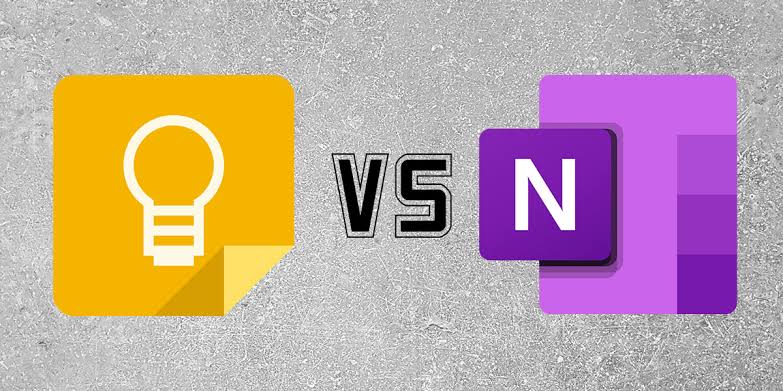
Two of the most popular options are Google Keep and Microsoft OneNote. Both are free to start using, both work across devices, and both can store much more than simple text. However, they are designed around very different approaches to taking notes.
Google Keep is built around speed and simplicity. You can open it, type something, create a checklist, add a reminder, save an image, and move on. Google says Keep can synchronize notes across devices, supports labels, colors, pins, reminders, collaboration, and can export notes into Google Docs. Google’s official Keep documentation confirms these core capabilities.
Microsoft OneNote takes a more notebook-like approach. Instead of putting everything into a stream of individual cards, you can organize information into notebooks, sections, pages, and subpages. Microsoft describes OneNote as a digital notebook for notes, research, plans, projects, schoolwork, and other information. Microsoft’s OneNote documentation explains this hierarchy in detail.
So which one should you use?
After looking at how both platforms work, my conclusion is simple: Google Keep is better for quick capture and everyday reminders, while OneNote is better for serious organization, long-form notes, research, schoolwork, projects, and large collections of information.
But there is more to the comparison than that.
In this guide, I will compare Google Keep vs Microsoft OneNote across organization, writing, reminders, collaboration, research, students, professionals, business owners, device support, offline use, productivity, and overall value.

Google Keep vs Microsoft OneNote at a Glance
| Feature | Google Keep | Microsoft OneNote |
|---|---|---|
| Best for | Quick notes, lists and reminders | Detailed notes, research and organized notebooks |
| Learning curve | Very easy | Moderate |
| Organization | Labels, colors, pins and filters | Notebooks, sections, pages and subpages |
| Long-form writing | Basic | Excellent |
| Checklists | Excellent | Excellent |
| Reminders | Excellent | Good, with Microsoft ecosystem options |
| Research notes | Good for quick captures | Excellent |
| Collaboration | Yes | Yes |
| Google ecosystem | Excellent | Limited compared with Keep |
| Microsoft 365 ecosystem | Limited | Excellent |
| Visual simplicity | Excellent | Good |
| Large projects | Limited | Excellent |
| Quick capture | Excellent | Good |
There is no universal winner. The right choice depends heavily on what you actually want to do with your notes.
What Is Google Keep?
Google Keep is Google’s lightweight note-taking and organization application.
Its biggest strength is simplicity.
You do not have to create a notebook, decide which section something belongs to, or build a complicated hierarchy before writing a note. You can simply open Keep and start typing.
You can create normal text notes, checklists, drawings and other types of quick information. Google also supports labels, colors, pins, search and reminders to help users retrieve information later. Google’s official Keep Help page explains the basic workflow.
This makes Keep particularly useful when you are dealing with information that is short-lived or needs immediate attention.
For example, imagine that you are leaving home and suddenly remember that you need to buy a phone charger.
Opening Google Keep and creating a checklist is much faster than building a structured notebook.
The same applies to a business owner who suddenly thinks of a product idea, a student who remembers an assignment topic, or a content creator who gets an idea for a YouTube video.
You capture it and continue with your day.
Google Keep’s biggest advantage
Its biggest advantage is that it gets out of your way.
Google Keep does not make note-taking feel like managing a database.
That matters more than people realize.
The easier an app makes it to capture information, the more likely you are to actually use it.
Google also says Keep can synchronize notes across devices, while its organizational tools include labels, colors, pins and filters. Google Workspace’s official Keep page provides an overview of these features.
What Is Microsoft OneNote?
Microsoft OneNote takes a completely different approach.
Think of OneNote as a digital binder.
You can create a notebook for a major area of your life, divide it into sections, and then create pages and subpages within those sections.
Microsoft’s documentation describes the structure as notebooks containing sections, with individual pages and subpages inside those sections. Microsoft Support explains that you can move, rename and reorganize these elements as your needs change.
For example, a university student could create:
- Notebook: Computer Science
- Section: Programming
- Page: Java
- Page: Android Development
- Section: Mathematics
- Section: Exams
A business owner could create:
- Notebook: Business
- Section: Marketing
- Section: Customers
- Section: Product Ideas
- Section: Meetings
- Section: Finance
That structure is where OneNote starts pulling away from Google Keep.
Google Keep vs OneNote: Ease of Use
If your number one priority is simplicity, I would choose Google Keep.
Keep has a very low barrier to entry.
You open it, press the button to create a note, type your information and finish.
There is little to learn.
OneNote is more powerful, but that power introduces more decisions.
Where should this note go?
Should I create another section?
Should this become a new page?
Do I need a separate notebook?
Those decisions are useful when you have a lot of information. However, they can feel unnecessary when you simply want to write down one sentence.
Winner for simplicity: Google Keep.
Google Keep vs OneNote for Organization
This is where OneNote wins by a large margin.
Google Keep provides useful organizational tools. You can use labels, colors, pins and filters to find information more quickly. Google currently says users can have up to 50 labels. Google’s Keep organization documentation explains how labels, colors and pins work.
That is enough for many people.
However, OneNote was designed around structured information.
Imagine you are researching a complicated topic. Instead of creating dozens of separate Keep notes, you could create one OneNote notebook and divide your research into sections.
Microsoft also lets you create links between notebooks, sections, pages and even individual paragraphs. Microsoft’s official documentation explains how these internal links work.
That makes OneNote especially useful for research-heavy work.
Winner for organization: Microsoft OneNote.
Google Keep vs OneNote for Students
Students can use either app, but the better option depends on how they study.
If you need a simple place to record:
- Homework deadlines
- Shopping lists
- Short reminders
- Ideas for assignments
- Questions to ask a teacher
- Things to remember
Google Keep is excellent.
However, if you want to store lecture notes, research, revision materials, screenshots, diagrams and detailed explanations, OneNote becomes much more attractive.
For example, you could create a notebook called WAEC Preparation and divide it into Mathematics, English, Biology, Physics and Chemistry sections.
Inside each section, you can create individual pages for topics.
That structure is much easier to maintain than a large collection of unrelated notes.
Students who use tablets can also benefit from OneNote’s notebook-style approach when organizing larger quantities of study material.
If you’re interested in how technology can support student productivity, you may also find our guide to the best tablets for students in Nigeria useful.
Similarly, our article about why cloud storage can be safer than USB sticks for students explains why students should think about protecting important digital schoolwork.
Winner for serious studying: Microsoft OneNote.
Google Keep vs OneNote for Quick Notes
Here, Google Keep wins again.
Suppose you are watching a video and suddenly hear a useful idea.
You do not want to spend two minutes deciding where that information belongs.
You want to capture it immediately.
Google Keep is excellent for that.
You can create a note, type the idea and move on.
The same applies to:
- Business ideas
- Blog topics
- Content ideas
- Things to buy
- Short reminders
- Travel plans
- Questions
- Temporary information
In fact, if you run a website, Keep can become a useful idea inbox.
I could have a Keep label called Blog Ideas and quickly save article ideas whenever they occur to me.
Later, I can turn the strongest ideas into proper articles.
If you are building your own website, our guide on how to create your own website in 2026 covers the wider process of building an online presence.
Winner for quick notes: Google Keep.
Google Keep vs OneNote for Long-Form Writing
OneNote wins this category.
Google Keep was not designed to replace a full word processor or a large digital notebook.
It works wonderfully for short notes, but a long research project can become difficult to manage if you try to force everything into Keep.
OneNote is different.
Microsoft describes OneNote pages as an open canvas where you can place text and other content. You can also create pages and subpages and organize them within sections. Microsoft’s OneNote introduction explains this notebook approach.
This makes OneNote suitable for:
- Research projects
- Meeting notes
- Class notes
- Study materials
- Business planning
- Project documentation
- Travel research
- Personal journals
Winner: Microsoft OneNote.
Google Keep vs OneNote for Reminders
Google Keep has a strong advantage if your notes are closely connected to reminders.
You can add reminders to notes, making it useful for tasks that need to happen at a particular time.
For example:
- Call supplier tomorrow
- Submit assignment Friday
- Buy laptop charger
- Check website analytics
- Renew a subscription
Keep works particularly well when the note and the reminder are essentially the same thing.
OneNote can also be used for task management, including To-Do tags and other Microsoft ecosystem integrations, but it is not as focused on quick reminder-based capture.
Winner for simple reminders: Google Keep.
Google Keep vs OneNote for Collaboration
Both applications can support collaboration.
Google says Keep allows users to share notes and work on them together in real time. Google Keep Help documents its sharing and collaboration features.
That makes Keep useful for simple shared lists.
For example, two people could maintain a shared shopping list or a small project checklist.
OneNote is more suitable when collaboration involves a substantial body of information.
Microsoft says shared OneNote notebooks can be used by friends, classmates, coworkers and other groups, with collaborators able to add text, images and files. Microsoft’s OneNote documentation describes this collaborative notebook model.
So I would put it this way:
Keep is better for collaborative lists and quick information. OneNote is better for collaborative projects.
Google Keep vs OneNote for Business
For a small business owner, both applications can be useful, but they serve different purposes.
Google Keep is excellent for capturing ideas.
For example, you might suddenly think of:
- A new product to sell
- A social media campaign
- A customer follow-up
- A blog topic
- A new service
- A business expense to check
You can capture the idea immediately.
OneNote is better when the idea becomes a project.
For example, imagine that you decide to launch a new digital product.
You could create a OneNote notebook containing sections for:
- Product idea
- Research
- Content
- Marketing
- Customer feedback
- Sales
- Future updates
This gives you a central workspace rather than a collection of disconnected notes.
If your business involves selling digital products, you may also want to read our guide on selling digital products in Nigeria with Selar.
For businesses that accept payments directly through their websites, our guide to accepting payments with Flutterwave or Paystack in Nigeria can also be useful.
Using Google Keep and OneNote to Create and Sell Digital Products
There is another interesting way to look at these two applications.
They do not have to be competitors in your workflow.
You can use both.
For example, imagine that you want to create a study guide, ebook, checklist, business template or other digital product.
You could use Google Keep as your idea collection system.
Whenever you think of a useful section, question, example or headline, you save it in Keep.
Once enough ideas have accumulated, you move into OneNote and organize the material into a proper structure.
Your OneNote notebook could contain:
- Introduction
- Chapter 1
- Chapter 2
- Examples
- Frequently asked questions
- Checklist
- Bonus resources
After editing the material, you can turn it into a finished digital product.
If you are looking for a platform for selling digital products, our Selar guide explains why platforms like Selar can be useful for Nigerian creators.
You can also explore the Infolandia Bookstore for the digital products and educational resources available on the website.
The important point is that note-taking software can become part of a larger content and sales workflow.
Google Keep vs OneNote for Nigerian Users
For Nigerian users, I would not choose between these apps based purely on which company has the bigger name.
I would choose based on internet access, device usage, workflow and the type of information being stored.
For someone who primarily uses an Android phone, Google Keep feels particularly natural if they already use a Google account and other Google services.
For someone who works extensively with Windows PCs and Microsoft 365 applications, OneNote becomes much more compelling.
That distinction matters because your note-taking app should fit into the tools you already use.
If your work revolves around Word, Excel, PowerPoint, Outlook, Teams and other Microsoft products, OneNote can become part of that broader environment.
If your workflow revolves around Gmail, Google Drive, Google Docs, Android and other Google services, Keep may feel more natural.
Google Keep vs OneNote on Android
Both apps are useful on Android.
However, Keep has a particularly strong advantage for phone-first users.
The app is designed around quick capture, which makes sense on a smartphone.
When you are holding a phone with one hand, you generally do not want to navigate through several layers before creating a note.
OneNote remains useful on Android, especially if you need access to larger notebooks while away from your computer.
However, its greatest advantage becomes more obvious when you work across larger screens and more structured projects.
If you are trying to get more productivity from an older Android phone, you may also want to see our guide to Android features you may not be using enough.
Google Keep vs OneNote on Windows
OneNote becomes much more attractive on Windows.
That is not surprising.
Microsoft designed OneNote as part of its broader productivity ecosystem.
Microsoft currently recommends the Microsoft 365 version of OneNote on Windows, while the older OneNote for Windows 10 reached its end of support in October 2025. Microsoft’s current OneNote navigation guidance provides this information.
If you use a Windows laptop for serious work, OneNote can become a central knowledge-management tool.
This is especially true if you already use Microsoft 365.
And if you’re choosing a laptop specifically for productivity, you may want to compare your options with our guide to the best laptops to buy in Nigeria.
Google Keep vs OneNote for Research
OneNote is the clear winner for serious research.
Research usually involves more than writing a few sentences.
You may need:
- Multiple topics
- Sources
- Images
- Tables
- References
- Questions
- Drafts
- Ideas
- Links
- Different versions of information
OneNote’s notebook, section and page structure makes this easier to manage.
You can also create links to individual notebooks, sections, pages and paragraphs, which can be useful for building connected research notes. Microsoft explains this linking system here.
Google Keep is still useful during research.
In fact, I would use it as a research inbox.
Capture the interesting information in Keep first, then organize the useful material in OneNote later.
That combination can work extremely well.
Google Keep vs OneNote for Content Creators
Content creators have a particularly strong reason to use a note-taking app.
Ideas do not always arrive when you are sitting in front of your computer.
You might be walking somewhere and think of a YouTube title.
You might be watching another creator and think of a better angle for a topic.
You might suddenly remember a product you want to review.
Google Keep is excellent for capturing these ideas immediately.
Then, when you start developing the content, OneNote can provide a more structured workspace.
For example:
- Keep: “Google Keep vs OneNote article idea.”
- OneNote: Research and outline.
- WordPress: Final article.
- Social platforms: Promotion.
This workflow prevents your idea bank from becoming mixed up with your finished work.
For more content-creation ideas, see our guides on content creation in Nigeria and AI tools for creating YouTube videos.
Google Keep vs OneNote for AI Features
This area is changing quickly, so it is important not to treat every AI feature as identical.
Microsoft has introduced Copilot-related notebook capabilities around OneNote and Microsoft 365. Microsoft describes Copilot Notebooks as a way to gather relevant material such as documents, presentations, spreadsheets, OneNote pages and other references into a focused space, where eligible users can ask for summaries, insights and drafts. Availability depends on the applicable Microsoft account and license. Microsoft’s official documentation provides the current details.
That makes OneNote particularly interesting for users who already work inside the Microsoft ecosystem.
Google’s broader ecosystem also provides AI-powered productivity tools, but you should distinguish Google Keep itself from AI features offered elsewhere in Google Workspace.
In other words, do not choose Keep or OneNote solely because you saw an advertisement saying one app has “AI.”
Look at the complete workflow you actually use.
Which Is Better for Productivity?
This is where the answer becomes interesting.
Google Keep can make you faster.
OneNote can make you more organized.
Those are not the same thing.
If your problem is that you forget ideas, tasks and small pieces of information, Keep can solve the problem quickly.
If your problem is that you have too much information and cannot organize it properly, OneNote is likely the better choice.
So the real question is not simply:
“Which app is better?”
It is:
“What kind of information am I trying to manage?”
When You Should Choose Google Keep
Choose Google Keep if most of these statements describe you:
- You want extremely simple note-taking.
- You mostly use your smartphone.
- You need quick reminders.
- You create lots of short notes.
- You frequently make shopping or task lists.
- You want to capture ideas quickly.
- You already use Google services heavily.
- You do not want to manage notebooks and sections.
- You prefer a visual card-style interface.
For these users, OneNote may actually feel like too much software.
When You Should Choose Microsoft OneNote
Choose OneNote if you need:
- Large collections of notes.
- Detailed organization.
- Notebooks and sections.
- Research management.
- Long-form notes.
- Detailed school materials.
- Business documentation.
- Project planning.
- Cross-referenced information.
- Deep integration with Microsoft 365.
If you are the type of person who creates a separate folder for everything, OneNote will probably feel more natural.
Can You Use Google Keep and OneNote Together?
Absolutely.
In fact, this may be the best solution for some people.
Instead of asking one application to do everything, give each application a job.
Use Google Keep as your capture tool.
Use OneNote as your knowledge-management tool.
For example, when an idea comes to you, save it in Keep.
At the end of the week, review those ideas.
Anything important can then become part of a structured OneNote notebook.
This creates a simple two-stage workflow:
- Capture quickly.
- Organize deliberately.
You do not need to turn every thought into a carefully categorized document immediately.
Google Keep vs Microsoft OneNote: My Final Verdict
After comparing the two applications across the areas that matter most, I would not call one a universal winner.
Google Keep wins for simplicity.
Google Keep wins for quick capture.
Google Keep wins for simple reminders and lists.
OneNote wins for organization.
OneNote wins for long-form notes.
OneNote wins for research.
OneNote wins for large projects.
For a casual user, I would start with Google Keep.
For a student dealing with substantial course materials, I would lean toward OneNote.
For a professional managing research and projects, I would choose OneNote.
For someone who simply wants to remember things, Google Keep is probably the better fit.
For a content creator, I would actually consider using both.
Google Keep vs OneNote: The Simplest Decision
| If you want… | Choose |
|---|---|
| Quick notes | Google Keep |
| Shopping lists | Google Keep |
| Simple reminders | Google Keep |
| Fast idea capture | Google Keep |
| Detailed school notes | OneNote |
| Research | OneNote |
| Large projects | OneNote |
| Structured information | OneNote |
| Microsoft 365 workflow | OneNote |
| Google-first workflow | Google Keep |
| Both quick capture and deep organization | Use both |
Frequently Asked Questions
Is Google Keep better than OneNote?
Google Keep is better for quick notes, lists, reminders and simple information capture. OneNote is better for detailed organization, research, long-form notes and large projects. The better application depends on your workflow.
Is Microsoft OneNote free?
OneNote has free access options, while some Microsoft 365 features and services are tied to particular Microsoft plans. The exact features available can depend on the version and account you use, so check Microsoft’s current OneNote documentation before purchasing a subscription.
Can Google Keep replace OneNote?
For simple note-taking, yes. However, Keep is not a direct replacement for OneNote’s notebook-section-page structure. If you manage large research projects or extensive study materials, OneNote is generally better suited to that workflow.
Can OneNote replace Google Keep?
Technically, you can use OneNote for many of the same basic tasks, including lists and reminders. However, Google Keep is faster and simpler for quick capture, so replacing it may not make sense if speed is your main priority.
Which is better for students?
For simple reminders and short notes, Google Keep is excellent. For detailed lecture notes, revision materials, research and organized study resources, OneNote is usually the stronger option.
Which is better for business?
OneNote is generally better for maintaining detailed business documentation and project information. Google Keep is excellent for quickly capturing business ideas, reminders and small tasks.
Can I use both Google Keep and OneNote?
Yes. A useful workflow is to use Keep as a quick inbox for ideas and reminders, then use OneNote for information that needs long-term organization.
Final Thoughts
Note-taking apps may look like simple productivity tools, but the right one can change how you manage information every day.
Google Keep is the app I would reach for when I need to capture something quickly.
OneNote is the app I would reach for when that information needs to become part of a bigger system.
That distinction is important.
You do not need the most complicated productivity application available. You need the one that matches the way you think and work.
If you mostly need reminders, lists and quick ideas, start with Google Keep.
If you need notebooks, research, detailed notes and structured projects, start with OneNote.
And if you create content, run a business or work on multiple projects, consider using both instead of forcing one application to handle everything.
Good productivity is not about having the largest collection of apps.
It is about creating a system that helps you capture information, organize it and actually use it.
Looking for More Digital Resources?
If you’re interested in learning practical digital skills, creating digital products or finding useful resources for your work and studies, visit the Infolandia Bookstore.
You can also learn more about how Selar can help Nigerian creators sell digital products online.
The goal is simple: learn useful skills, turn useful knowledge into practical resources, and build something that can create value beyond a single blog post.