
Architectural engineers increasingly rely on smartphones to review drawings, communicate with project teams, inspect documents, and access important project information while away from their desks. Although a smartphone cannot replace a powerful workstation for full-scale AutoCAD, Revit, or other demanding CAD and BIM workloads, the right device can become a useful part of a professional workflow.
For Nigerian architectural engineers, students, and design professionals, choosing the right phone also means considering battery life, storage, display quality, network connectivity, durability, and value for money. A phone that performs well in everyday communication may not necessarily provide the experience needed to inspect large drawings or work with cloud-based project files.
In this 2026 guide, we explain the smartphone specifications architectural engineers should look for, the features that matter most for CAD and BIM workflows, useful accessories, and the types of phones worth considering.
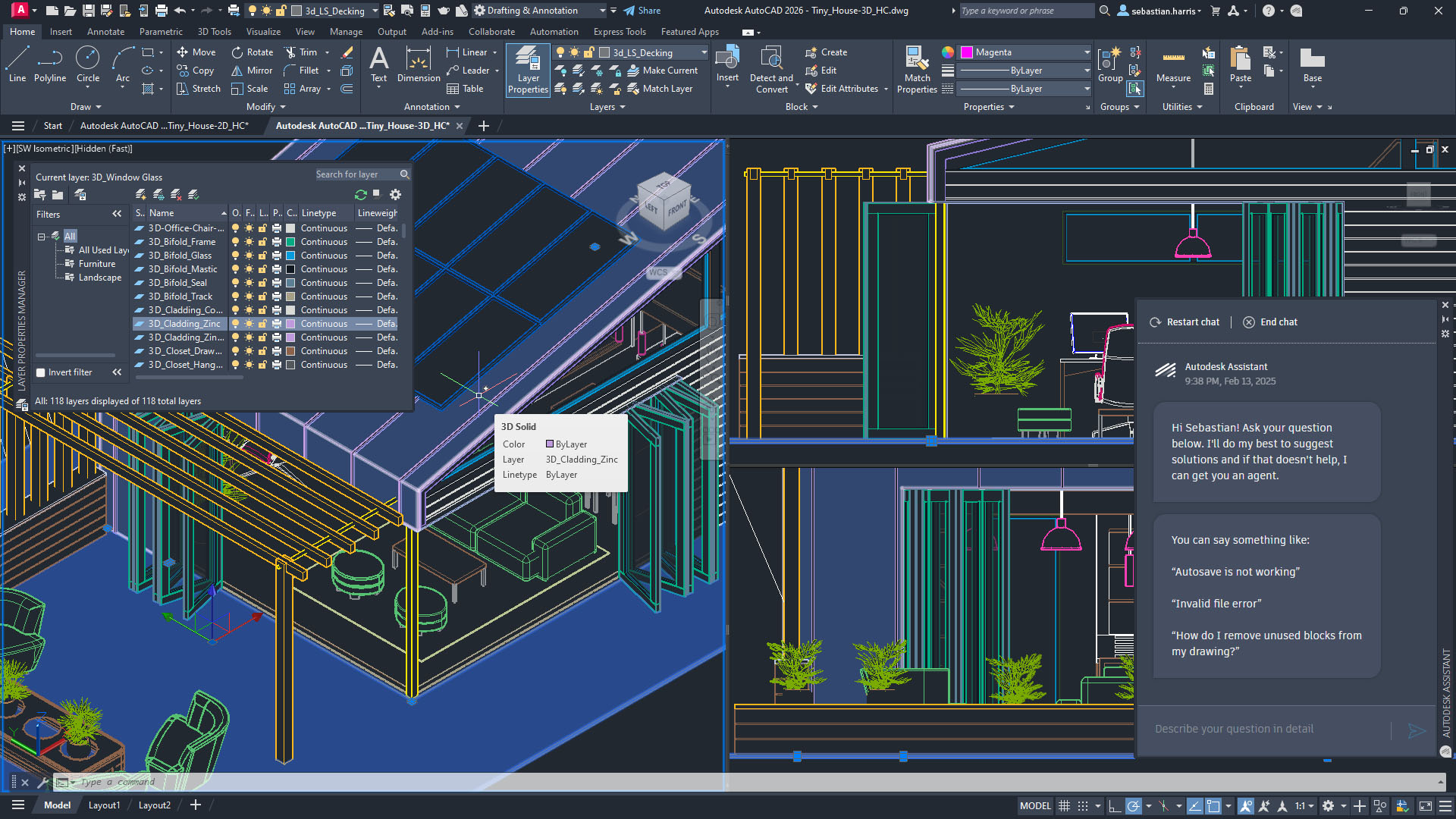
Why Architectural Engineers Need a Capable Smartphone
A smartphone is no longer only a communication device for professionals working in architecture and construction. It can serve as a mobile reference tool between meetings, construction sites, offices, and client locations.
For example, an architectural engineer may use a phone to:
- View and review CAD drawings and project documents.
- Check PDF plans and technical documentation.
- Access cloud-stored project files.
- Communicate with architects, contractors, clients, and colleagues.
- Take photographs and videos at construction sites.
- Annotate documents and make quick notes.
- Review 3D models using compatible applications.
- Join online meetings and project discussions.
- Check design references while travelling between project locations.
Mobile applications from Autodesk and other software providers can complement a desktop workflow. However, mobile devices work best as a companion to a workstation, rather than as a complete replacement for one.
If you are also comparing phones for demanding professional workloads, our guide to phone requirements for video editing explains why processor performance, RAM, storage, and thermal management matter across demanding mobile tasks.
Minimum Phone Requirements for Architectural Engineers in 2026
You do not necessarily need the most expensive flagship phone. Instead, focus on the specifications that directly affect your workflow.
1. Operating System
Choose a relatively modern version of Android or iOS so that you can access current productivity, cloud-storage, PDF, CAD, and collaboration applications.
- Android: Android 13 or newer is a sensible starting point.
- iPhone: A recent iPhone with current iOS support is preferable.
Operating-system support also matters because professional applications can eventually stop supporting older versions. A newer device therefore gives you a better chance of receiving security updates and application compatibility for several years.
2. RAM
- Minimum: 8GB RAM
- Recommended: 12GB RAM or more for heavier multitasking
RAM becomes particularly useful when you move between a CAD viewer, browser, cloud-storage application, PDF document, messaging application, and video call.
For example, an engineer might open a drawing in one application while referring to project specifications in another. More memory can help the phone keep those applications available without constantly reloading them.
3. Storage
- Minimum: 256GB
- Recommended: 512GB or more for professionals handling many files
Architectural projects can generate a surprisingly large amount of digital material. Drawings, photographs, videos, PDFs, presentations, project exports, and offline documents can quickly consume internal storage.
Consider 512GB if you regularly keep project materials on your phone. Cloud storage can reduce the pressure on local storage, but having enough internal space remains useful when you need files while working without a reliable internet connection.
Our guide on why cloud storage can be safer than USB storage also explains some of the advantages of keeping important files in properly managed cloud services.
4. Processor and GPU
Processor performance affects how quickly your smartphone opens large documents, switches between applications, processes images, and handles graphics-heavy interfaces.
For a professional phone in 2026, look for a recent high-performance processor rather than choosing a device based only on its camera specifications.
Examples of processor families worth considering include:
- Recent Qualcomm Snapdragon 8-series processors.
- Recent Apple A-series chips found in higher-end iPhones.
- High-end MediaTek Dimensity processors.
- Recent Samsung Exynos processors with capable graphics performance.
The exact processor generation matters, so do not assume that every chip within a processor family offers the same performance. Check independent performance tests and the actual model specification before buying.
Recommended Specifications for Power Users
If your smartphone plays a significant role in your architectural workflow, you can move beyond the basic requirements.
1. Large, High-Quality Display
- 6.7-inch or larger display for easier document viewing.
- OLED or AMOLED panel for strong contrast and clear details.
- High resolution for sharper drawings and text.
- 120Hz refresh rate for smoother scrolling and navigation.
A large screen does not turn a smartphone into a workstation, but it can make reviewing plans much more comfortable. This becomes especially noticeable when you need to zoom into detailed drawings or inspect annotations.
However, do not choose screen size at the expense of portability. If you frequently visit construction sites, a phone that is comfortable to carry and handle may be more practical than the largest available model.
2. Long Battery Life
A smartphone used on construction sites needs dependable battery endurance.
- Recommended capacity: around 5,000mAh or more.
- Fast charging: highly useful for busy workdays.
- Good power efficiency: important when using mobile data, GPS, cameras, and demanding applications.
Construction-site work can involve long periods away from a charging point. A large battery therefore provides more flexibility when reviewing documents, photographing progress, joining calls, or communicating with a project team.
Nigerian professionals should also consider carrying a reliable power bank when working at locations where access to electricity is limited.
3. Stylus Support
A stylus can be extremely useful for professionals who frequently annotate documents.
Instead of using your finger to draw a rough mark or highlight an area, a compatible stylus can provide greater precision. Samsung Galaxy devices with S Pen support, for example, can be particularly interesting for professionals who frequently write notes or annotate documents.
Stylus support should not be your only buying criterion, though. A phone with excellent pen support but weak performance may still be a poor choice for a demanding professional workflow.
What Type of Phone Should Architectural Engineers Buy?
There is no single smartphone that is perfect for every architectural engineer. Your choice should depend on your budget, software ecosystem, workload, and how heavily you use your phone for professional tasks.
High-End Android Phones
Premium Android phones can provide large OLED displays, powerful processors, substantial RAM, large storage options, fast charging, and stylus support on selected models.
Android also offers a broad range of devices, making it easier to compare features at different price points.
You can explore our app and product reviews category for additional smartphone and technology reviews before making a purchase.
iPhones
Recent iPhones are another strong option for professionals who value long-term software support, consistent performance, high-quality displays, and integration with Apple’s ecosystem.
An iPhone can be particularly convenient if your office already uses Apple devices or cloud services that integrate closely with iOS.
Still, the most expensive phone is not automatically the best choice. Compare the phone’s storage, battery performance, accessories, software compatibility, and total cost before buying.
AutoCAD and CAD: What Can a Smartphone Actually Do?
This distinction is important because a smartphone should not be marketed as a replacement for a professional workstation.
Depending on the application and file, a modern smartphone can be useful for viewing, reviewing, annotating, measuring, sharing, and making limited edits to technical documents.
However, intensive modelling, large-scale rendering, complex BIM coordination, and demanding CAD production are generally better suited to a capable desktop or laptop workstation.
Autodesk’s official resources are useful when checking the current capabilities and compatibility of its products. Visit Autodesk’s official website for current product information and documentation.
If you want to strengthen your AutoCAD skills rather than simply buy better hardware, you can also explore this AutoCAD Master Learning course on Selar. It can be a useful option for someone looking for structured learning alongside practical software experience.
Useful Accessories for Architectural Engineers
The smartphone itself is only one part of a mobile professional setup. A few accessories can make fieldwork considerably easier.
Bluetooth Keyboard
A compact Bluetooth keyboard can make it easier to type long notes, project updates, emails, or meeting summaries when you do not have access to your laptop.
Power Bank
A good power bank provides an extra layer of protection during long site visits. It becomes particularly useful when mobile data, cameras, video calls, and navigation consume more battery than normal.
Stylus
A compatible stylus can improve the experience when annotating PDFs, writing notes, or marking up images and documents.
Protective Case and Screen Protector
Construction environments can expose phones to dust, drops, and accidental impacts. A strong case can therefore be a practical investment rather than simply an aesthetic accessory.
You can also check Shopinverse for compatible smartphones and accessories when comparing equipment for your mobile setup.
Important Apps and Tools for Architectural Work
The best smartphone hardware becomes much more useful when paired with the right software.
- AutoCAD mobile: useful for accessing compatible CAD drawings while away from your workstation.
- Cloud storage: useful for accessing project files across devices.
- PDF applications: useful for reviewing specifications, plans, reports, and contracts.
- Video conferencing apps: useful for remote project meetings.
- Note-taking applications: useful for recording site observations.
- Document scanning applications: useful for converting physical documents into digital records.
Cloud platforms such as Google Drive and Microsoft OneDrive can also help teams keep files accessible across computers and mobile devices. Nevertheless, sensitive project information should be handled according to your employer’s security policies.
Security Matters for Architectural Professionals
A smartphone used for professional work can contain confidential project documents, photographs, emails, passwords, and client information. Security should therefore be part of your buying decision.
Choose a phone that receives regular security updates. Use a strong screen lock and enable biometric authentication where appropriate. Avoid installing applications from questionable sources, especially when the device contains important project files.
It is also sensible to enable cloud backups for important personal and professional information where permitted by your organisation.
For additional guidance, see our article on cybersecurity and staying safe online in Nigeria.
Learning New Digital Skills Can Also Improve Your Workflow
A powerful smartphone becomes much more valuable when you combine it with practical digital skills.
For example, an architectural professional who understands spreadsheet tools can manage project information more efficiently. Someone with website development skills can create a professional portfolio. Social-media marketing knowledge can also help freelancers promote their services and showcase completed projects.
If you want to expand your technical skills, you can browse this collection of 100+ digital courses on Selar.
For spreadsheet-heavy work, this Microsoft Excel course collection may also be worth exploring.
If website development interests you, a frontend website development mentorship can provide another path for building practical digital skills.
Likewise, professionals interested in promoting their services online can explore this Facebook, Twitter and YouTube marketing course.
Other Skills Architectural Engineers Can Learn Online
Architecture and engineering professionals do not have to limit their digital development to CAD software. Modern project work increasingly involves communication, data management, online collaboration, marketing, and cybersecurity.
For instance, freelancing courses may be useful for professionals interested in understanding how freelance digital work operates.
Cybersecurity knowledge can also become increasingly important as project information moves between cloud platforms, mobile devices, and remote teams. One option is this cybersecurity course collection.
These courses are optional resources, not requirements for using AutoCAD. Before purchasing any course, review its syllabus, instructor information, price, and learning format to determine whether it matches your goals.
How to Choose the Right Phone on a Nigerian Budget
Price matters because flagship smartphones can become very expensive in Nigeria. Instead of automatically choosing the most powerful model, identify the features that genuinely affect your daily work.
For many users, the priority should be:
- Reliable processor performance.
- At least 8GB RAM.
- 256GB storage or more.
- A large, clear display.
- Good battery life.
- Reliable software and security updates.
- Strong network connectivity.
- Durable construction.
If your phone will mainly display drawings and communicate with your team, you may not need the same specifications as someone who frequently works with large files, 3D models, and multiple demanding applications.
Our 2026 smartphone buying guide for Nigeria can help you compare the broader smartphone market before narrowing your choice to an engineering-focused device.
What Architectural Engineers Should Not Expect From a Smartphone
Even an expensive flagship phone has limitations.
You should not expect a smartphone to provide the same productivity as a large monitor, workstation-class processor, dedicated graphics hardware, physical keyboard, and mouse.
Complex architectural production is still more comfortable on a desktop or powerful laptop. The smartphone’s biggest advantage is mobility.
It allows you to access information when you are away from your main workstation. That can be extremely valuable during site inspections, client meetings, travelling, and project discussions.
Best Smartphone Specification Checklist for Architectural Engineers
| Feature | Minimum | Recommended |
|---|---|---|
| Operating system | Modern Android or iOS | Current supported version |
| RAM | 8GB | 12GB or more |
| Storage | 256GB | 512GB or more |
| Display | Large, high-resolution screen | 6.7-inch+ OLED/AMOLED, 120Hz |
| Battery | About 5,000mAh | 5,000mAh+ with fast charging |
| Processor | Modern mid/high-end chip | Recent flagship-level processor |
| Stylus | Optional | Useful for frequent annotation |
Final Thoughts
The best phone for an architectural engineer is not necessarily the phone with the highest price. What matters is how well the device supports your actual workflow.
A good professional smartphone should provide enough RAM for multitasking, sufficient storage for project files, a strong processor, a clear display, dependable battery life, and long-term software support.
More importantly, remember that the smartphone is a mobile companion to your workstation. It can help you review drawings, communicate with teams, inspect documents, take site photographs, access cloud files, and make quick annotations. Full-scale CAD and BIM production, however, remains better suited to a capable computer.
If you are building a complete professional technology setup, you may also want to compare our guides on the best laptops to buy in Nigeria in 2026 and smartphone requirements for web developers.
For more practical technology, digital-skills, and Nigerian buying guides, explore the How-To Guides section and our Digital Skills & Tutorials category.
Affiliate disclosure: Some links in this article are affiliate links. If you purchase a product or course through one of these links, Infolandia may earn a commission at no additional cost to you. We include affiliate links where they are relevant to the topic, but you should always review the product details, price, features, and suitability before making a purchase.