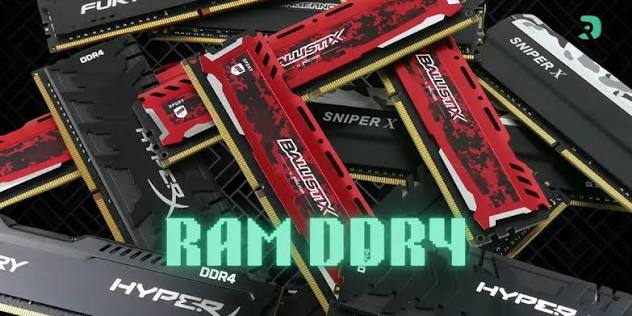
At first, DDR4 looked like just another technical abbreviation that manufacturers used to make laptop specifications look complicated. I did not immediately understand why it mattered. Eventually, however, learning about DDR4 changed the way I examined laptops before buying them.
Today, when I see a laptop advertised with something like 8GB DDR4 RAM, I understand that the “8GB” and “DDR4” are telling me different things. The 8GB tells me the capacity, while DDR4 tells me the generation of memory technology.
This article explains how I came to understand DDR4, what it actually means, and how that knowledge helped me become more careful when choosing a laptop.
My First Understanding of Laptop RAM
Before I started paying attention to DDR4, I mainly understood RAM by its size.
If a laptop had 4GB RAM, I considered it a basic laptop. If it had 8GB, I considered it better. If I found one with 16GB, I automatically assumed it was a powerful machine.
There is some truth to that thinking because RAM capacity matters. RAM gives your computer temporary working space for applications and data, so having enough memory can make multitasking much easier.
However, I eventually realised that RAM capacity is not the whole story.
Two laptops can both have 8GB of RAM and still use different generations of memory technology. That was when I started seeing specifications such as DDR3, DDR4 and, on newer systems, DDR5.
That discovery made me start asking a different question when looking at laptops: What type of RAM does this laptop actually use?
So, What Exactly Is DDR4?
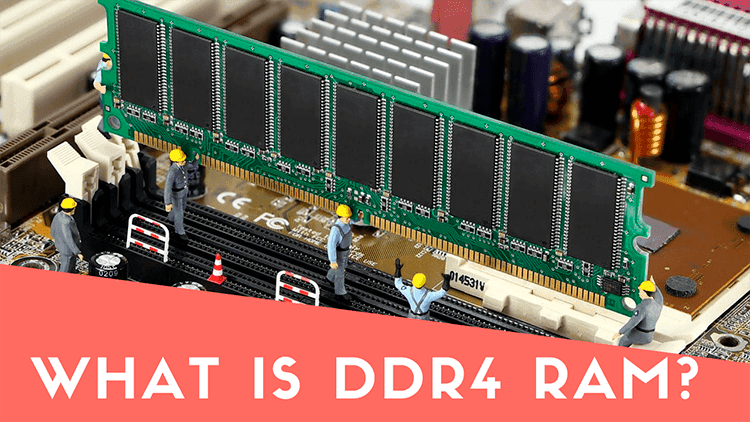
DDR4 stands for Double Data Rate 4. It is a generation of DDR memory technology used in computers and other devices.
DDR4 succeeded DDR3 and was designed to provide improvements in data transfer, bandwidth, capacity and power efficiency. According to Crucial, DDR4 laptop memory operates at 1.2V and uses a 260-pin SODIMM form factor in typical laptop modules. :contentReference[oaicite:0]{index=0}
That might sound technical, but the important thing for someone shopping for a laptop is actually quite simple: DDR4 tells you which generation of RAM technology the laptop uses.
It is similar to the way we distinguish between different generations of processors. The name alone does not tell you everything about performance, but it gives you useful information about the technology inside the machine.
I also learned an important lesson: DDR4 is not the same thing as 4GB.
The “4” in DDR4 does not mean 4GB. A laptop can have 4GB DDR4, 8GB DDR4, 16GB DDR4 or more, depending on the system.
This was one of the things that made the specification much easier for me to understand.
Why I Started Paying Attention to DDR4 When Buying Laptops
My interest in DDR4 came from comparing laptop specifications rather than simply reading one laptop’s advertisement.
When you are looking for a laptop in Nigeria, especially when comparing fairly priced machines, you can come across many different combinations of processor, RAM and storage.
You might see:
- Core i5 with 8GB DDR3
- Core i5 with 8GB DDR4
- Core i7 with 8GB DDR4
- Core i5 with 16GB DDR4
- Core i3 with 8GB DDR4
At first, I would have simply looked at Core i5 or Core i7 and picked the laptop with the higher processor label.
Learning about RAM generations made me slow down.
I started looking at the laptop as a complete system instead of judging it from one specification.
That approach became particularly useful when I started looking at older and used laptops. A laptop can have a familiar processor name and still have other specifications that affect how useful it will be for your needs.
This is also why I recommend reading a complete laptop specification before buying instead of relying only on the seller’s headline.
DDR4 Helped Me Look Beyond “Core i5”
One of the biggest lessons I learned was that Core i5 does not automatically mean one laptop is better than another.
There are many generations of Core i5 processors. An older Core i5 and a newer Core i5 can have very different specifications and performance characteristics.
The same principle applies to RAM.
If I see two laptops advertised as having 8GB RAM, I no longer stop there. I want to know what type of memory they use, what speed it supports, whether the memory can be upgraded and whether the laptop has one or two memory slots.
That information gives me a much better picture of what I am actually buying.
For example, Crucial explains that laptop memory commonly uses the SODIMM form factor and that memory technology has to match what the computer supports. DDR4 cannot simply be installed in a system designed for DDR3 because the technologies are physically and electrically different. :contentReference[oaicite:1]{index=1}
This taught me something important: RAM is not just RAM.
DDR4 Also Made Me Pay Attention to Upgradeability
Another thing I started checking was whether a laptop could be upgraded later.
This is very important when buying a laptop because your needs can change.
You might buy an 8GB laptop today because it is enough for browsing, Microsoft Office, blogging and normal work. Later, you might start using heavier software or multitasking more heavily and realise that more memory would be useful.
If the laptop has an accessible RAM slot, an upgrade may be possible. But you should never assume that every laptop can be upgraded.
Some modern laptops have memory soldered directly to the motherboard. In such cases, you may not have the same upgrade options as a laptop with removable SODIMM modules.
That is why I now check the laptop’s exact model and specifications before making a decision.
Crucial also recommends checking system compatibility before buying a memory upgrade rather than assuming that any DDR4 module will work in every computer. :contentReference[oaicite:2]{index=2}
DDR4 and Laptop Performance
Understanding DDR4 also helped me understand why RAM affects everyday laptop use.
RAM provides temporary working space for the operating system and applications. When you open a browser, edit a document, work with several tabs or run multiple applications, the computer uses RAM to handle that active workload.
When available RAM becomes limited, the system may have to rely more heavily on storage for certain operations, which can contribute to a less responsive experience.
Crucial describes RAM as short-term memory that helps computers handle activities such as loading applications, browsing the web and editing documents. :contentReference[oaicite:3]{index=3}
This is why I stopped looking at RAM simply as a number.
I started thinking about it in terms of how I planned to use the laptop.
If I only wanted a computer for basic browsing and simple documents, I would not necessarily need the same memory configuration as someone editing large videos, working with demanding applications or running many programs at once.
The laptop’s processor, graphics hardware, storage and RAM all work together, so I try to look at the entire configuration.
DDR4 vs DDR3: Why the Difference Caught My Attention
When I started learning about DDR4, I also came across DDR3 frequently, particularly when looking at older used laptops.
DDR4 was developed as a successor to DDR3 and introduced improvements in bandwidth and power efficiency. Crucial notes that DDR4 was introduced with higher transfer rates and lower operating voltage than DDR3. :contentReference[oaicite:4]{index=4}
That does not mean every DDR4 laptop will automatically outperform every DDR3 laptop.
This is another lesson I learned.
You cannot fairly compare two laptops by looking at one specification alone. The processor generation, processor model, RAM capacity, RAM configuration, storage type, cooling system and other components all matter.
Still, knowing that a machine uses DDR4 gives me additional information about its memory platform.
That information became especially useful when I was comparing laptops from different generations.
DDR4 vs DDR5: Another Lesson I Learned
As I became more familiar with DDR4, I eventually started seeing DDR5 in newer laptops.
DDR5 is a newer memory generation and can provide higher data transfer rates and other improvements compared with DDR4. However, this does not mean that I should automatically reject a DDR4 laptop.
The right choice depends on the laptop itself and what I intend to use it for.
For example, someone looking for an affordable machine for schoolwork, browsing, office tasks or general productivity may find a good DDR4 laptop perfectly suitable.
On the other hand, someone buying a newer high-performance machine for demanding workloads may have good reasons to prefer a newer memory platform.
The important thing is to understand what you are buying rather than choosing based on a single specification.
What I Now Check Before Buying a Laptop
Learning about DDR4 changed my entire laptop-buying checklist.
Instead of asking only, “Is this Core i5?” I now look at several things.
1. Processor generation and model
I check the exact processor rather than relying only on labels such as Core i5 or Core i7.
2. RAM capacity
I check whether the laptop has 4GB, 8GB, 16GB or another capacity and consider whether that amount matches what I plan to do with the computer.
3. RAM generation
I check whether it uses DDR3, DDR4, DDR5 or another memory technology.
4. RAM upgrade options
I try to find out whether the memory is replaceable or soldered and whether there is an available slot for expansion.
5. Storage
I check whether the laptop uses an SSD or HDD. Learning about the difference between these storage technologies also changed how I evaluate older laptops. I wrote more about this in my comparison of HDD vs SSD.
6. Overall condition
Specifications are important, but they are not everything when buying a used laptop. I also consider the keyboard, screen, battery, charging port, hinges, ports, cooling system and general physical condition.
My experience comparing UK-used laptops also taught me that the condition of a particular machine matters just as much as the specifications printed on the advertisement.
DDR4 Taught Me Not to Believe Every Laptop Advertisement
This might actually be one of the most useful lessons I learned.
When buying a laptop, especially from online marketplaces or individual sellers, you should verify the specifications instead of accepting everything written in the advert.
A seller may write “8GB RAM” without telling you whether it is DDR3 or DDR4. Another seller may advertise “Core i7” without clearly identifying the generation or exact model.
That is why I now try to verify the exact laptop model and look for its official specifications.
If the seller gives me a model number, I can research that specific machine instead of relying entirely on the seller’s description.
This approach has also helped me avoid making decisions based purely on attractive words such as “powerful,” “fast,” “professional” or “high performance.”
What DDR4 Means for Someone Buying a Laptop in Nigeria
For Nigerian buyers, understanding these specifications can be particularly useful because the laptop market includes brand-new, refurbished, UK-used and Nigerian-used machines.
Prices can also vary significantly depending on condition, configuration and seller.
That means two laptops at similar prices may offer very different value.
One might have an older processor, DDR3 RAM and an HDD. Another might have a newer processor, DDR4 memory and an SSD.
Without understanding the specifications, it can be difficult to know which one represents better value.
This is why I always recommend comparing the complete specifications before deciding.
If you are considering a used laptop, my guides on how to identify refurbished laptops and how to identify Nigerian-used laptops can also help you look beyond the advertised specifications.
One Thing I Would Tell Anyone Buying a Laptop
If I could go back to when I first started buying and comparing laptops, I would tell myself not to focus too heavily on one specification.
Seeing “Core i5” should not immediately make you reach for your wallet.
Seeing “8GB RAM” should not be the end of your investigation either.
Look deeper.
Find the processor generation. Check the RAM type. Check the storage. Check whether the RAM can be upgraded. Look at the screen. Check the battery condition. Examine the physical condition if it is a used machine. Then compare the complete package with the price.
That is how learning something as simple as DDR4 changed the way I shop for laptops.
My Final Take
Before I understood DDR4, I saw laptop RAM mostly as a number. If a machine had 8GB, I considered it an 8GB laptop and moved on.
Learning about DDR4 showed me that there is more information hidden inside a specification.
8GB tells me how much memory the laptop has. DDR4 tells me the generation of memory technology being used.
That distinction may look small, but it changed the way I compare computers.
It also taught me that buying a laptop should not be based on one impressive specification. A good laptop is a combination of components that make sense for the work you want to do and the money you are willing to spend.
So, the next time you see a laptop advertised as “8GB DDR4 RAM”, don’t just read the 8GB and ignore the rest. Understand what DDR4 means, check the processor, investigate the storage and find out whether the memory can be upgraded.
For me, that simple knowledge has made choosing a laptop much easier and has helped me ask better questions before spending money.
If you are currently comparing laptops, you may also want to read my guide on the best laptops to buy in Nigeria, as well as my guide to laptops for professional writers and bloggers.
For readers who want to understand memory specifications in greater technical detail, Crucial’s memory resources explain DDR generations, laptop memory and compatibility. Kingston also provides a memory compatibility guide for checking compatible memory types and specifications. :contentReference[oaicite:5]{index=5}