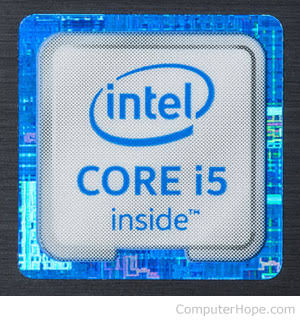
If a seller told me, “This one is Core i5,” I immediately paid attention. At the time, I looked at Core i5 almost like a quality stamp. I assumed that if two laptops had Core i5 processors, they would deliver roughly the same experience.
I eventually learned that this is not how laptop processors work.
That lesson changed the way I shop for laptops. Today, when I see a laptop advertised simply as a “Core i5,” I don’t get excited until I know the exact processor model, generation, RAM, storage, display, battery condition and overall condition of the laptop.

This became particularly important when I started comparing used and refurbished laptops. A seller can advertise two machines as Core i5 laptops, yet the two machines can have very different hardware and performance.
In this article, I want to explain how I learned this lesson and why I no longer buy a laptop simply because the seller says it has a Core i5 processor.
My old way of choosing a laptop
My old approach was very simple.
I would decide on a budget, look for laptops within that price range and then check the processor. If I saw Core i5, I considered it a good option. If I saw Core i7, I became even more interested.
The problem was that I wasn’t looking closely enough at the processor itself.
For example, an older Core i5 laptop can still carry the Core i5 name while using technology that is several generations old. Meanwhile, a newer Core i5 can offer a very different balance of performance, efficiency and features.
Intel itself explains that the generation can be identified from the processor number. For traditional Intel Core processors, the number after i5, i7 or i3 indicates the generation. For example, an i5-10210U is a 10th-generation processor, while an i5-11400F is an 11th-generation processor. :contentReference[oaicite:0]{index=0}
That was one of the things that made me change my buying habits.
“Core i5” is a family, not a complete specification
The biggest mistake I used to make was treating Core i5 as the complete description of a processor.
It isn’t.
Think about it this way: saying a laptop has a Core i5 processor doesn’t tell you the whole story. You still need the model number.
A seller saying “Core i5 laptop” is giving you a starting point, not enough information to make a buying decision.
Intel has also changed its processor naming over time. Its newer Core and Core Ultra products use different naming systems, which makes checking the exact processor model even more important. :contentReference[oaicite:1]{index=1}
So now, instead of asking only, “Is it Core i5?” I ask:
- Which Core i5?
- What generation is it?
- What is the exact model number?
- What suffix does it have?
- How much RAM does the laptop have?
- Does it use an SSD?
- Can the RAM or storage be upgraded?
- What condition is the laptop in?
- What will I actually use the laptop for?
Those questions give me much more useful information than the words “Core i5” alone.
The generation became one of the first things I check
Learning about processor generations completely changed how I look at used laptops.
When I started comparing machines, I noticed that sellers sometimes focused heavily on the Core i5 label while giving less attention to the generation. That can make an older laptop sound more impressive than it really is.
Now I check the exact processor number first.
For example, if a laptop has Intel Core i5-8250U, I know from the processor number that it belongs to the 8th-generation Core family. If another laptop has Intel Core i5-1135G7, I know I am looking at an 11th-generation processor.
That doesn’t automatically mean the newer laptop is better in every single situation. However, it gives me important context before I compare the rest of the hardware.
This is especially useful when looking at older business laptops. I have seen machines from brands such as Dell, HP and Lenovo advertised as powerful Core i5 laptops even though their processors belong to much older generations.
If you are considering a used laptop, my guide to identifying refurbished laptops before buying can also help because the processor is only one part of the inspection.
I stopped ignoring the letters after the processor number
Another thing I learned was that the letters at the end of an Intel processor name can matter.
You may see processors ending with letters such as U, H, P or Y. Those letters can tell you something about how Intel designed the processor for its intended use.
For example, Intel describes U-series mobile processors as power-efficient, while H-series processors target higher performance on mobile devices. P-series processors are designed for performance-oriented thin and light laptops. :contentReference[oaicite:2]{index=2}
This made me stop assuming that every Core i5 laptop was designed for exactly the same purpose.
If I want a laptop mainly for writing, browsing, research, email and other everyday work, I may value efficiency, battery life and portability.
If I need a machine for heavier workloads, I pay more attention to the processor class, cooling system, graphics hardware and the rest of the specification.
The processor name helps me understand the laptop. It doesn’t make the decision for me.
RAM also changed the way I judge laptops
This is another lesson I learned after spending more time around laptops.
A good processor doesn’t automatically make a laptop comfortable to use.
I once used to focus heavily on the processor while paying less attention to the amount of RAM. I don’t do that anymore.
If I am comparing two laptops, I want to know how much RAM each machine has and whether I can upgrade it later.
This is particularly important when buying an older used laptop. A machine may have an attractive Core i5 processor but still feel frustrating if it has limited memory and struggles when several applications and browser tabs are open.
That’s why I also look at the laptop’s upgrade options before buying.
I previously wrote about hardware requirements for different types of professional work, and the same basic lesson applies here: don’t choose hardware based on one specification when your workload depends on several components.
SSD became almost as important to me as the processor
Another major change in my buying process was learning to pay attention to storage.
I don’t want to see “Core i5” and immediately ignore whether the laptop has an SSD or an older hard drive.
Storage can make a noticeable difference to how responsive a laptop feels during everyday use. That is why I now check both the storage type and capacity.
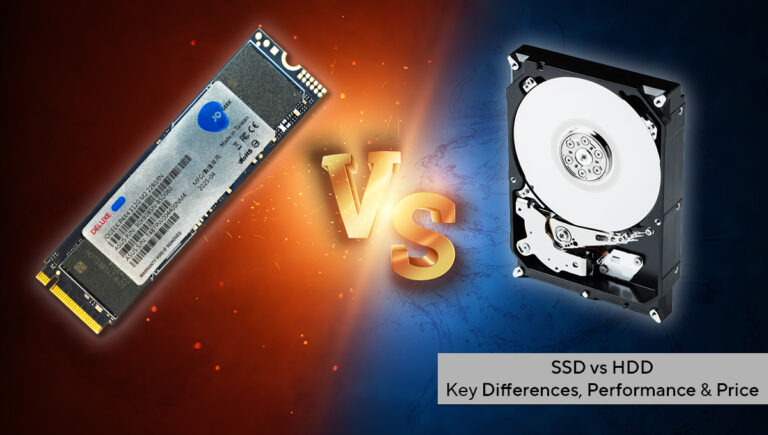
A laptop with a decent processor and SSD can be much more pleasant for everyday work than an otherwise similar machine with an old mechanical hard drive.
I also wrote about HDD versus SSD because this is one of those comparisons that buyers should understand before spending money on a laptop.
The laptop’s age matters too
One thing I no longer do is look at the processor without considering the age of the entire laptop.
A laptop isn’t just a processor sitting inside a plastic body.
The battery has a lifespan. The keyboard can wear out. The screen can develop problems. The charging port can become loose. The cooling system can collect dust. The hinges can become weak. The storage drive can also have a long history of use.
That’s why I don’t automatically reject an older laptop, but I also don’t buy one just because its Core i5 label sounds impressive.
For anyone shopping for a UK-used machine, my article on UK-used laptops versus Nigerian-used laptops explains some of the things I think buyers should consider.
Windows compatibility also became part of my checklist
Operating-system support is another reason I don’t look at the Core i5 label alone.
Microsoft maintains a list of supported processors for Windows 11, so buyers should check the exact processor and the other system requirements rather than assuming every Core i5 laptop automatically qualifies. :contentReference[oaicite:3]{index=3}
Intel’s current guidance also says that Intel Core processors from the 8th generation onward support Windows 11, while Microsoft applies its own system requirements and compatibility rules. :contentReference[oaicite:4]{index=4}
This is another reason I now check the exact model number.
If someone tells me, “It is Core i5 and it runs Windows,” that isn’t enough information for me. I want to know exactly which processor is inside the machine.
I also stopped assuming Core i7 automatically beats every Core i5
This was another interesting lesson.
At first, I looked at processor labels almost like a ladder: Core i3 at the bottom, Core i5 in the middle and Core i7 at the top.
That simple comparison can be misleading when you compare processors from different generations and product classes.
A newer Core i5 laptop can be a better fit for a particular buyer than an older Core i7 machine.
That doesn’t mean every Core i5 is better than every Core i7. It simply means that the brand tier alone doesn’t give you enough information.
I now compare the actual processors instead of making the decision from the i3, i5 or i7 label.
My experience with buying laptops changed my checklist
Today, when I see a laptop I am interested in, I go through a simple process.
1. I check the exact processor
I don’t stop at “Core i5.” I look for the complete model number.
2. I identify the generation
The generation gives me useful context when comparing older and newer machines.
3. I check the processor suffix
The letters at the end can tell me whether the processor targets power efficiency, higher performance or another design goal. :contentReference[oaicite:5]{index=5}
4. I check the RAM
I want to know how much memory the laptop has and whether I can upgrade it.
5. I check the storage
I check whether it has an SSD, the capacity and whether the drive can be replaced or upgraded.
6. I inspect the physical condition
I check the screen, keyboard, touchpad, hinges, ports, charger and body.
7. I check the battery
A laptop can have an excellent processor and still become inconvenient if the battery has deteriorated badly.
8. I consider my actual work
I ask myself what I will actually do with the laptop. Browsing, writing, programming, graphic design, video editing and gaming don’t place exactly the same demands on hardware.
For example, someone looking for a machine for writing and blogging can start with my laptop guide for professional writers and bloggers.
What I would tell someone buying a Core i5 laptop today
I wouldn’t tell you to avoid Core i5 laptops.
There are many good Core i5 machines, and the Core i5 name remains useful when comparing processors within their respective product families.
My point is simply this: don’t buy the name. Buy the complete specification.
If a seller tells you, “This is Core i5,” ask for the exact processor model.
Then check the generation, suffix, RAM, storage, display, battery and overall condition.
If you are buying a used laptop, take the inspection even further. Test the keyboard, ports, webcam, speakers, Wi-Fi, charger, battery and screen before handing over your money.
My guide to checking Nigerian-used laptops can help you work through those checks.
The biggest lesson I learned
The biggest lesson wasn’t that Core i5 laptops are bad.
It was that I was using one specification to make a decision that required several specifications.
That sounds obvious now, but I didn’t always think that way.
When I was younger, seeing “Core i5” gave me confidence that I had found a powerful laptop. Now, the same words simply make me ask another question: which Core i5?
That small change in thinking has made it easier for me to compare laptops and avoid paying extra for a machine simply because the seller highlighted a familiar processor name.
It has also helped me understand why two laptops with the same Core i5 label can have completely different specifications and experiences.
Final thoughts
I no longer buy laptops based on “Core i5” alone.
For me, the processor is still important, but it is only one part of the buying decision. I want to know the exact model, generation and suffix. Then I look at RAM, storage, screen, battery, upgradeability and physical condition.
That approach takes a little more time than simply asking whether a laptop is Core i5 or Core i7. However, I think the extra few minutes can save a buyer from making an expensive mistake.
So the next time someone tells you, “Don’t worry, this laptop is Core i5,” don’t immediately reach for your wallet.
Ask them for the exact processor model first.
That is one of the first things I check now, and honestly, I wish I had started doing it much earlier.