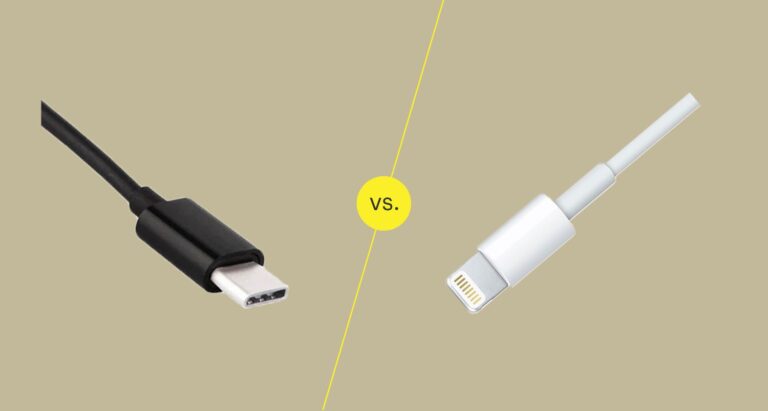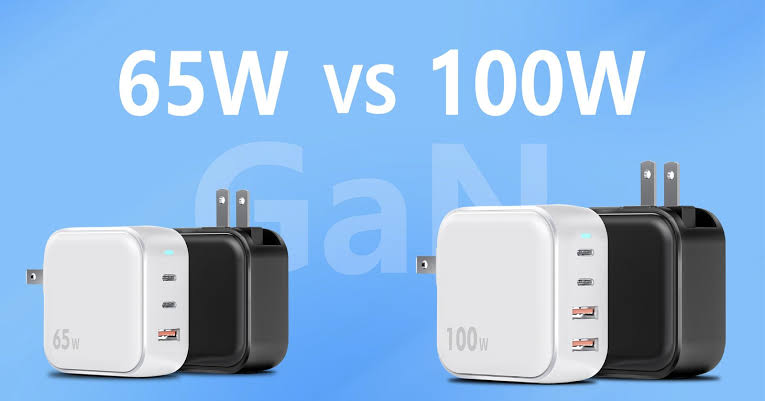
At first glance, the decision looks simple. A 100W charger produces more power than a 65W charger, so you might assume that 100W is automatically better.
That is not always the case.
A 65W charger can be perfectly suitable for one laptop, while another laptop may benefit from a 100W charger. Some laptops may accept a 100W charger but only draw 65W. Others may require more than 100W for their full performance. Your USB-C cable also matters, because the charger, cable and laptop have to work together properly.
For Nigerian laptop users, there is another practical consideration: portability. If you regularly move between home, school, work, a coworking space, or different power sources, the size and flexibility of your charger can matter almost as much as its maximum wattage.
In this guide, I will break down 65W vs 100W laptop chargers, explain what the numbers actually mean, compare charging speed, laptop performance, portability, multi-device charging, cable requirements and compatibility, and help you decide which option makes more sense for your particular setup.
I will also show you what to check before buying a replacement charger so that you do not waste money on a charger that technically fits your laptop but does not deliver the power or charging protocol your machine expects.
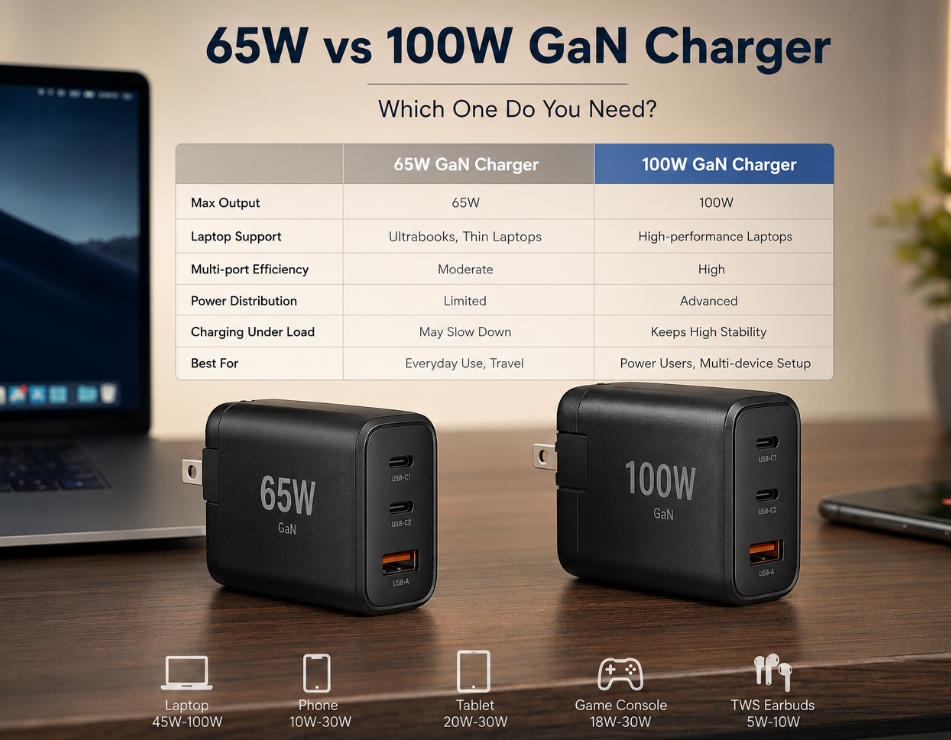
Quick Answer: 65W or 100W?
Choose 65W if your laptop is designed around a 45W–65W USB-C charger, you mainly browse, write, study, code or work with normal office applications, and you want something compact and affordable.
Choose 100W if your laptop supports higher USB-C charging power, you want more headroom, you regularly charge your laptop while using it heavily, or you want one charger capable of handling a laptop plus other devices.
Most important: do not buy based on wattage alone. Check your laptop’s official charging requirement, USB-C Power Delivery support, cable rating and the charger’s output profile.
What Does 65W or 100W Actually Mean?
The “W” means watts, which is a measurement of power.
A 65W charger can provide up to 65 watts under the appropriate charging conditions. A 100W charger can provide up to 100 watts.
However, this does not mean that a laptop automatically receives the full advertised wattage.
USB Power Delivery is designed so that compatible devices can negotiate an appropriate power level. The USB Implementers Forum explains that USB Power Delivery allows devices to request the power they require rather than simply receiving whatever maximum number is printed on the charger. Modern USB PD specifications have also expanded beyond the older 100W limit.
That is why plugging a laptop that normally uses 65W into a quality 100W USB-C PD charger does not mean the laptop suddenly receives 100W continuously.
The laptop determines what it can accept.
Think of the charger as a power source with a maximum capacity. If you connect a device that needs less, the device can operate at the lower level it supports.
This is one of the most important things to understand before comparing 65W and 100W chargers.
65W vs 100W Laptop Chargers at a Glance
| Feature | 65W Charger | 100W Charger |
|---|---|---|
| Maximum advertised power | 65W | 100W |
| Typical use | Ultrabooks, business laptops, student laptops | Higher-power laptops and multi-device setups |
| Portability | Usually very good | Usually good, especially with GaN |
| Headroom | Limited compared with 100W | More available power |
| Multi-device usefulness | Good | Better |
| Potential charging speed | Excellent for compatible 45W–65W laptops | Potentially faster for laptops that support higher input power |
| Price | Usually cheaper | Usually more expensive |
| Best for | People whose laptop needs 65W or less | People who need additional charging headroom |
Does a 100W Charger Charge a Laptop Faster Than a 65W Charger?
Sometimes, but not automatically.
This is probably the biggest misunderstanding surrounding 65W and 100W chargers.
Suppose your laptop supports a maximum USB-C charging input of 65W. You connect a 65W charger and then replace it with a 100W charger.
If the laptop itself still accepts a maximum of 65W under the same conditions, simply changing to a 100W charger does not magically turn the laptop into a 100W charging system.
The charger can offer more, but the laptop may choose to take only what it supports.
On the other hand, if your laptop supports USB-C charging at a higher power level and your original charger is limiting the available input, moving to an appropriate 100W charger can make a meaningful difference.
This is why you should look at the laptop manufacturer’s specifications rather than assuming that a larger number always means faster charging.
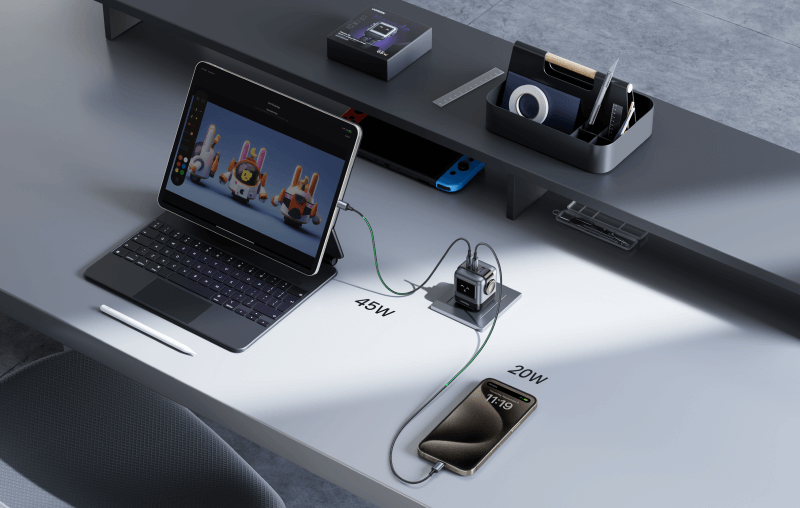
What Happens If You Use a 100W Charger on a 65W Laptop?
For a compatible USB-C Power Delivery laptop, using a higher-wattage charger is generally not the same thing as forcing 100W into the machine.
The laptop and charger negotiate the available power.
For example, Dell sells both 65W and 100W USB-C adapters for some systems. Its documentation also states that a replacement adapter should have wattage equal to or greater than the original adapter for proper functionality.
That does not mean every 100W charger works perfectly with every laptop.
Compatibility still matters.
You need to consider:
- USB-C Power Delivery support
- Supported voltage and current profiles
- The laptop’s maximum charging input
- The USB-C port’s capabilities
- The cable’s power rating
- Whether the charger is genuine and properly certified
- Whether multiple devices are connected at the same time
A good-quality 100W USB-C PD charger can therefore be useful for a laptop that normally needs 65W, particularly if you want additional capacity for other compatible devices. But you should still confirm compatibility before buying.
65W Laptop Chargers: Who Are They Best For?
For many everyday laptop users, 65W is already enough.
Business laptops, compact notebooks and many thin-and-light systems commonly operate within this general power range.
If you use your laptop for Microsoft Office, Google Docs, web browsing, programming, research, online meetings, writing, schoolwork and general productivity, a 65W charger can be a very sensible choice if your laptop supports it.
This is especially useful when portability matters.
A compact 65W GaN charger can replace a larger traditional adapter while giving you enough power for a compatible laptop and potentially a phone or tablet.
For example, Anker’s 65W charger products have been designed around compact multi-device charging, while UGREEN also sells 65W multi-port GaN chargers.
If your laptop’s original adapter is 65W, there is often little reason to spend extra money simply because a 100W model has a larger number on the box.
Advantages of 65W
- Usually compact
- Often cheaper
- Excellent for compatible everyday laptops
- Good for travel
- Usually sufficient for office productivity
- Can also charge phones and tablets
- Often easier to carry around every day
If you are buying a charger for a laptop you use mainly for work, writing, studying or browsing, start by checking whether 65W matches the laptop manufacturer’s recommended power rating.
If you are also looking for a suitable laptop rather than only a charger, you can see our complete guide to the best laptops to buy in Nigeria.
100W Laptop Chargers: Who Should Buy One?
A 100W charger becomes more interesting when you want additional power headroom.
Imagine that your laptop is capable of accepting more than 65W through USB-C. In that situation, a 65W adapter may not give the same charging capability as a properly matched 100W adapter.
A 100W charger can also make sense when you want one charger for several devices.
For example, you could have a laptop connected to one USB-C port and a smartphone connected to another. The total power available may then be shared between the ports depending on the charger design.
This is an important detail that buyers sometimes overlook.
A charger advertised as “100W” does not necessarily provide 100W to every port simultaneously.
For example, Anker’s 100W multi-port charger specifications show different power allocations depending on whether one, two or three ports are being used.
UGREEN’s 100W Nexode charger similarly supports multiple devices while managing the total available power.
Advantages of 100W
- More power headroom
- Useful for compatible higher-power laptops
- Better suited to some demanding USB-C laptop setups
- Excellent for multi-device charging
- Can reduce the number of chargers you carry
- More future-friendly if your devices support higher charging power
65W vs 100W for Programming and Web Development
If you are a developer, wattage should not be the first thing you look at when choosing a laptop charger.
The laptop itself matters more.
A developer using a thin business laptop with a 65W charging requirement may be perfectly comfortable with a 65W charger.
However, if you use a more powerful laptop with a high-performance processor, multiple external devices, external displays or heavier workloads, a 100W charger may give you more useful headroom if the laptop supports that input level.
Remember that charging and performance are related but not identical.
A laptop can consume power while you are using it. If the machine is drawing significant power while simultaneously charging its battery, a lower-power adapter may have less available capacity for battery charging.
This is one reason I would rather match the charger to the laptop’s official requirements than simply buy the smallest charger available.
If you are a developer choosing a laptop rather than a charger, our guide on device requirements for web developers is also useful when thinking about hardware needs across your workflow.
65W vs 100W for Video Editing
Video editing is a different situation.
Editing software can place a much heavier workload on your processor and graphics hardware than normal web browsing.
If your laptop supports USB-C charging and is designed to operate with a higher-wattage adapter, a 100W charger may be more appropriate than 65W.
However, do not assume that 100W is enough for every video-editing laptop.
Some performance notebooks use proprietary high-power adapters or require considerably more power than USB-C 100W charging can provide.
That means you should check the exact laptop model before replacing its charger.
For anyone shopping around their existing laptop for content creation, you can also read our guide to hardware requirements for video editing.
65W vs 100W for Gaming Laptops
Gaming laptops require extra caution.
A 100W USB-C charger may be useful for some gaming laptops, but it does not automatically replace the manufacturer’s main charger.
Gaming laptops can have much higher power requirements because the CPU and dedicated GPU can consume substantial power under load.
Some gaming laptops support USB-C charging for portability while still recommending a larger proprietary power adapter for maximum performance.
So if you own a gaming laptop, check the manufacturer’s specifications before deciding that a 100W charger can replace the original adapter.
You can also see our guide to device requirements for gaming if you are comparing hardware needs across different types of devices.
65W vs 100W for MacBook Users
MacBook users should pay particular attention to Apple’s recommended charging combinations.
Apple’s current support documentation lists several USB-C power adapter options for compatible MacBook Air and MacBook Pro models, including 70W, 96W and 140W adapters for specific fast-charging configurations.
That is a good example of why “65W vs 100W” cannot be treated as a universal rule.
A MacBook Air may work perfectly well with a charger in the 65W–70W class depending on the model and configuration, while a MacBook Pro may benefit from a higher-wattage adapter for supported fast charging.
Apple also sells different USB-C power adapters and cables, including 70W, 96W and 140W options.
If you use a MacBook, identify your exact model first. Then check Apple’s charging requirements before buying a third-party charger.
65W vs 100W for Dell Laptops
Dell provides a particularly useful example because its product documentation shows both 65W and 100W USB-C adapters for compatible laptop configurations.
Dell’s 65W USB-C adapter, for example, supports output profiles including 5V, 9V, 15V and 20V, with the 20V profile reaching 3.25A for 65W.
Dell also lists 100W USB-C adapters for compatible systems.
Some Dell laptop documentation explicitly lists 65W and 100W adapter options for the same product family.
So if you own a Dell laptop, do not assume that every USB-C charger will deliver the same result simply because it has a USB-C connector.
Check the laptop’s exact model and Dell’s recommended power adapter specification.
65W vs 100W for Lenovo ThinkPads
ThinkPad buyers also need to look beyond the wattage number.
Many ThinkPads are designed around USB-C charging, making a compatible PD charger convenient for office work and travel.
However, different ThinkPad generations and configurations can have different charging requirements.
If you are using an older ThinkPad, this is particularly important because the USB-C port’s charging capabilities can differ from those on newer systems.
For example, if you are buying a used ThinkPad in Nigeria, do not buy a random 100W charger just because it looks powerful. Confirm the model’s supported input first.
Our ThinkPad durability guide may also help if you are deciding whether a ThinkPad makes sense for your needs.
The Cable Matters More Than Many Buyers Realize
Here is where many charger comparisons go wrong.
You can buy a 100W charger and still fail to get 100W charging if your cable is not suitable for the required power level.
The cable is part of the charging system.
For higher-power USB-C charging, check that the cable is rated for the power level you intend to use.
The USB-IF has established requirements for higher-power USB-C cables as USB Power Delivery has expanded beyond the earlier 100W ceiling. The USB PD 3.1 specification supports power levels up to 240W with appropriate cables and equipment.
That does not mean you need a 240W cable for a 100W charger.
It simply demonstrates why cable specifications matter as charging power increases.
If you are buying a replacement USB-C cable, look for clearly stated power capability from a reputable manufacturer rather than choosing the cheapest cable with a USB-C connector.
What Is USB Power Delivery?
USB Power Delivery, commonly called USB PD, is the charging standard that allows compatible USB-C devices and chargers to negotiate power.
This is one reason USB-C charging can work across different brands.
For example, a compatible charger can potentially power a laptop from one manufacturer and a phone from another manufacturer.
The USB-IF describes USB Power Delivery as a flexible power-delivery system that allows devices to request the power they require. Modern USB PD 3.1 can support up to 240W with appropriate USB-C implementations.
That flexibility is useful if you own several devices.
Instead of carrying a separate laptop charger, phone charger and tablet charger, one high-quality multi-port charger can sometimes handle all of them.
Why GaN Chargers Are Popular
You have probably seen the term GaN everywhere in charger advertisements.
GaN means gallium nitride.
Without getting too technical, GaN technology has helped manufacturers produce smaller high-power chargers.
That is particularly useful for 65W and 100W laptop chargers because traditional high-power adapters can become bulky.
A compact GaN charger can give you considerably more usable power without forcing you to carry the huge adapter that came with an older laptop.
For someone who travels around Lagos, works from different locations, or simply does not want a large brick inside a laptop bag, this can make a real difference.
Recommended 65W Charger Type to Consider
If your laptop requires 65W, look for a charger with:
- USB-C Power Delivery
- At least one USB-C port capable of the required output
- Appropriate voltage profiles
- A reputable safety design
- Enough power for your laptop
- A suitable cable
- GaN technology if compactness matters to you
For example, the Anker 735 Charger is a 65W multi-port GaN charger designed to provide up to 65W when used in its appropriate configuration. Its published specifications show a 20V/3.25A USB-C output for the 65W maximum.
Check current 65W GaN charger options from Anker
Affiliate opportunity: If you participate in an affiliate programme for a retailer, replace the sales link above with your approved affiliate URL and add your affiliate disclosure near the beginning of the article.
Recommended 100W Charger Type to Consider
If your laptop supports 100W USB-C charging, a good 100W GaN charger can be an excellent all-round option.
For example, Anker’s Prime 100W charger has two USB-C ports and one USB-A port, with up to 100W available from a single compatible port. Its published specifications also show that power is distributed differently when multiple ports are used.
Check current 100W GaN charger options from Anker
UGREEN also offers 100W Nexode chargers. Its official specifications list USB-C Power Delivery support and up to 100W maximum output, with multiple ports for phones, tablets and laptops.
Check the UGREEN Nexode 100W charger in Nigeria
65W vs 100W for Charging Multiple Devices
This is where I would lean toward 100W if your budget allows and your devices support it.
Imagine that you are working from your laptop while your phone needs charging.
With a 65W charger, you may have enough total capacity for both devices, but the charger may need to divide its power between them.
With a 100W charger, you have more total power to distribute.
But remember: 100W total does not mean 100W per port.
Look at the manufacturer’s multi-port power table before buying.
For example, a 100W charger may provide 100W when one USB-C port is being used, then distribute the available power between ports when you connect additional devices.
This is normal.
65W vs 100W for Nigerian Power Conditions
There is another reason charger efficiency and portability matter in Nigeria: power availability can vary considerably by location.
If you already use a UPS, inverter, solar system or portable power station, the charger you choose can become part of a larger energy-management setup.
For example, a 65W laptop charger may be sufficient for a laptop that does not need more than 65W. A 100W charger may give you more flexibility, but the extra capacity does not mean your laptop will always consume 100W.
If you are building a backup-power setup for remote work, you may also want to read our guide on solar gadgets for remote workers on a budget.
Our broader solar power guide for Nigeria can also help if you are comparing charging needs with a larger backup-power system.
Will a 100W Charger Damage a Laptop?
The important distinction is between a properly designed USB-C PD charger and a random low-quality charger.
A compliant charging system is designed to negotiate appropriate power with compatible devices.
However, you should never assume that every cheap charger labelled “100W” is trustworthy.
Look at the manufacturer, specifications, safety certifications, supported charging protocols and product documentation.
Also remember that physical compatibility does not guarantee electrical compatibility.
A USB-C connector can fit into a port without the complete charging arrangement being appropriate for your laptop.
Why a Cheap 100W Charger Can Be a Bad Bargain
This is one area where I would not recommend choosing based only on price.
A charger is connected directly to expensive electronics.
Saving a little money on an unknown charger is not necessarily worth the uncertainty.
Instead, compare:
- Brand reputation
- USB PD support
- Output profiles
- Safety protections
- Warranty
- Build quality
- Power distribution when multiple ports are used
- Cable quality
- Availability of manufacturer support
If you are buying laptop accessories in Nigeria, also be careful with products described as “original” without any verifiable manufacturer information.
Our article on the truth about original chargers in Nigeria covers the wider problem of questionable charger claims.
What About a 65W Charger for a Laptop That Needs 100W?
This is the opposite situation, and it is where buying the cheaper charger can become frustrating.
If your laptop expects more power than the charger can provide, you may experience slower charging, limited charging performance or a situation where the laptop consumes power faster than the adapter can replenish the battery under heavy workloads.
The exact behaviour depends on the laptop.
Some systems will simply charge slowly.
Others may show a warning about an insufficient or unsupported power adapter.
Some may reduce performance when running demanding workloads.
Therefore, if your laptop’s manufacturer recommends a 100W USB-C adapter, I would not deliberately downgrade to 65W simply to save money.
65W vs 100W: Which Is Better for Students?
For many students, 65W is enough.
If your laptop is a compact notebook used for documents, browsing, research, presentations and online classes, a 65W charger can keep your setup simple.
A small GaN charger can also reduce the amount of equipment you carry between home, campus and other locations.
If you are shopping for a student laptop rather than only a charger, see our guide to tablets for students and our broader laptop buying resources.
For students who use cloud services heavily, our article on cloud storage for students may also be useful.
65W vs 100W: Which Is Better for Writers and Bloggers?
If your main work involves writing, blogging, research, WordPress, email and browser-based tools, 65W is often enough when your laptop is designed for it.
There is no advantage in buying 100W purely because you want your laptop to “work faster.”
Charger wattage is not the same thing as CPU performance, RAM or SSD speed.
A 100W charger will not turn an older laptop into a faster laptop.
For bloggers and professional writers, spending the extra money on a quality charger can make sense when you need multi-device charging or when your laptop actually supports the higher power level.
Otherwise, a good 65W charger can be the more practical purchase.
You can also check our guide to laptops for professional writers and bloggers in Nigeria.
65W vs 100W: Which Is Better for Remote Workers?
For remote workers, I would think about the entire setup rather than the charger alone.
Ask yourself:
- Do I use one laptop only?
- Do I charge my phone at the same time?
- Do I carry my charger every day?
- Do I use an external monitor?
- Does my laptop need 65W or more?
- Do I work during power interruptions?
- Do I use solar or an inverter?
If you need one charger to replace several smaller chargers, 100W can be attractive.
If you value maximum portability and your laptop only needs 65W, a 65W GaN model may be all you need.
What I Would Check Before Buying a Laptop Charger
Before spending money, I would go through this checklist.
1. Check the original charger
Look at the wattage printed on your original adapter.
If it says 65W, that gives you an important starting point.
2. Check the laptop manufacturer’s specifications
Do not rely solely on the old charger. Search for your exact laptop model in the manufacturer’s support documentation.
3. Confirm USB-C Power Delivery
If you are buying a USB-C charger, confirm that the laptop supports charging through that USB-C port.
4. Check voltage and current profiles
Wattage is only part of the story. Look at the supported output profiles.
5. Check the cable
Make sure your cable supports the power level you intend to use.
6. Check multi-port power distribution
If the charger has multiple ports, find out what happens when you use two or three ports simultaneously.
7. Buy from a reputable seller
Counterfeit and poorly manufactured chargers are not worth the small savings.
8. Consider warranty and support
A charger is something you may use every day for years. Warranty support matters.
65W vs 100W: Common Mistakes Buyers Make
Mistake 1: Assuming 100W is always faster
Your laptop determines how much power it can use. A 100W charger cannot force a 65W-only laptop to accept 100W.
Mistake 2: Ignoring the cable
The cable is part of the charging chain.
Mistake 3: Assuming every USB-C port supports charging
USB-C is a connector type. It does not automatically mean every USB-C port supports laptop charging.
Mistake 4: Ignoring multi-port power sharing
A 100W multi-port charger may divide its power when several devices are connected.
Mistake 5: Buying based on wattage alone
A 100W charger with poor compatibility can be less useful than a high-quality 65W charger that perfectly matches your laptop.
Mistake 6: Replacing a proprietary high-power gaming charger with a random USB-C charger
Always check the manufacturer’s requirements first.
Should You Buy 65W or 100W?
Here is the practical way I would approach the decision.
Buy 65W if:
- Your laptop’s recommended charger is 65W or less.
- You mainly do everyday productivity.
- You want something compact.
- You want to spend less.
- You do not need substantial multi-device charging.
Buy 100W if:
- Your laptop officially supports 100W USB-C charging.
- You want additional power headroom.
- You frequently charge your laptop and other devices together.
- You want one charger for several devices.
- You travel frequently and want to reduce the number of chargers you carry.
- You expect to use the charger with other compatible higher-power devices.
Do not automatically buy 100W if:
- Your laptop only needs 45W–65W.
- You never charge multiple devices.
- You are buying it only because “100W sounds faster.”
- The product does not clearly document its USB PD output.
My Practical Take: 65W Is Enough for Many People, But 100W Gives You More Flexibility
If I were choosing a charger for a normal productivity laptop that officially requires 65W, I would not feel pressured to buy 100W just because it is more powerful.
A good 65W GaN charger can be small, portable and perfectly adequate.
However, if I wanted one charger to serve several devices, I would seriously consider a quality 100W model.
The extra power gives the charger more headroom, especially when multiple devices are involved.
The important word is quality.
I would rather have a reputable 65W charger with proper USB PD support than an unknown 100W charger with questionable specifications.
And if my laptop actually supports 100W charging, then the 100W option becomes much more compelling.
Affiliate-Friendly Charger Buying Options
If you monetize Infolandia with affiliate links, this section can be used for product recommendations. Replace the placeholder affiliate URLs with your approved affiliate tracking links before publishing.
65W Option: Compact GaN Charger
Look for a reputable 65W USB-C PD GaN charger if your laptop requires 65W or less. A multi-port model can also charge your phone and other accessories.
100W Option: Higher-Power GaN Charger
If your laptop supports 100W USB-C PD, or you want more power for multiple devices, consider a reputable 100W GaN charger with clearly documented power sharing.
Affiliate disclosure: Some links on this page may be affiliate or sponsored links. If you purchase through an eligible link, Infolandia may earn a commission at no additional cost to you. Product recommendations should still be based on compatibility, specifications and practical usefulness rather than commission alone.
Don’t Forget the USB-C Cable
If you are buying a 100W charger, consider buying a properly rated USB-C cable at the same time if you do not already have one.
Do not assume that every USB-C cable can handle the same charging power.
A quality cable should clearly state its supported power capability.
For higher-power charging, this is especially important.
Check compatible high-power USB-C charging cables
How 65W and 100W Fit Into a Bigger Laptop Setup
Your charger is only one part of your laptop setup.
If you are buying a laptop in Nigeria, you also need to think about the laptop’s processor, RAM, SSD, display, battery health, keyboard, charging port and overall condition.
This is particularly important with used and refurbished laptops.
For example, if you are considering a UK-used machine, do not spend all your attention on the charger. Inspect the laptop itself.
Our guide to identifying refurbished laptops can help you understand what to check before buying.
You can also read our UK-used laptop buying checklist before making a purchase.
And if you are comparing UK-used and Nigerian-used machines, see our guide on UK-used laptops vs Nigerian-used laptops.
65W vs 100W Laptop Chargers: Frequently Asked Questions
Can I use a 100W charger on a 65W laptop?
For a laptop that supports compatible USB-C Power Delivery, a 100W charger can be appropriate because the laptop negotiates the power it can use. However, always confirm compatibility with the laptop manufacturer.
Will a 100W charger make my 65W laptop charge faster?
Not necessarily. If the laptop’s charging system is limited to 65W, a 100W charger does not automatically increase the laptop’s maximum charging rate.
Is 65W enough for a laptop?
For many thin-and-light and productivity laptops, yes. But check the exact model because some laptops require more power.
Is 100W enough for a gaming laptop?
Not necessarily. Some gaming laptops require much more power, especially under heavy CPU and GPU loads. Check the manufacturer’s requirements.
Can a 100W charger charge my phone too?
Yes, a compatible USB-C charger can often charge phones and tablets as well as laptops. The connected device determines the charging power it requests.
Does a 100W charger use 100W all the time?
No. The 100W figure represents the maximum supported output under the specified conditions. Actual power consumption changes according to the connected devices and charging state.
Do I need a 100W USB-C cable for a 100W charger?
You should use a cable rated appropriately for the charging power you intend to draw. Check the cable manufacturer’s specification rather than assuming all USB-C cables are equivalent.
Can I use my phone charger to charge my laptop?
Sometimes. If the phone charger supports USB-C Power Delivery and provides enough power for the laptop, it may work. A low-power phone charger may charge very slowly or may not be sufficient for the laptop.
Is GaN better than a normal charger?
GaN technology can help manufacturers make high-power chargers smaller and more portable. The important thing is still the overall charger quality, compatibility, power profile and safety design.
Does a 100W charger damage the battery?
A compatible USB-C PD charger does not simply force its maximum wattage into the battery. The laptop controls its charging behaviour. Nevertheless, use a reputable charger that matches the laptop’s supported charging system.
Final Verdict: 65W vs 100W
The answer is not simply “100W is better.”
65W is the practical choice for many everyday laptops. If your laptop requires 65W, you work mainly with documents, browsing, programming, research or normal productivity, and you want something small and affordable, a quality 65W GaN charger can be all you need.
100W is the more flexible option when your devices can use it. It gives you additional power headroom and can be particularly useful when charging a compatible laptop alongside phones, tablets and other USB-C devices.
The most important lesson is this: match the charger to the laptop, not the other way around.
Check the laptop’s official charging requirement. Check USB-C Power Delivery support. Check the output voltage and current. Check the cable. Then consider whether you need the extra capacity of 100W.
For many people, 65W is enough.
For people building a more flexible multi-device setup, 100W can make more sense.
And if you are buying a new laptop at the same time, remember that the charger should be only one part of your decision. Compare the laptop’s processor, RAM, SSD, display, battery, build quality and intended workload as well.
If you want to continue exploring laptop hardware, you can start with our best laptops to buy in Nigeria guide, then compare specific models using our laptop reviews and buying guides.
You can also visit the Infolandia Bookstore for additional technology and learning resources.
Sources and Further Reading
For technical details about USB Power Delivery and higher-power USB-C charging, see the USB Implementers Forum’s USB Power Delivery documentation.
For Apple users, Apple’s MacBook fast-charging support page explains compatible power adapters and charging configurations.
Dell’s USB-C laptop charger collection provides examples of 65W, 100W and higher-power adapters.
For UGREEN users, the official UGREEN Nigeria Nexode 100W charger page provides current product specifications and availability information.